
Any open-world survival environment with a multiplayer option is bound to attract players and that’s one of the best things that Enshrouded offers. Survival games have a lot of activities to offer and if you are playing co-op many of these can be done easily. Since the game is new, you might not be aware of how to invite friends or even how to play Enshrouded multiplayer.
Fortunately, the steps are quite easy and you can have up to 16 players in one co-op multiplayer that you host. The Enshrouded Multiplayer gameplay allows a few different kinds of setup and you can select one of those based on what matches with the group of players you have. Since there is no PvP yet, you won’t have to worry about being raided so you can host the game without any worries.
How to Host Enshrouded Multiplayer Match
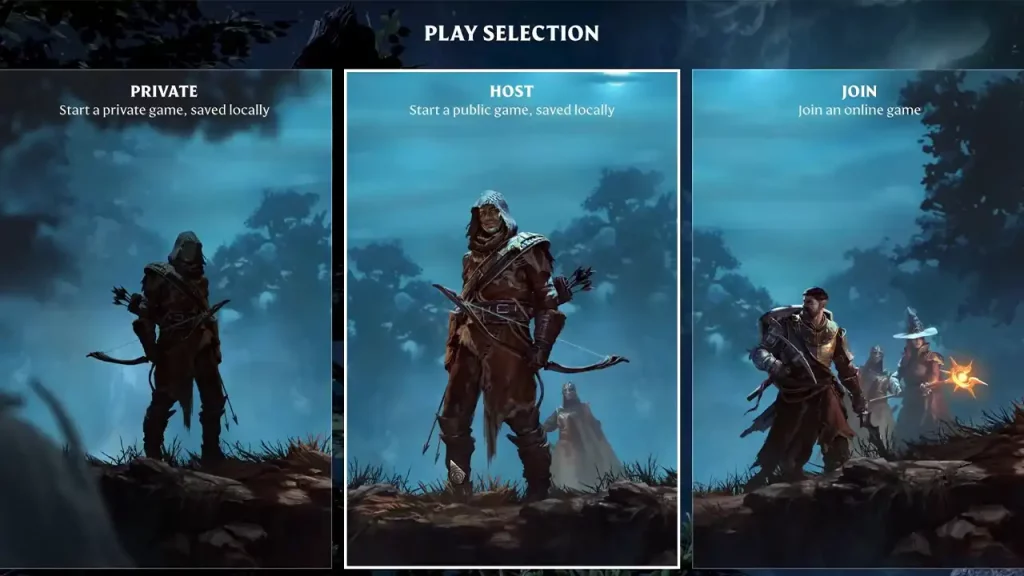
Once you enter the game, you can simply hit Play and then there will be three options for you. If you want to host an Enshrouded Multiplayer session, you need to select the Host option to create a public game that’s saved locally. You can choose to create a new world or use a world that you’ve already created to host a session with friends. Also, you can change the number of people who can join the session, all the way up to 16 players, and also add a Password in order to keep the session reserved for your friends.
However, there is a possible drawback to this. The person who sets up the server will be the host, and when they go offline, no one will be able to play on this server. You’ll only get to play on that server when the host is online. Fortunately, they have dedicated servers that you can rent and play the game without any issues.
How to Invite or Join Friends to Enshrouded Multiplayer Match
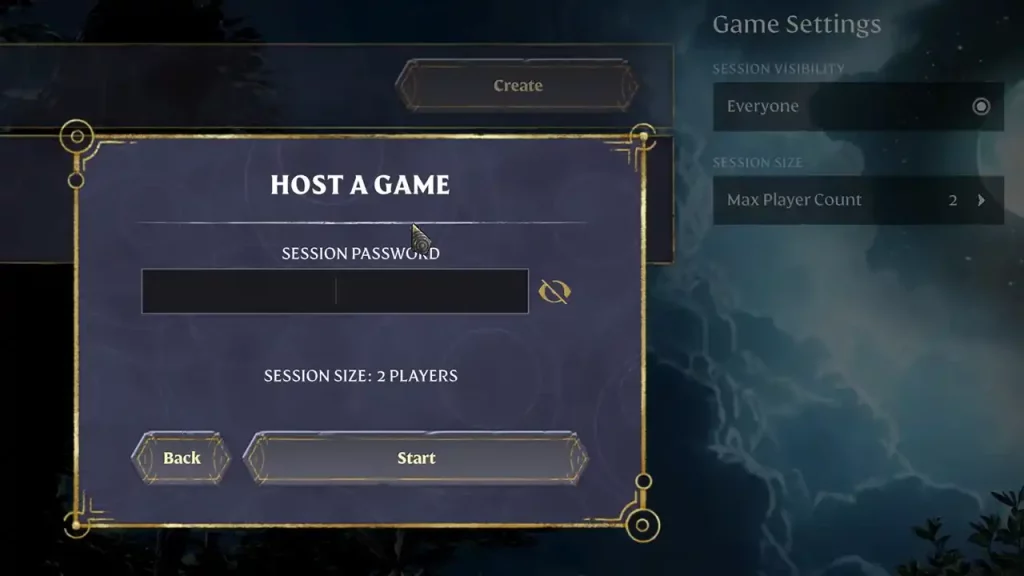
Once you create the server, you can either invite them from your Friends list or have them join the server by selecting the third option in the Play menu. Once they hit the Join option, all the servers available will show up. To join a friend’s session, check the “only show friends session” box. Once players find their friend’s server, they can select it and put in the correct password and that should be it. You can now start playing Enshrouded with your friends.
That’s all we need from this guide. If you found this guide useful, do check out more Enshrouded guides in our dedicated section here at Gamer Tweak.











