The detailed evolution system and awakening are the most appealing features of the Legend of Mushroom. It is truly a legend where a level 1 Shroomie evolves into advanced classes of level 100 Shadow Hunter, Warmonger, Holy Guide, Arrowgod, and more. With five stages of evolution and different specializations, the mushroom will take many forms before becoming a human.
This makes it crucial to plan for the final advanced class ahead of the selection. Once you have selected a path, it would be costly to reverse or change it in the future. Still, if you have checked our tier list and decided to switch the class, here’s how you can do that.
How to Reset and Change Class in Legend of Mushroom
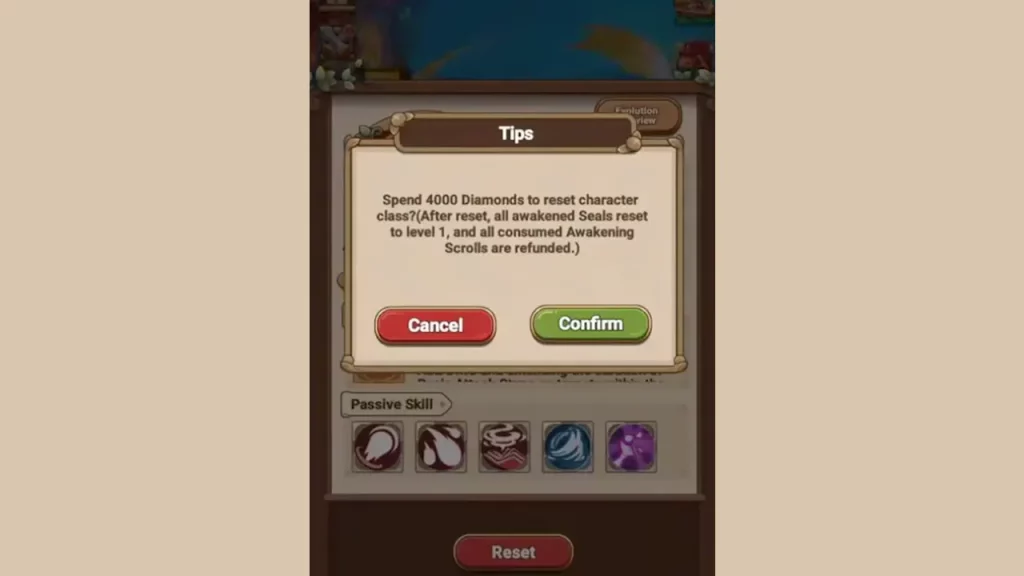
The only thing required to reset the character class in Legend of Mushroom is 4000 Diamonds. It is a lot to pay, you can create two families with the amount, but there is no other alternative, so you would have to collect and use the gems. There are many ways to make Diamonds, one of the simplest of which is codes. Most codes give you 50 to 200 Diamonds, so redeeming about 10 would be enough to make around 1000.
Your level won’t change, however, all awakened Seals will return to level 1, and all consumed Awakening Scrolls will get refunded after reset. Thus, apart from the insane Diamond requirement, there isn’t much damage to your account. So, if you have the amount, follow these steps to change Class:
- Open the game and go to your character details. Tap on the little mushroom icon from the bottom left corner for it.
- Now select the Class option from the bottom.
- If you haven’t reached level 100 and unlocked all evolve classes, you will see two options – Reset and Evolve.
- Press the Reset button, and it will ask you for confirmation.
- Once you confirm, your character will turn into Shroomie.
- This will allow you to use the Evolve button like before and select the class you want to advance in.
- Collect the required Diamonds and repeat the steps whenever you want to reset.
That’s all you have to do to reset and change Class in Legend of Mushroom. If this is interesting, you should check our guide on how to add friends and get mounts.