Just like in many other Pokémon titles, there is a Mystery Gift system in Pokopia, and this guide has all the currently available codes that you can use. There are two ways to get freebies – some gifts can be received via redeemable codes, while others can be claimed directly through the in-game “Get via Internet” option. Here’s everything you need to know.
Also Read | How to Fix Humidity Stuck at 71 in Pokopia
Pokémon Pokopia Mystery Gift Codes
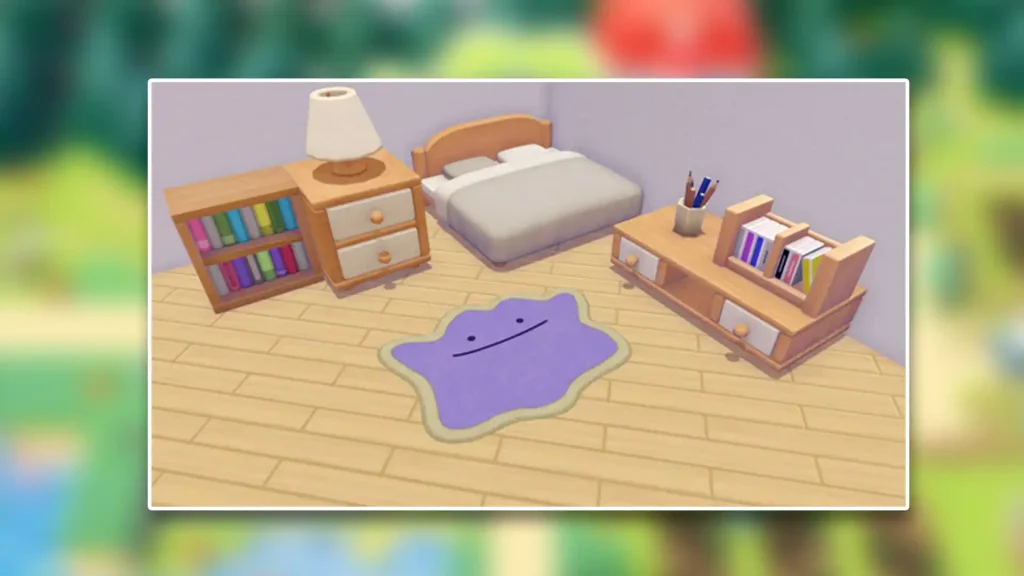
- The first available reward can be redeemed through the “Via Internet” option – no code is needed in this case, but you must have pre-ordered the game to claim it. The reward is a Ditto Rug and it is claimable until February 1, 2027.
- The second code is P0K0P1AGARDENS, which gives you a Chansey Plant. It expires on October 7, 2026.
The developers are expected to release more Gift codes over time, so keep checking back regularly to make sure you don’t miss any free rewards while they’re still available.
How to Redeem Pokopia Mystery Gift Codes?
To redeem these rewards, players need to progress far enough in the game to unlock the Pokémon Center PC, where the Mystery Gift menu becomes available. From there, you can enter a code or download available gifts online to add them to your inventory.
Here are the exact steps you need to follow:
- First and foremost, your Nintendo Switch 2 needs to be connected to the internet.
- Visit the Pokémon Center PC and go to the Get Items section.
- Scroll to the Mystery Gifts button.
- Choose Get Via Internet or Get with Code/Password. This will differ based on the type of reward that’s available.
- You’ll receive the reward instantly.
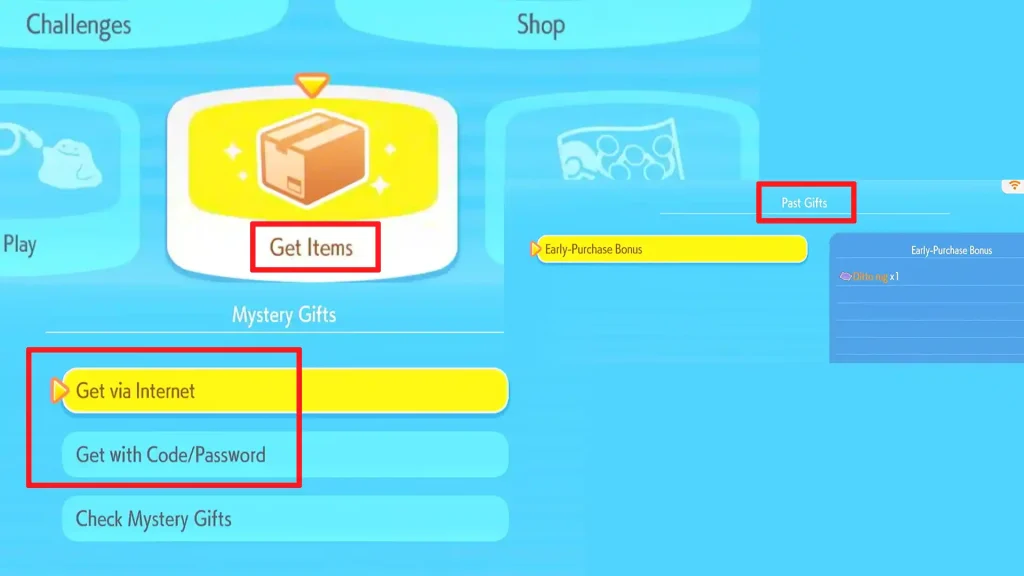
You can view all past gifts from the same menu – simply click on Check Mystery Gifts, and you will see everything you have claimed till now.
To stay up-to-date with all the upcoming rewards, bookmark this page because we will keep an eye out for them!
Pokopia Mystery Gifts FAQs
Pokémon Pokopia Mystery Gift codes are special redeemable codes that give players free in-game rewards. These rewards can include useful items, resources, cosmetics or other bonuses that help players progress faster or customize their experience in the game.
To redeem Mystery Gift codes in Pokémon Pokopia, go to the Pokémon Center PC > click on Get Items > Mystery Gifts > Get Via Internet or Get with Code/Password.
A code may not work if it has expired, was entered incorrectly, or has already been redeemed on your account. Some codes are also region-specific or limited to certain events.
Yes, most codes are available for a limited time. Once a code expires, it can no longer be redeemed, which is why it’s best to use it as soon as possible.