Home > Gaming Guides > How To Play Co-op Multiplayer In Granblue Fantasy Relink

How To Play Co-op Multiplayer In Granblue Fantasy Relink

Published Date :

While action RPGs have a trend of exploration and survival, they are usually best enjoyed when playing with friends. Fortunately, there is a Granblue Fantasy Relink co-op multiplayer option that players can try out to enjoy the game with their group. Setting up the online session is pretty easy and players will have to follow a few steps to get the game up and running.

There are numerous activities available with the multiplayer option. Once you select the best matchmaking settings available for your game, you can invite your friends to the game. After that, you can start taking quests from the Quest Counter menu and complete them with your friends.

How to Play Granblue Fantasy Relink Co-op Multiplayer
How to Play Granblue Fantasy Relink Co-op Multiplayer
Image via Cygames

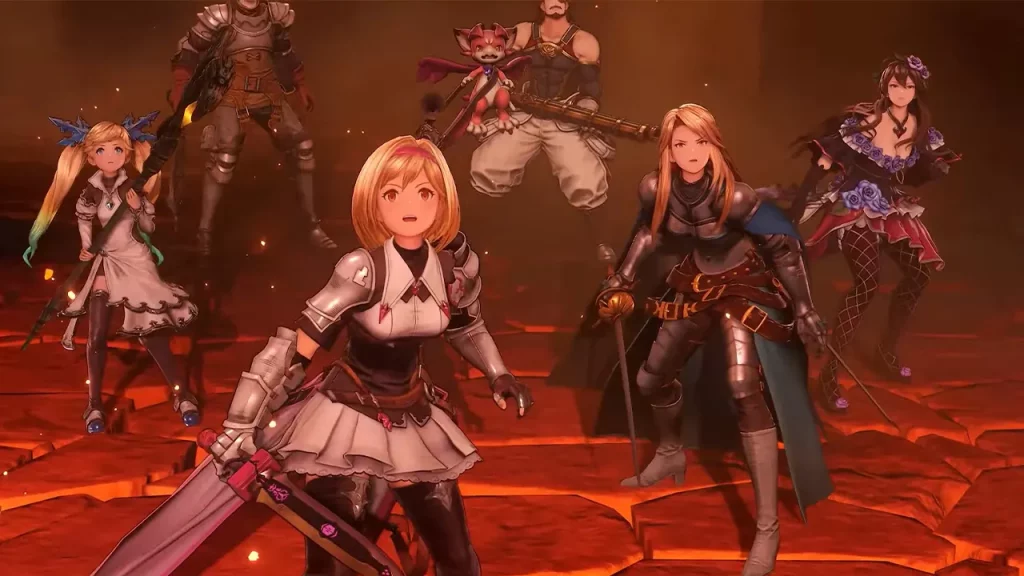
To play the Granblue Fantasy Relink co-op multiplayer mode, get into the game and while you are in a session, go to the Quest Counter and talk to the Alliance Receptionist. You can find the Play Online option once you interact with them. Once you select the Play Online option, you will get to edit the session settings.

Select the region to match with your friends and then change invite permissions to the party’s leader so you can invite your friends instead of random players. If you want a random multiplayer session, you can keep the settings open for anyone. Once you have the correct session settings, select OK.

Once the game loads, head back to the Quest Counter again and interact with the Receptionist and you will get the quest menu. Now, select the Invite Option and you can start inviting all your friends. A party can have up to a maximum of 4 players which means you can invite 3 other players for a co-op multiplayer. Do note that there is no crossplay between PC and PlayStation players at the time of writing.

That’s all we have from this guide. Granblue Fantasy Relink players are hot in heels for some Romance Options. If you want to know more about that, do check out our guide on it right here at Gamer Tweak.

  • Throw a Coin Codes (July 2026)

    Throw a Coin Codes (July 2026)

    Published Date :

    Throw a Coin’s gameplay loop is very addictive – you start by throwing a coin into the fountain, and it gives you a random item of a certain value. The fountain can drop anything from a Guitar, a TV, a Trophy, a Magnet, a Wheel, to the rare Treasure Chests. Your goal is to upgrade… Read More

  • Rintama High Codes (July 2026)

    Rintama High Codes (July 2026)

    Published Date :

    Rintama High codes can help your journey by providing free cash (Yen), Reroll Tokens, with more freebies to come in the future. They can expire at any time without warning, so, if you don’t want to miss out, this guide is for you! Last checked for new codes on July 27, 2026. New Rintama High… Read More

  • Roll Anime to Fight Codes (July 2026)

    Roll Anime to Fight Codes (July 2026)

    Published Date :

    In Roll Anime to Fight, the fighters you get make all the difference, and to build the strongest team, you need resources. Thankfully, the developers frequently share codes that provide free Gold, Trait Shards, Godly Essences, and more, which make the process much easier. If you don’t want to miss out on these boosts, redeem… Read More

  • A Guide to CS2 Trading Tools and Pro Trading Tips

    A Guide to CS2 Trading Tools and Pro Trading Tips

    Published Date :

    Successful CS2 trading is rarely based on guesswork. Experienced traders rely on data to compare prices, track market trends, and identify good opportunities before making a trade. With so much information available, keeping up with the market without the right tools can be difficult. That’s where CS2 trading tools come in. In this guide, we’ll… Read More