If you are wondering how to place Standee in Super Mario Bros Wonder and help other players online revive, then don’t worry we have got you covered. These character cutouts are more than just collectible items in the game. While playing online you can use these Standees at the right spot during your course to help out other players. These will then act as a spawn point for the other players which in turn will help their character revive if they ever die near the area.
There are 12 different playable characters that you will come across in Super Mario Bros Wonder. Each of them has their own set of unique Standees that players can collect in the game. With that being said, if you are wondering how to use Standees to help out other players or to just show them off in the game, then here is a guide you should check out further.
How to Use Standee in Super Mario Bros Wonder
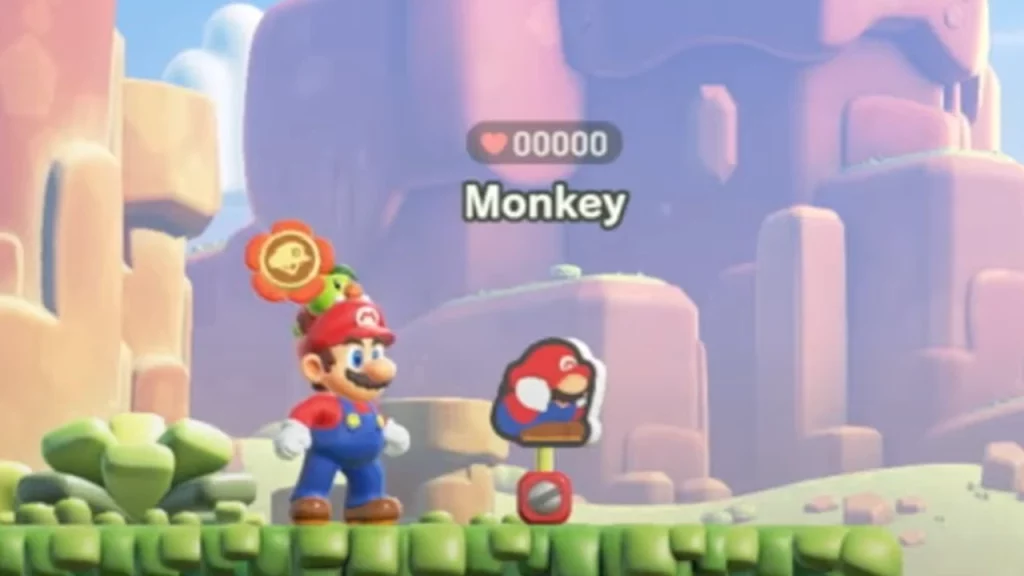
To place Standee in Super Mario Bros Wonder, players will have to pull the left stick down to crouch and press the X button. This will help you use the Standees from your collection in the game. Once done, other players in the online mode will have to interact with them while being in their ghost forms. This will help them revive if their character ever dies during the course. Players should place them at tougher spots that they will come across in different areas.
It is worth mentioning that after placing a new standee, the one placed earlier will be automatically deactivated and removed. Players will come across the deactivated standees as grey cutouts which they won’t be able to use in the game. There are 144 Standees available for players to collect in Super Mario Bros Wonder. While the original Jumping Standees for all the characters will be available right off the bat, you will have to purchase Standee Surprise from Poplin Shops. You can purchase them with the help of the Flower Coins at your disposal.
That’s everything covered on how to place Standee in Super Mario Bros Wonder. If you find this guide helpful, check out our guide on how to play SMB Wonder online with friends, right here on Gamer Tweak.