
Emptying the chest and then putting everything back only to move it in Stardew Valley was quite a hassle. But fortunately, makers understood this issue and made adjustments in due time. Before the v1.5 update players went through a time-consuming process just to make some space, now it is possible with some taps and clicks. If you are also trying to clear your path, then read along and move your chest in Stardew Valley.
How to Change Chest Location in Stardew Valley
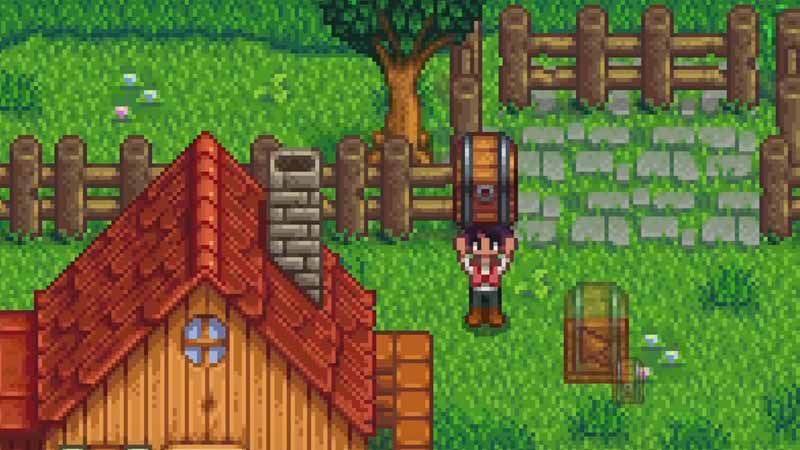
There are several ways you can use for moving chests in Stardew Valley. But two prominent ways are running against it and moving it with hits. The first method is not applicable for mobile users, as you need to left-click when running against it. While performing this method keep in mind that your hands must be empty. It is the easiest method, but if this is not working for you, then try this second solution to move your chest.
The second method works for all devices including consoles and mobiles. Here you need to kick the chest in the direction you wish for it to move. You can use weapons to make the process faster or simply use your hits to perform the task. If you are using legs then it will take about 10 kicks for a chest to move in the desired direction. And Chest will move one tile with approximately ten kicks in Stardew Valley.
Kicking can actually be time-consuming, so if the chest doesn’t have many items in it, just move them into your slot. Then hit the chest with an axe, it will get added to your inventory. Place the chest in your hands and go to the location you wish to keep this box in. Click on the tile and change the location of the chest. This is helpful when you are trying to clear the field for building.
Use any of the above methods to clear the path and arrange chests by moving them in Stardew Valley. The kicking method can be used for several other objects too, like a fridge. Once you have moved the chest to the best location, you might be looking for resources to fill it with, if you are, then collect Ancient Seeds and get Fire Quartz with our Stardew Valley guides.











