
Home > Gaming Guides > MLB The Show 21: Pickoff A Runner

How To Pickoff A Runner In MLB The Show 21

Updated Date :

The Pickoff is an extremely important aspect in MLB The Show 21. As games imitate life, The Show 21 takes some handy tricks from the MLB playbook. And players and fans who have been watching the game for a while now know how a pickoff can change the face of a game. By performing a Pickoff attempt you can ensure that no one steals the base. Using a Pickoff attempt in MLB helps keep the baserunner close to the bag. However, you need to be on your toes or rather fingertips while playing MLB The Show 21 to execute this perfectly. Scroll down and read below to know how to Pickoff a Runner in MLB The Show 21.

How to Pickoff a Runner in MLB The Show 21
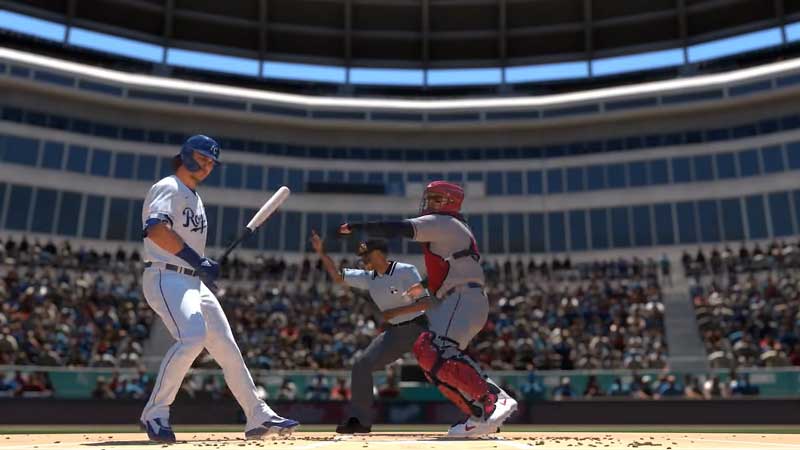
How To Pickoff A Runner In MLB The Show 21
Pickoff a runner before they attempt to steal a base.
  • To perform a Pickoff attempt on a runner click ‘L2’ on PlayStation and ‘LT’ on Xbox so that you can see the runner clearly.
  • You will have to keep an eye on the video screen that appears on the top left when you are performing a pitch.
  • In this, you will see the baserunner getting ready to make an attempt to steal a base.
  • Now select the base you want to throw to and the pitcher will perform a Pickoff attempt on the runner.
  • If successful the runner will be declared out.
  • Successfully performing a Pickoff attempt on a runner in MLB The Show 21 will earn you the Dugout Walk achievement trophy.

While performing a pickoff it is very important to time your attempt correctly. Keep a keen eye on the screen on the top left. The baserunners will always stand a couple of steps away from the base. Make sure that they are slowly sliding away from the base and that’s when you can perfectly perform your Pickoff attempt. If you mistime this, the baserunner will be back on the bag.

This is everything you need to know about how to Pickoff a Runner in MLB The Show 21. While you are here find out how you can play MLB The Show with friends and how to enable crossplay.


  • Pop for Free Codes (August 2026)

    Pop for Free Codes (August 2026)

    Published Date :

    Pop for Free puts a simple twist on the obby formula. You complete obstacle courses based on their difficulty, earn Pops for finishing them, and then use those Pops to spin different colored wheels. Eventually you can claim free Robux so you have a good reason to keep pushing through more challenging courses. If you… Read More

  • Mine Rocks Codes (August 2026)

    Mine Rocks Codes (August 2026)

    Published Date :

    Mining in Mine Rocks is pretty straightforward: break rocks, collect Coins, turn them into Geodes, and use those Geodes to progress further. While you’re at it, a few boosts can make that process much quicker, especially when you’re just getting started. Here are all the Mine Rocks codes that are currently available. Last checked for… Read More

  • Anime Stars Codes (August 2026)

    Anime Stars Codes (August 2026)

    Updated Date :

    Anime Stars is all about collecting powerful anime Heroes and defeating enemies that prove to be increasingly difficult. You’ll need Coins, Gems, Summons, and other resources to keep upgrading, and codes can give you a nice head start with some of these resources. If you’re curious to know which rewards are working, here’s the full… Read More

  • Ghost Driver Codes (August 2026)

    Ghost Driver Codes (August 2026)

    Published Date :

    Ghost Driver puts you behind the wheel on busy highways where you’ll need to weave through traffic, build up your cash, improve your ride, and more to become one of the best drivers. A better car can make those early runs much easier, and the latest codes can give you a good amount of Cash… Read More






