
Experiencing controller connectivity issues in Monster Hunter Wilds can be frustrating, especially when you’re eager to dive into the hunt as a fan of the series. Unfortunately, many players are currently facing this issue and the solution lies in the button layout for Steam. Here’s how you can get it working immediately.
Controller Not Working for Monster Hunter Wilds
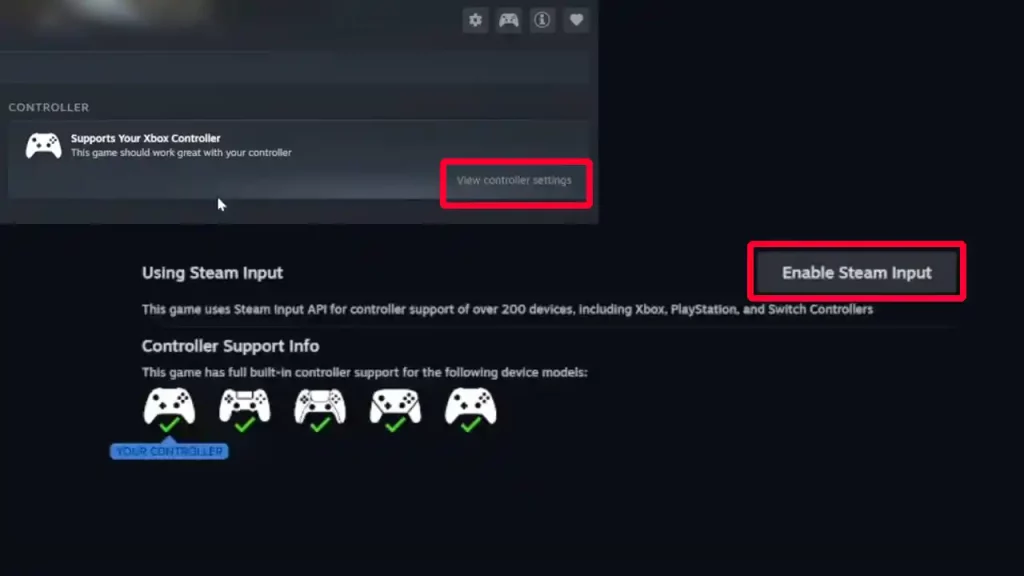
Enable Steam Input
Steam’s input configuration is crucial for recognizing and supporting various controllers. Follow these steps to ensure your controller is properly configured:
- Ensure your controller is connected to your PC via USB or Bluetooth.
- In your Steam Library, right-click on Monster Hunter Wilds and select ‘Properties’.
- Within the properties menu, click on the ‘Controller’ tab.
- Set the ‘Override for Monster Hunter Wilds’ to ‘Enable Steam Input’.
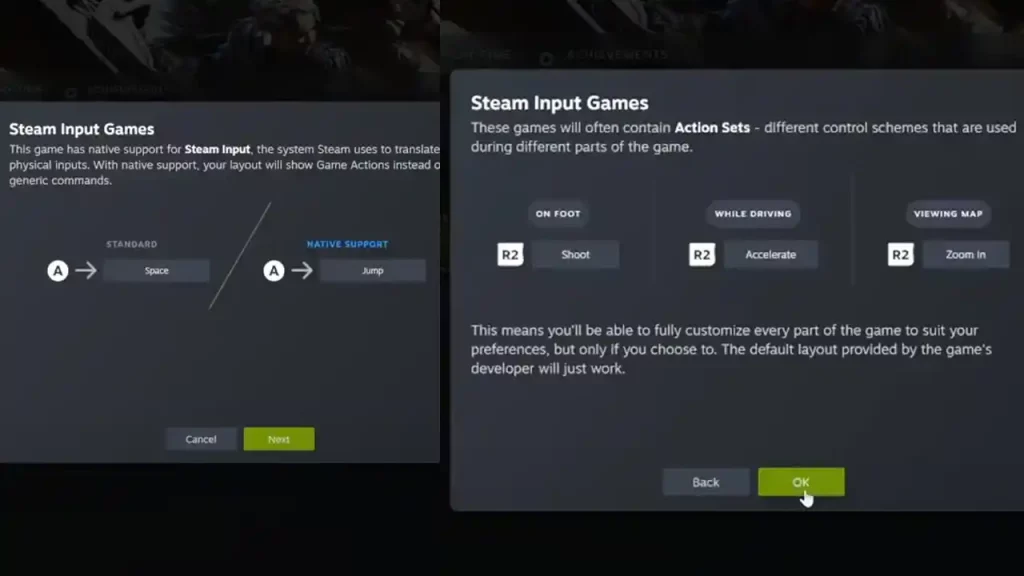
This configuration prompts Steam to manage controller inputs, which will help compatibility and functionality. This should ideally work for most players, but if it doesn’t, try the troubleshooting tips below.
Verify Controller Layout
An incorrect button layout can cause unresponsive controls, so make sure your controller uses the official layout:
- With your controller connected, click on ‘View Controller Settings’ in the game’s Steam Library page.
- Ensure the ‘Current Button Layout’ is set to ‘Official Layout’. If you’ve previously customized layouts, reverting to the official configuration can resolve input issues.
Confirm Controller Connection
Sometimes the solution is simple, so let’s get that out of the way as well. If you’re using a wired controller, check if the USB cable is firmly connected. And if you’re using a wireless one, verify Bluetooth pairing between your controller and PC.
Steam’s interface should display your controller under the ‘Detected Controllers’ section, confirming a successful connection.
Restart Your PC
As you know, a simple system reboot can fix temporary glitches, so save your game progress and restart your PC. Relaunch Monster Hunter Wilds to check if the controller functions correctly.
Update Controller Drivers
Aside from temporary glitches, outdated or missing drivers can affect controller performance as well. So, check if the drivers need updating to ensure compatibility with the latest game releases.
Test with Alternative Controllers
If the problem is with the controller, connect another controller to see if the problem persists. You can also connect your controller to a different PC or console to check its functionality.
Not all controllers work best with MH Wilds—it’s recommended to use the DualSense, Dualsense Edge, Dualshock 4 or the Xbox controller for the best performance.
Contact Official Support
If problems continue, visit Capcom Support. Access the official Capcom support page for guidance.











