
Roblox allows users to make and join groups with friends or other people who share the same interest as them. The massive online gaming platform has many features at its disposal that let users enjoy different experiences to their fullest. Players can have discussions related to their interests and even assist each other in various games. So if you are wondering how to create or join one and have fun with others, check out this guide further to know more about it.
How to Make a Group on Roblox
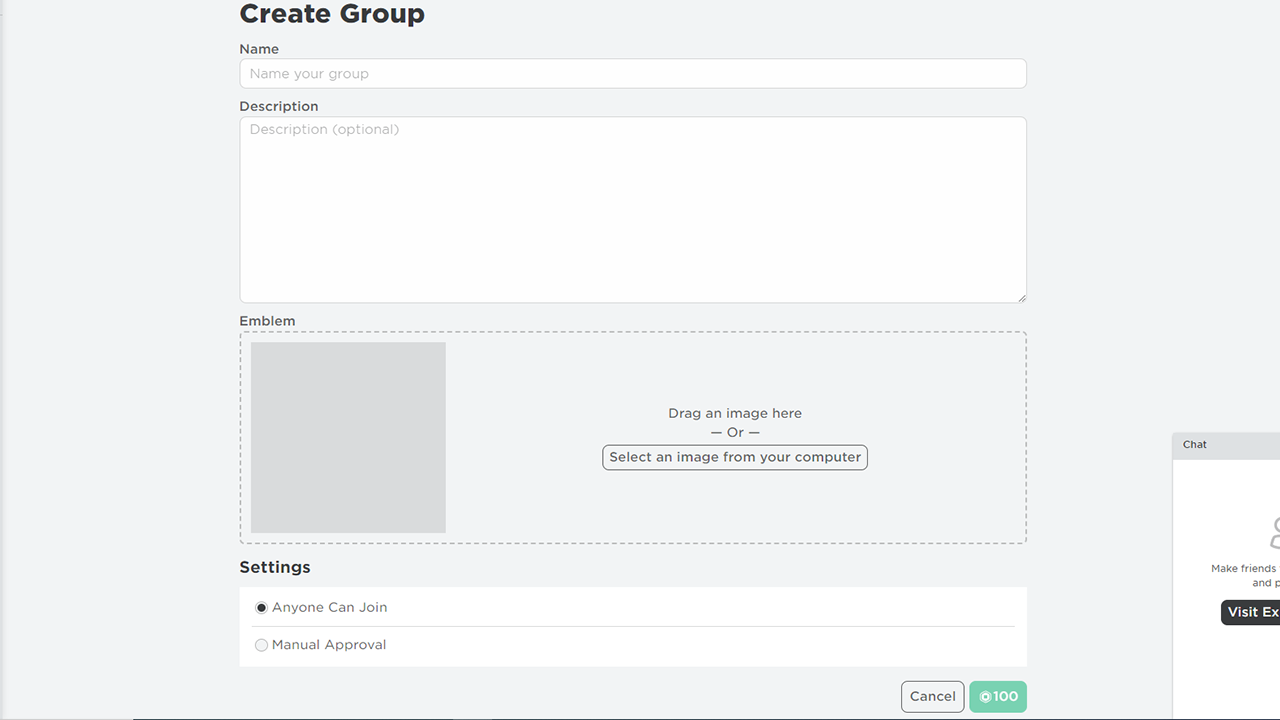
Players can make a group on Roblox for 100 Robux, it is a one-time payment so make sure to have them at your disposal. After which here are the steps you can follow to create one on the platform:
- Open Roblox on your device.
- Login into the account you want to create a group with.
- Head toward the Groups tab on the panel to the left side of the screen.
- Here select the Create Group option.
- After which fill up the information like Name & Description.
- Add a Picture/emblem for your group.
- Set the settings to public or private.
- And then click on the green 100 Robux option to make the Group.
It is worth mentioning that Roblox doesn’t provide you with an option to delete the group from the platform as of now.
How to Join a Roblox Group
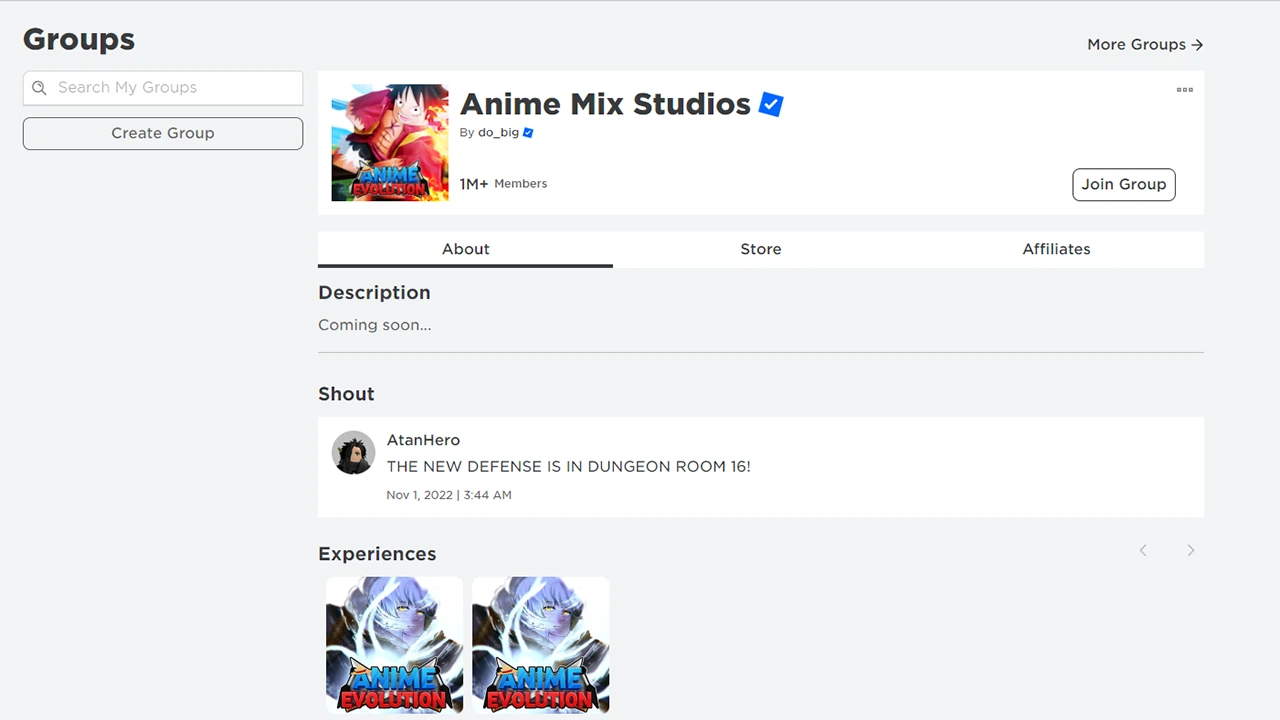
Here are the steps you can follow if you want to join a group on Roblox:
- Open Roblox on your device.
- Click on the search bar and type in the name of the group.
- To find other groups with the same interest you can type in the keyword and search accordingly.
- From the options, select in Groups option.
- After which select the group from the list.
- Click on it and select the Join Group option.
If the group is private, players will have to wait for the creator to approve their request first. Players can join up to 100 groups on the online gaming platform.
That’s everything covered on how to make & join a group on Roblox. Check out this guide on how to change group name on Roblox or if you are looking to play experiences only with your friends, check out our guide on how to make a private server, right here on Gamer Tweak.











