
Traveling in the open world of LEGO Fortnite can be time-consuming, but we have to visit our villages to maintain its governance and development. All villages are settled at a particular distance from each other, which makes going back and forth a hassle. The day will end before you know it, and the only way to cut short this process is by traveling faster. You cannot set multiple spawn points on the map, so for fast travel, you must build a vehicle.
Building a non-steerable car in LEGO Fortnite is simple, but you might find crafting those that can change directions difficult. No need to worry, as here we have given a step-by-step guide on how to build and use it.
How to Build a Car and Travel Faster in LEGO Fortnite
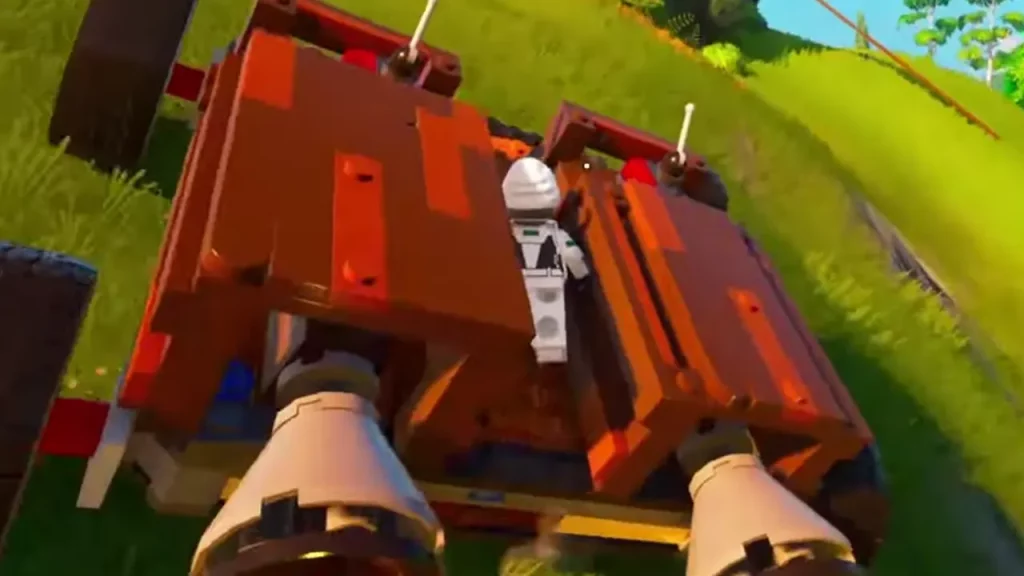
There are many ways to build a car in the game; some take a Dynamic Foundation, install wheels, Large Thrusters, and Activation Switch, while others take time for steerable ones. There are several designs for it, but the one that we found the cheapest and easiest is by YouTuber Beau, the steps for which are here:
- First, place one Wood Foundation 06. Next, put one Dynamic Foundation on it.
- Now place Plank Railing 02 on the two corner edges of the Dynamic Foundation. They should face each other.
- Take two more Plank Railing 02 and place them four studs apart, facing the corner ones. They should look like box brackets.
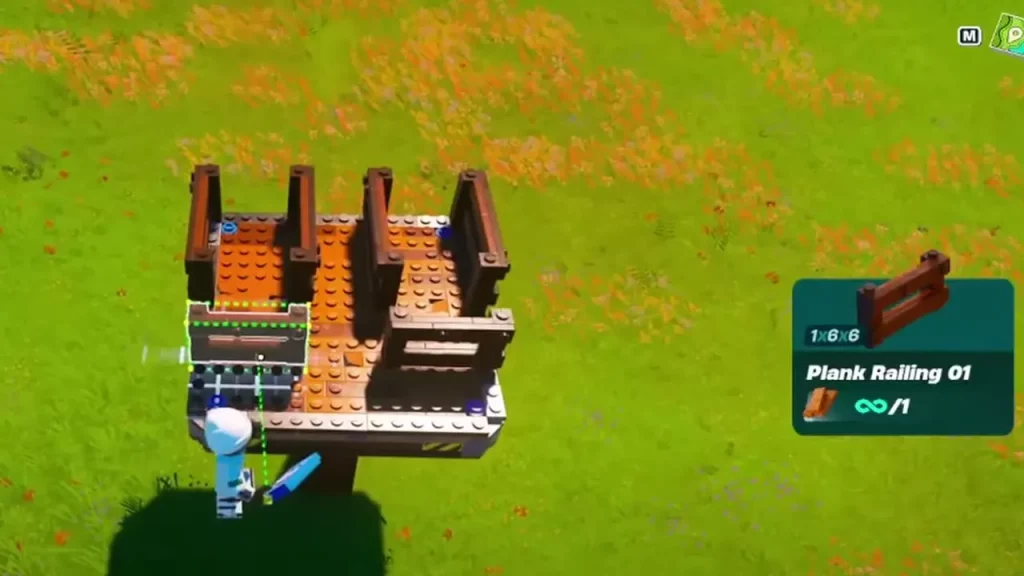
- Next, place Plank Railing 01 three studs away from the inside end of both box brackets.
- Now take Log Pillar 01 and put it inside both box brackets, with one stud gap from the inside edge of it.
- Take Rustic Beam 02 and put it on the top of Log Pillar 01, such that it is parallel to Plank Railing 02 and doesn’t go out from it.
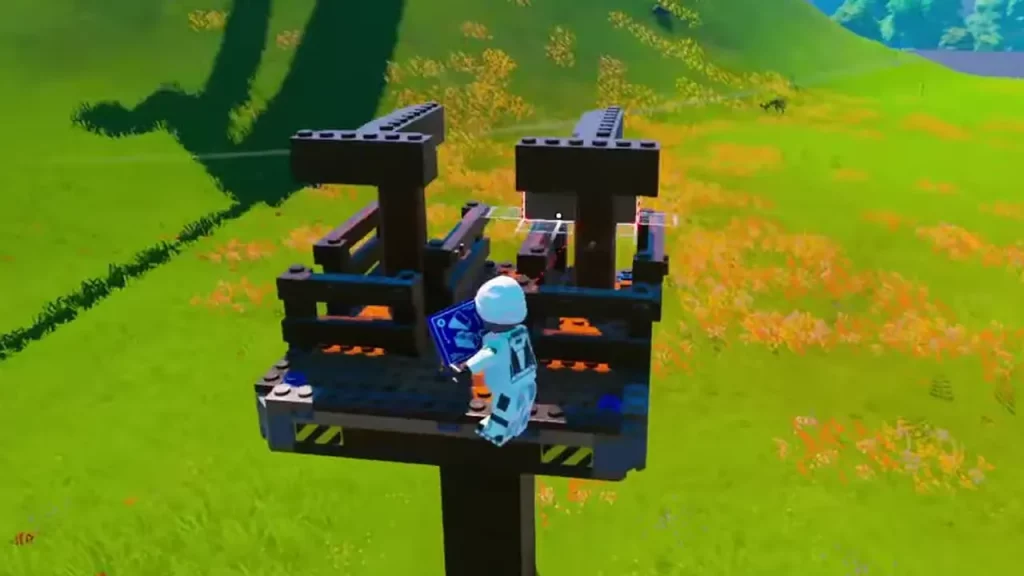
- Place Rustic Beam 01 on both inside ends of Rustic Beam 02. It would be T-shaped.
- Once you have done that, break both of the Log Pilar 01 to let the T shape fall.
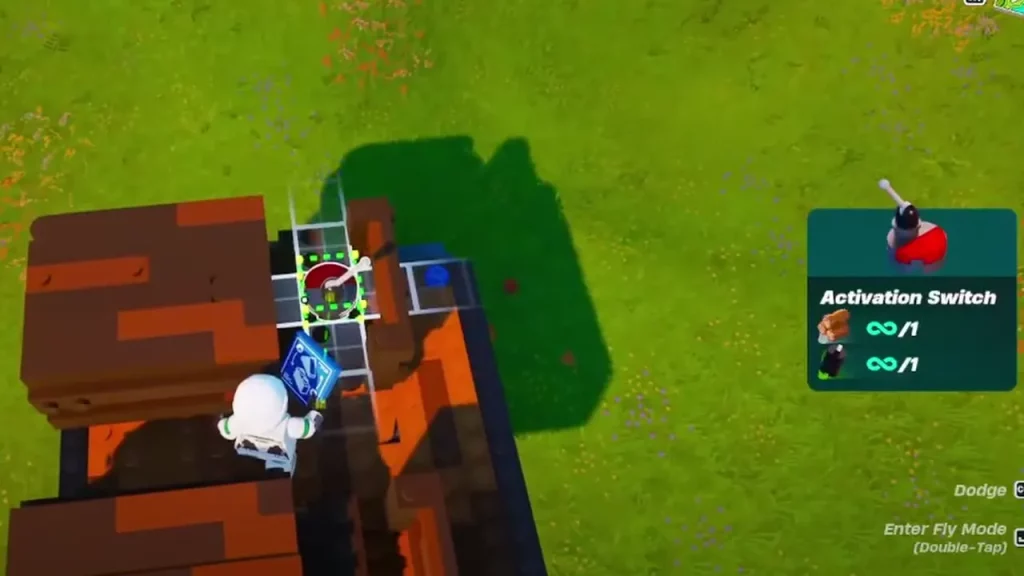
- Put the Activation Switch on the upper part of both Ts.
- Jump down and put four Large Wheels.
- Break the Wood Foundation 06.
- Put Large Thrusters on the outside end of the T shape.
- Use switches to control both the left and right ones.
That’s all about how to make a car in LEGO Fortnite. If you found this useful and are looking for more designs like this, you should check out our boat guide and then learn how to get a Glider.










