
In Fae Farm, a friendly gesture can go a long way. This RPG allows players to cultivate their farms by working on their crops and harvesting them. Along with farming, you can also explore the different maps, this game offers, by collecting resources and using them to craft items. You can use these items to decorate your home and make it cozy and hospitable.
During your daily adventures, you will encounter many animals and NPCs, that you can interact with. In order to interact with them you will have to use certain gestures. In this guide, we will mention the steps you can use to Wave, along with other emotes, so that you can build connections in the game.
Fae Farm: How to Wave
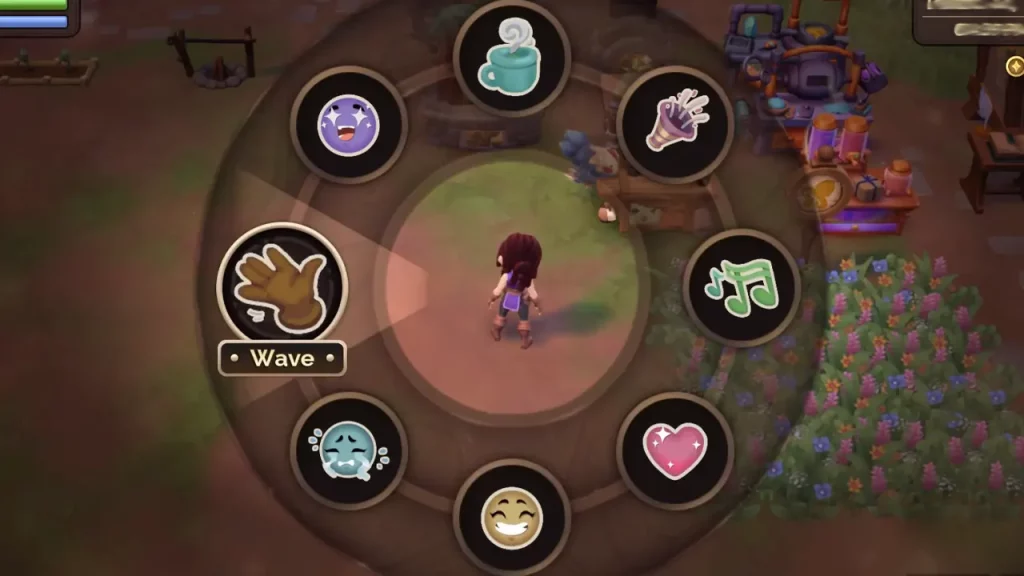
Players are not exactly given the steps they need to take to do this gesture through any in-game tutorials. These emotes can’t be unlocked by progressing through the game, either. By following a few simple steps you can learn how to easily Wave in Fae Farm.
- PC users can use this gesture by clicking on the B key on their keyboard. When you press this key, you will get the emote wheel, will pop up. Click on the ‘Wave’ option to use it.
- Nintendo Switch users will have to press Left on their D-Pad to open up the emote wheel and use the Wave gesture.
By following these steps, you can even make use of the other 8 emotes that are available on the wheel, for example, Cheer, Dance, Laugh, Sad, etc.
What are the advantages of Waving in Fae Farm
You can use the gesture to interact with the villagers and animals that you come across while exploring. It is also important to learn this action as sometimes it can come in the form of a quest by one of the NPCs in the game. After completing this simple task, you will be rewarded, as well.
These are all the steps you need to take to learn how you can Wave and use other emotes in Fae Farm. If you are looking for more guides related to this game, don’t forget to check out Fae Farm Hybrid Flower List and Complete Seals Guide, right here on Gamer Tweak.










