Being multiplayer, Minecraft allows you to add several friends and other players to your journey. With these players, you can craft and build extensive as well as beautiful worlds. But the only problem arises when your friend list is filled with random players. While some players can be toxic, some players can go offline forever. Thus removing them from the friend list is the best option. But how to do so? Check out our guide on how to unfriend in Minecraft.
How to Unfriend in Minecraft (PC, Pocket & Bedrock Edition)
Follow these steps:
- On the Minecraft title screen, hit the Play button and select the Friends tab.
- Over there you will find all of your joinable friends on the list.
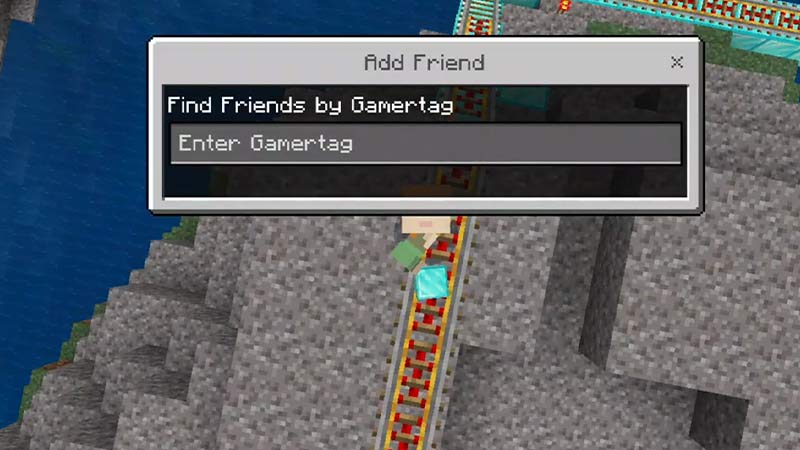
- If you want to unfriend a player that is not on the list, you can select the Add friend option.
- Then, type their Gamertag on the text box. We suggest entering their exact Minecraft Gamertag.
- As you hit the search, you will see the preview of their Profile.
- Expand the Friend option and scroll down to find the Unfriend option.
- You can select the Unfriend option to remove them from your list.
But removing or unfriending these players might not be a permanent solution. That’s because they can add you during the game. Scroll down till the end to know how to block other players.
How to Block Other Players?
Follow these steps:
- As you hit the Friends Tab, select the joinable friends from the list.
- Alternatively, you can also type their Gamertag to get their profile preview.
- Scroll down to find the Block option and toggle the option to block the player.
- For friends that are too annoying but cannot be unfriended or blocked, you can choose the Mute option for them.
- You will find the Mute option above the Block option.
- For the players that are abusive or disturbing you, we suggest choosing the Report option in the Profile Preview.
That’s everything covered about how to unfriend in Minecraft. If you liked this guide, check out our other guides on how to use Bio finder, best leggings enchantments, and how to craft Brewing Stand recipe in Minecraft right here on Gamer Tweak.