Destruction AllStars is a closed arena, car derby game. However, such paltry words don’t do it justice as its graphics and gameplay are clearly a jump off into the deep end, in a good way. This game was launched exclusively for the PS5 console and is available for free. While initial plans called for a paid release of the same, Lucid Games rolled back on that and added it to the virtual shelves as a free game. This undoubtedly has helped the game receive massive amounts of popularity and has been going off the charts ever since. If you are facing any issue with Haptic Feedback and Vibration then you can turn this off.
How to turn off the Haptic Feedback and Vibration on PS5 Controller?
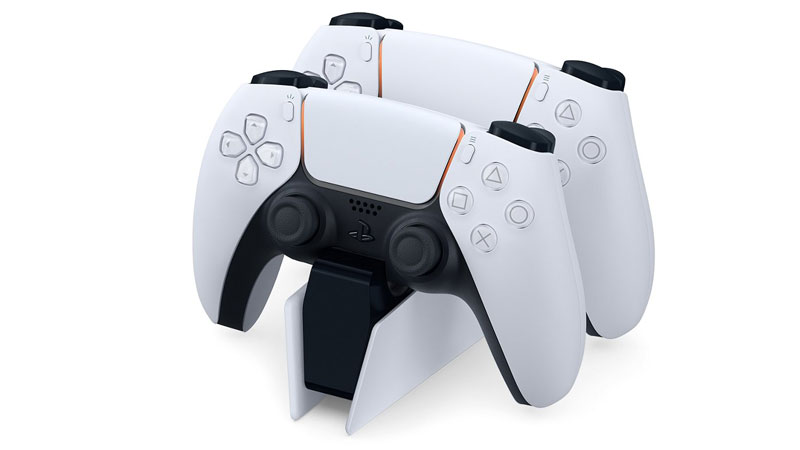
This weird Rocket League and Burnout fusion is a great game on its own and heavily relies on the next-gen features of the PS5 console. The adaptive and intuitive controls of the PS5 console help massively to make the gameplay more involving. This includes the updated graphics as well as the new intuitive controllers. The new-gen PS5 controllers utilize updated haptic feedback and vibration assistance which when combined with the carnage that occurs on your screen allows for a more involving environment.
However, at the same time, this elevated level of feedback from the controllers is off-putting for some players and users. This in turn necessitates turning these features off for simpler gameplay. Destruction AllStars unfortunately doesn’t come with its own accessibility settings. So you have to depend on the PlayStation system settings for the same. Here’s how you can go about turning off haptic feedback and vibration assistance.
- Go to your PS5 system settings.
- Go over to the Accessories menu.
- Open this menu and head over to the Controllers’ sub-menu.
- Open the submenu and look for Vibration Intensity and Trigger Effects Intensity.
- Switch both of these to the “Off” position.
- Load up Destruction AllStars.
- Enjoy your game.
That being said there are even options to reduce the feedback intensity in case you still want some amount of feedback from your controller. If you do find it difficult to play with these settings, it’s better to turn them off for a better gameplay experience.
Now that you know how to turn off haptic feedback and vibration intensity you can have a look at how to fix lag and stutter or how to play with friends.