Home > Gaming Guides > How to Save Progress in Content Warning

How to Save Progress in Content Warning

Published Date :

While it is possible to save recorded videos in Content Warning, players are wondering if it’s possible to save progress as well. That’s understandable because no one wants to force themselves to play for longer sessions. Instead, simply save the game and continue it sometime later with a fresh mind. There is an autosave feature in this game but it works a little differently. Since there is no dedicated button for it, you may find it confusing too.

In this guide, we have explained how to save the game in Content Warning. So if you often have to leave your game due to disturbance, this is how you can save your playthrough.

How Can I Save My Game in Content Warning?
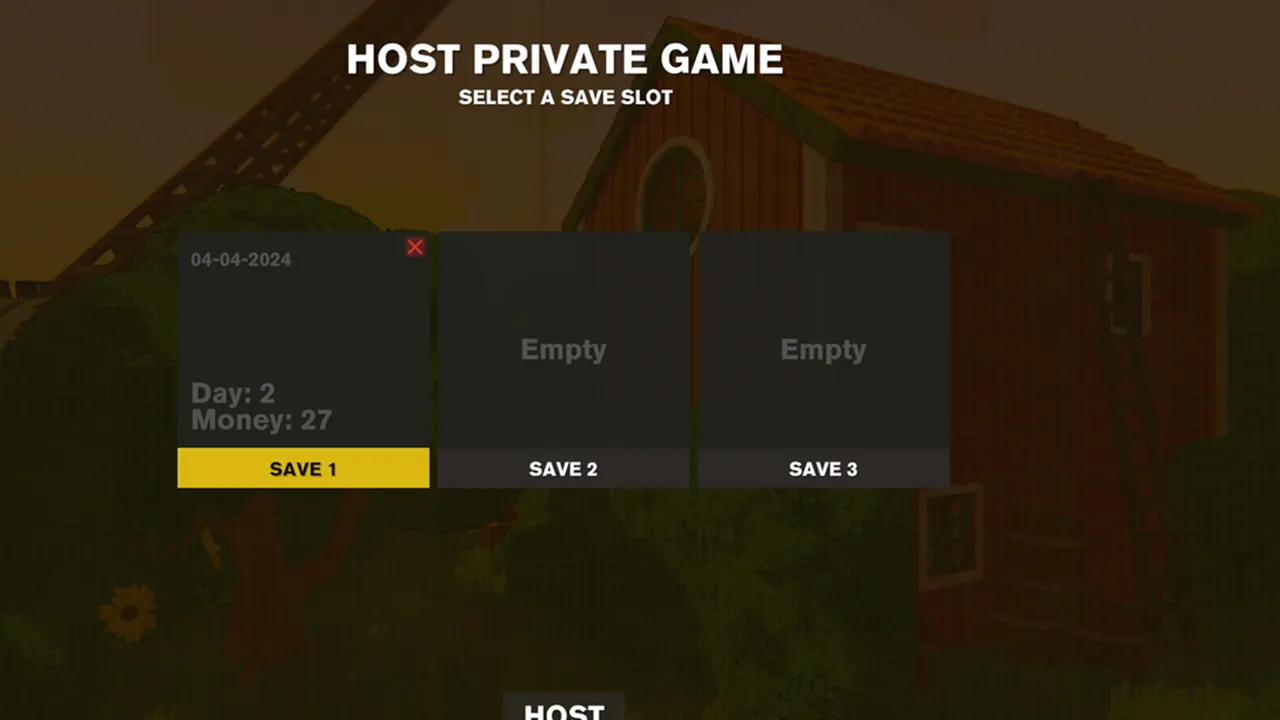
To save your progress, you must have to complete a day in Content Warning. For that, you have to film something scary in the Old World, upload it on SpookTube, and sleep in your Bed. Once your in-game character is awake, get up from the bed and quit the game directly. You will see that your progress is saved in the hosted slot.

Keep in mind that the autosave is only triggered if you successfully complete a day by sleeping. If you quit before that, your game won’t be saved and you will have to start that particular day again. Also, it should be noted that a host is the only one in the party that can save the game in Content Warning. Invited players do not have this privilege. However, the host can add them back whenever they load their saved progress again.

That’s how you can save your in-game progress in Content Warning. Hopefully, this will help you make more scary videos and earn plenty of views on SpookTube. For anything else related to the Content Warning Game, feel free to check out our dedicated section on it.
  • Anime Expeditions Codes (July 2026)

    Anime Expeditions Codes (July 2026)

    Published Date :

    Heroes from multiple anime worlds have come together to take on dangerous expeditions filled with powerful enemies. As you summon stronger units, evolve them, and tackle tougher game modes, every free reward can make your team even stronger. That’s why we’ve compiled all the latest Anime Expeditions codes you can redeem right now. Last checked… Read More

  • Flip a Boat Codes (July 2026)

    Flip a Boat Codes (July 2026)

    Published Date :

    In Flip a Boat, your goal is to turn neglected boats into valuable ones. Buy damaged boats, repair them piece by piece, customize them to your liking, and sell them for a profit as you work your way up to larger, more expensive vessels. If the developers release freebies, you’ll find all the latest Flip… Read More

  • Scale Slimy Fish Codes (July 2026)

    Scale Slimy Fish Codes (July 2026)

    Published Date :

    Catching fish is only the beginning in Scale Slimy Fish. To earn more cash, you’ll need to scrape off their scales, feed hungry animals, and continually upgrade your rods (and your knife!) and tools for bigger catches. If you’re looking for a head start, here are all the latest Scale Slimy Fish codes currently available… Read More

  • Level Your Weapon Codes (July 2026)

    Level Your Weapon Codes (July 2026)

    Published Date :

    Level your Weapon has quite an addictive gameplay – you start with a weak weapon, but you keep adding XP Crystals to it; the weapon gets stronger, helping you take down increasingly powerful enemies. Leveling up slowly is part of the fun; however, free rewards can make that grind a little smoother. If you’re looking… Read More