With the Minecraft launcher, players can access the game to explore everything, especially after an update. But sometimes, the application might not launch, won’t download updates or throw an outdated client error which can be very frustrating. You might see a message that asks you to restart the launcher to use the latest version. To help you with this problem, let’s take a look at how to restart Minecraft launcher for updates or to fix other errors.
How to Restart Minecraft Launcher?
You might have already tried closing the launcher application and restarting it but it didn’t work. Here are the other methods to completely shut down the Minecraft launcher and get a fresh restart.
- Method 1 – Click on the launcher client that has frozen/stopped working and press Alt + F4 repeatedly on your keyboard.
- Method 2 – Press Ctrl + Alt + Delete on your keyboard and click on Task Manager. From here, right click on the Minecraft launcher and choose End Task.
- Method 3 – Restart your PC to ensure that Minecraft services are completely shut down in your computer.
After all of this, you should be able to get the latest version of the Minecraft launcher. Sometimes, all you have to do is wait until the issue is resolved on its own, which is the case for most players.
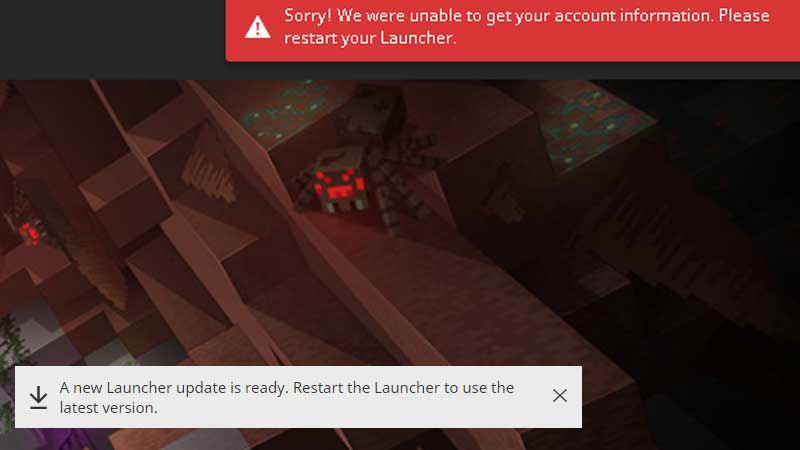
Launcher Shows “Restart the launcher to use latest version” even after Restarting
If the message still doesn’t go away despite restarting, you can head to the Forum and post about it, if it hasn’t been posted by another player already. At the time of writing, the developers are working on this issue as it seems to be a bug with the launcher.
We do not recommend deleting any Minecraft files because there’s a big chance you might lose your worlds. To avoid losing out on your progress, don’t delete any game files and always keep a back up. Contact Mojang support if you face any issues and they will help you out because it could simply be a bug from the end of the developers.
That’s all for this one. Do check out our guide on crafting a boat with a chest in Minecraft as well.