
One of the best things that Roblox allows players to do is designing virtual clothes for your avatar, and this guide will explain how to make clothes on Roblox easily. Players can unleash their creativity and create clothing for just a few Robux. Not to mention, players can either wear them to stand out from other players or even sell them on the Roblox marketplace to earn some money. However, players can find the process of making clothes to be tricky but it’s pretty simple. Check out this guide further to know about all the tools and resources you will need to design some for yourself or others.
How to Make Clothes in Roblox 2024
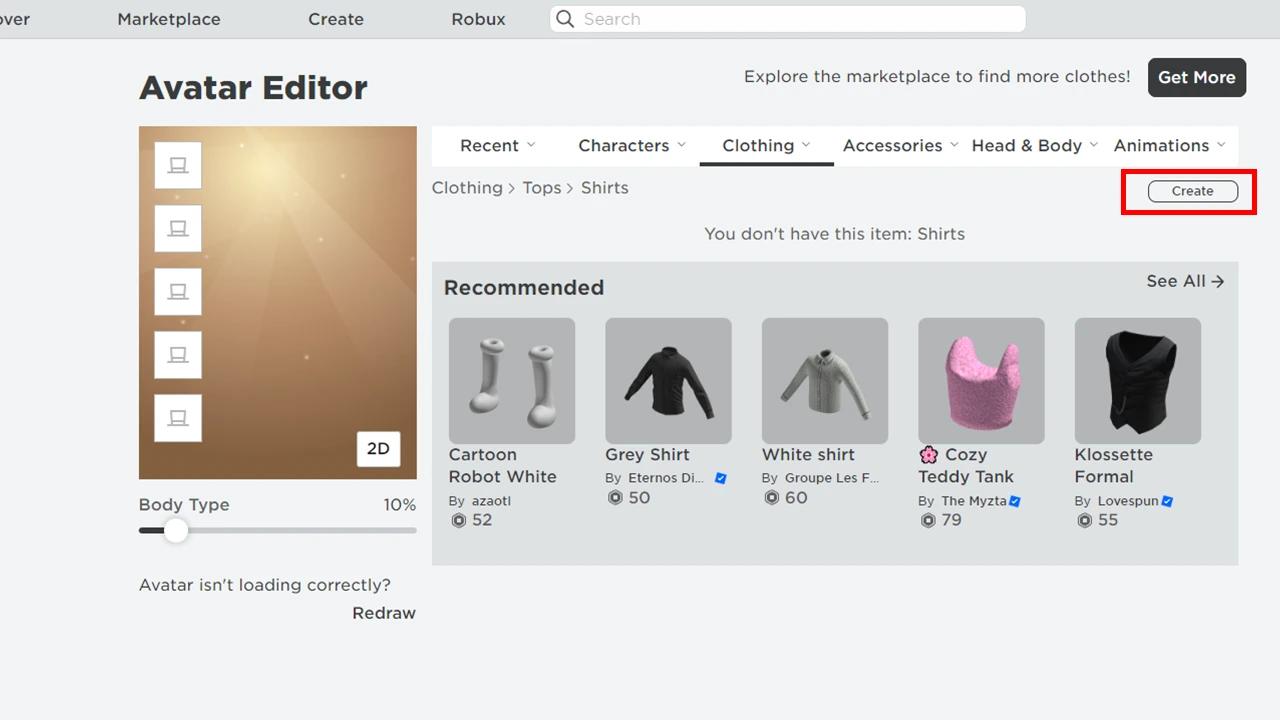
There are three types of clothes you can make to cover the surface of your avatar in Roblox namely T-shirts, Shirts, and Pants. Each type of clothing has its format and template through which players can design them in software like Adobe Photoshop, etc. It is worth keeping in mind that uploading the design costs around 10 Robux, so it’s best to have some at your disposal before you design. Here are the steps you can follow to make each piece of clothing on Roblox:
How to Make Tshirts
- Launch Adobe Photoshop.
- Create a square image with the design you like and save it.
- It should be ideally around 512×512 pixels.
- Open Roblox on your device.
- Head over to the Avatar tab on the panel to your left.
- Select clothing and from the drop-down click on T-shirts.
- Here, click on the Create option under the bar and head over to the Avatar Item tab.
- You can then upload your image here and wait for Roblox to approve.
How to Make Shirts and Pants
Shirts and pants require more precision and are more complicated to make than t-shirts. As they wrap around your avatar’s body, Roblox has a specific template to make it easier for you to make the clothes. Here are the steps you can follow to make proper shirts and pants in Roblox
- Download the clothing template.
- Once done launch Adobe Photoshop.
- Open up the clothing template you downloaded.
- All the sides are mentioned on the template, here are all of them to make things even more easy.
- Large square – 128 × 128 Front and Back.
- Tall rectangle – 64 × 128 Sides of the torso (Left, Right) & Sides of arms and legs (Left, Right, Back, & Front).
- Wide rectangle – 128 × 64 UP and DOWN.
- Small square – 64 × 64 Top and bottom of arms and legs (Up, Down).
- You can then create your design according to your style and the template.
- Save the design you made.
- After which open Roblox on your device and follow the same procedure as a t-shirt.
You can test out the clothing items using Roblox Studio and create a dummy rig. You will able to see how it looks on the Roblox Avatar and you can upload it to the marketplace to sell it.
That’s everything covered on how to make clothes in Roblox. Check out our guide on how to enable bubble chat and how to change profile pose in Roblox, right here on Gamer Tweak.











