
How to appear offline on Xbox and hide your current gaming activity? Look no further, here’s a guide that will show you the steps to make it happen. If you have a friend who immediately asks you to play as soon as you are visible online, you might want to know how to prevent it without offending the said friend. Here’s how to hide your online status on Xbox One and Series X and S and still be able to play online games without disturbance.
How to Appear Offline on Xbox One
Follow these steps to be ‘invisible’ to friends on your Xbox One console.
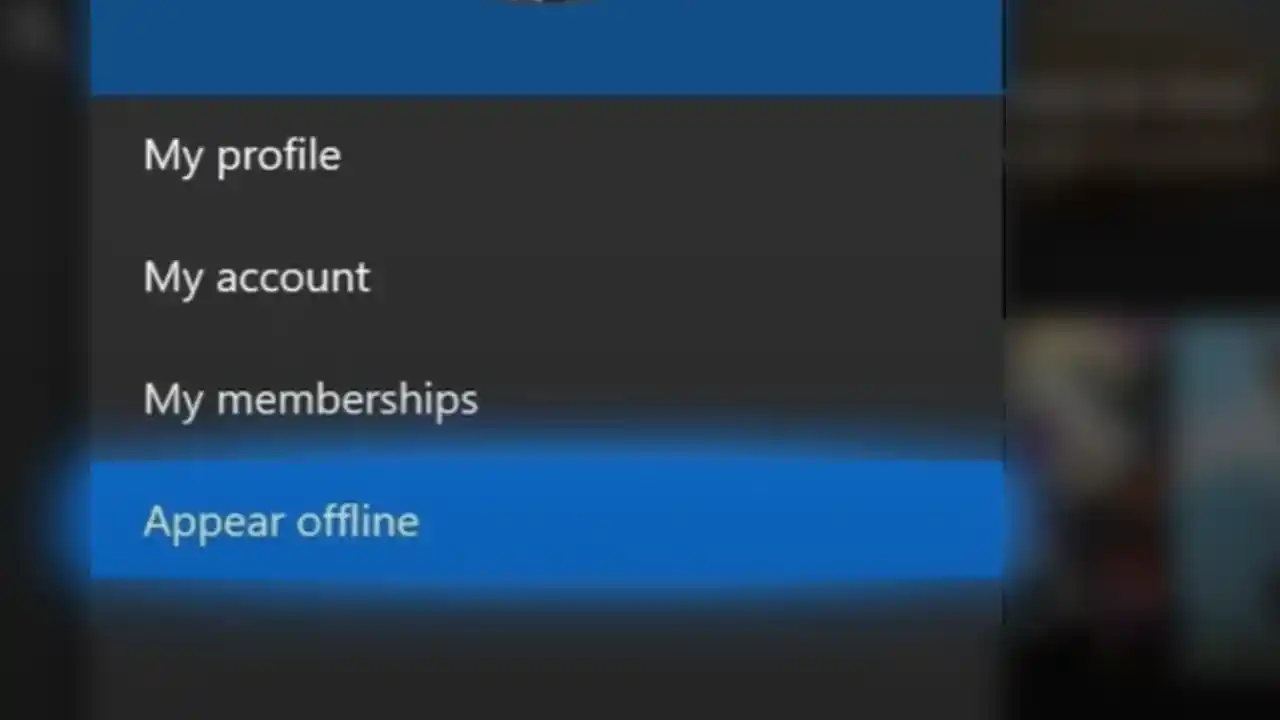
- While on the console’s home screen, press the Xbox button on your controller.
- On the menu that appears, choose your profile icon.
- From here, choose to Appear offline.
How to Appear Offline on Xbox Series X|S
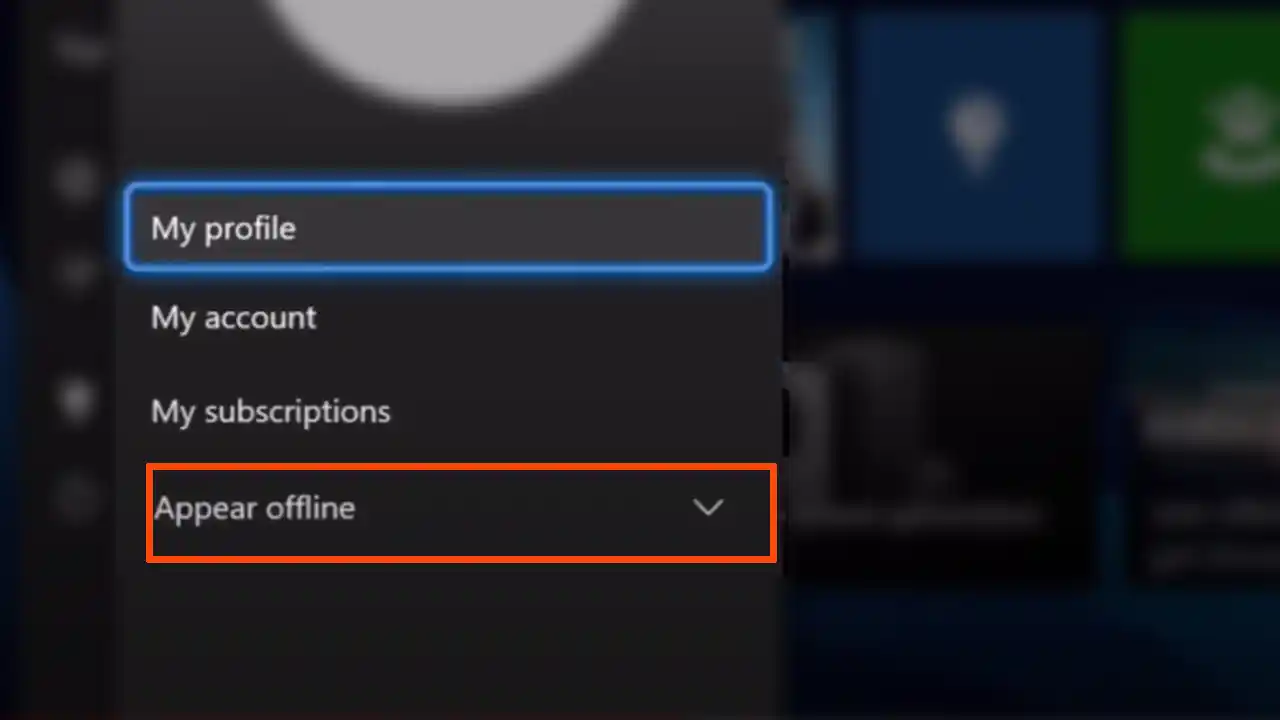
- From your console’s home screen, go to your profile picture and press A on your controller.
- Under the options of My profile, My account, My subscriptions, you will see Appear Online with a drop down menu.
- Select the drop-down menu and choose Appear Offline. You can also choose Do not Disturb if you wish.
How to Change Online Status via Xbox App
If you have downloaded the Xbox app on your Android or iOS phone, here’s how to use it to change your online/offline status.
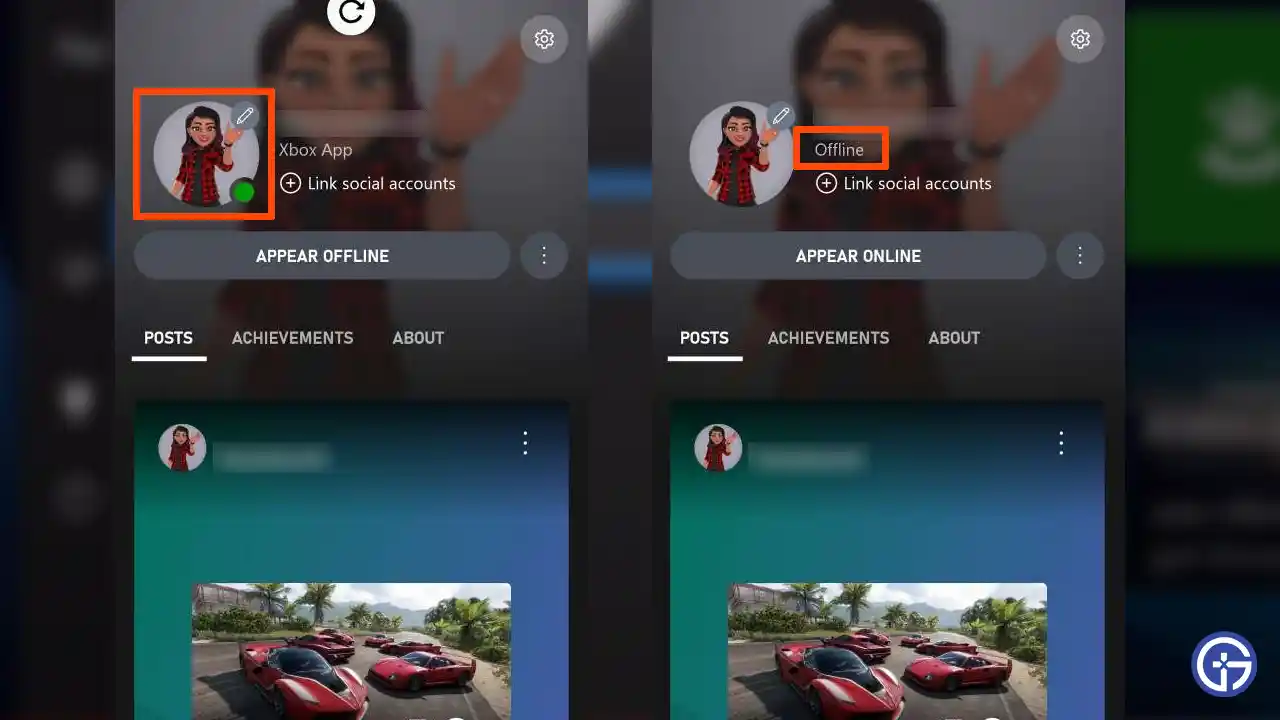
- Launch the app and tap on your profile picture at the bottom right of the screen.
- Under your Xbox name, you will see a button that says ‘Appear Offline’ – go ahead and tap on it. As soon as you do that, the green dot on your profile icon will disappear and you will show up as offline.
- If you wish to revert to online status, follow the same process and tap on Appear Online.
And these were all the different ways to appear offline on Xbox One and Xbox Series X|S so that no one knows you are playing games on your console at that time. If you are planning to get an Xbox subscription and are wondering which to choose, Xbox Game Pass core vs Ultimate, we’ve got a guide that will help you pick. Plus, here’s how to change your Xbox Gamertag on phone.











