
The new Oculus Quest 2 is one of the most exciting VR headsets to date. It provides close to 4K resolution and silky smooth rendering. Did you know that users can improve the experience further by getting an Elite Strap. It reduces blur, gives you a proper fit and also provides additional battery life to your headset. It only only provides comfort but also enhances the VR experience. If you’ve got your hands on it already and don’t know how to attach it, we’ll help you out. Here is how to install the Oculus Elite Strap.
How to Install Oculus Elite Strap on Your Quest 2
The Oculus Elite Strap will replace the standard strap that came with the headset. Installing the brand-new Oculus Elite Strap is not a herculean task. However, there are chances that you may damage your headset if done incorrectly. This is why we have created a step-by-step guide to help you out:
Remove the Facial Interface
First things first, remove the facial interface of your Quest 2. It is a cover that guards your VR lenses. To move further, you will first need to take the facial interface off your headset.
Detach the Standard Straps
Now, you will need to detach the standard straps. All you need to do is is pull outwards and twist slightly on either side of the straps to safely remove them. Carefully pull the velcro strap between your lenses. Remember to not pull the fabric as you’ll risk damaging your headset. That’s it, you have removed your standard straps completely. Now, to the final part.
Install the Elite Strap on your Quest
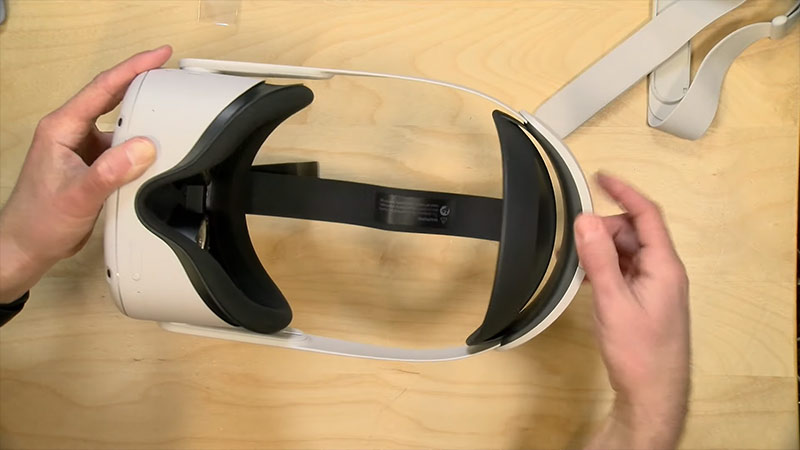
Once you have removed the old strap, line up your Elite Strap. Clip both the sides of the strap on your Quest 2. This part is way easier than you expected. All you need to do is put the top head strap through the gap between your lenses. Once you’ve done that, put back the Facial Interface to complete the installation process. Your Elite Strap is now successfully attached to the headset. Keep the upper head strap so that you can easily wear it. You can adjust it anyway you like after putting it on.
That’s everything you need to know about how to install the Oculus Elite Strap. For more tips and tricks like these, head over to our dedicated Quest 2 page right here on Gamer Tweak.











