
GreedFall is arguably one of the most popular action RPG developed by Spiders. Those who have been playing the game must know how important is to have the best companions (party members) in their team while exploring the world in GreedFall.
GreedFall does have only five companions to choose from — Kurt, Aphra, Petrus, Siora and Vasco. There are five companions (party members) but you can only accompany two at the same time. So, make sure to select perfect party members before embarking on your journey in GreedFall.
There are players who have been having trouble changing party members in GreedFall and if that’s you then look no further as we have a guide covering the same in the easiest way possible.
How to Change Party Members (Companions) in Greedfall
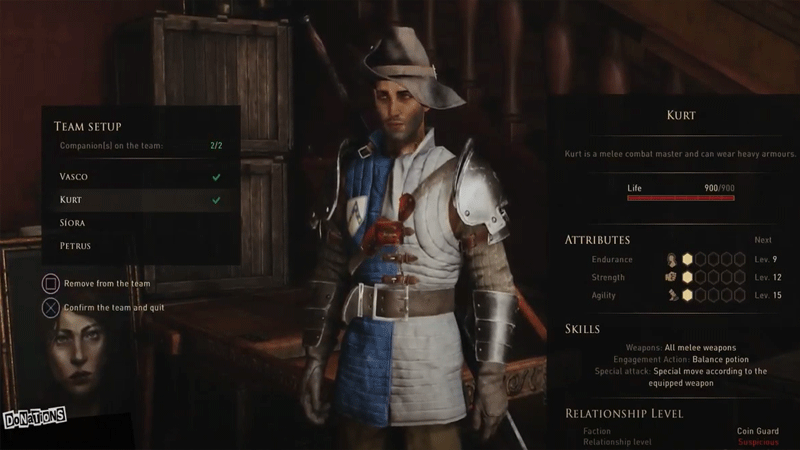
To change companions (party members) in GreedFall, you should be at your accommodation (residence) or in a camp. When you get there, you can start the process by approaching the campfire icon. As you arrive at the campfire icon, all of the five companions will come together. Upon interacting with them, you will be shown an option, allowing you to change the party members.
Also Read | Greedfall Naut Costume: How To Disguise As A Naut?
When you meet each of the potential party members for the first time, you will be given the chance to change them from the members you already have in your squad. After unlocking all of the five companions, you will be able to add them again in your team by going to certain places in the game.
When you get to the Teer Fradee, you will be introduced to your Accommodation, where you will find a crafting table all of your companions waiting for your arrival. You simply need to walk up to them to make changes to your current squad if you really want to.
Apart from that, you can also do the same while travelling between GreedFall’s areas. During your journey, you will stop at a camp that lets you buy and purchase sell items, craft consumables, and change your party members.
If you really want to make changes in your active squad, you will have to repeat the same process as you did at your accommodation.
That’s everything you need to know about how to change companions in GreedFall. While here, ensure reading about how to craft consumables and how to Save Wilhelm in Greedfall.











