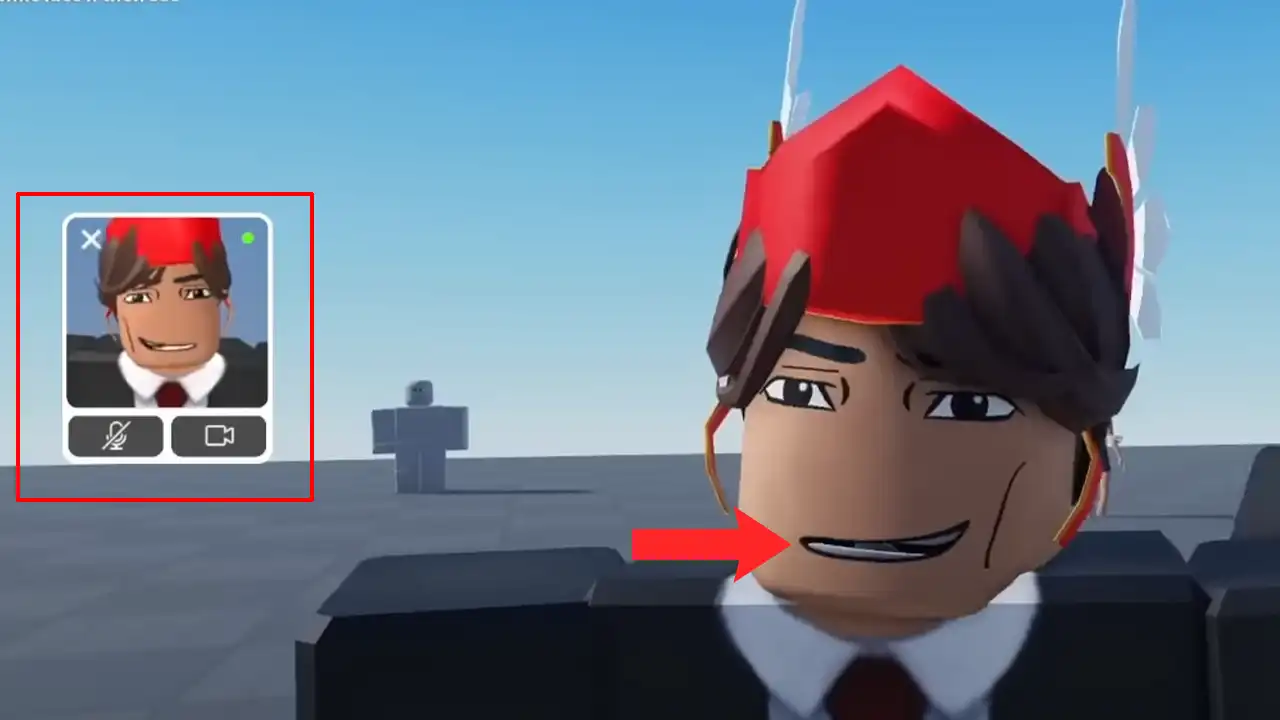
The new Roblox Camera Update is finally out, now players can use Dynamic Face Tracking to add a little liveliness to the games. And thanks to that, meeting new friends and communicating with them will not be as boring as it was before. It will not only copy your mouth’s live movement but also the movement of your eyes and head. However, do note, this new feature is in the beta stage and there’s a chance that only a few players may have access to it. If you’re not sure that you have received the Face Tracking feature yet, then let us help you find & use it.
How to Enable Camera & Use Roblox Face Tracking
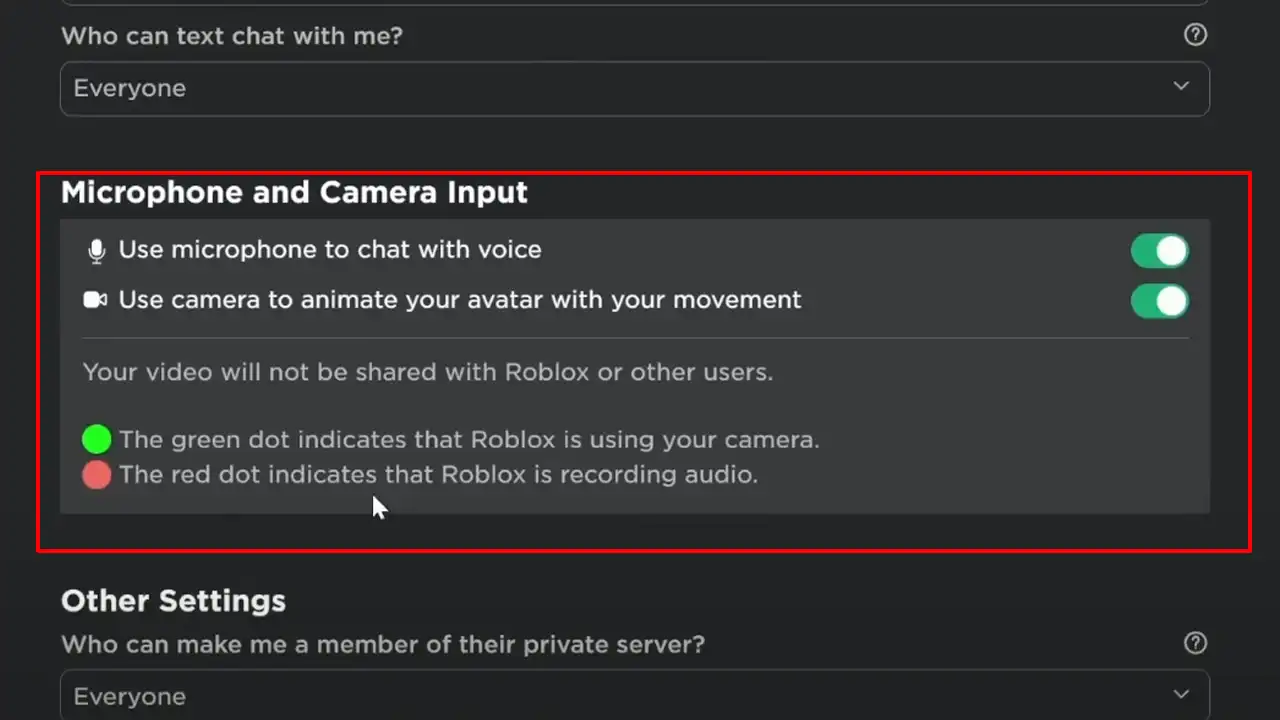
To enable the Roblox Face Tracking feature you’ll first have to enable the Camera option located under the Privacy tab. And as it goes without saying, you’re also going to need a proper Camera connection to use the feature. If you’re still having trouble with the set up then scroll down for easy steps.
- First, ensure you are connected to a working Camera.
- Next, launch the Roblox platform and log into your account.
- After that, click on the Gear Icon located in the top right corner & select the Setting option.

- Then, select the Privacy tab, and go to the Microphone and Camera input tab.
- There, simply enable your Camera & Microphone.
Source Image: KAM Gats - Once done, join a game with the Face Tracking feature.
- And while you’re in a game, click on the Roblox icon located in the top left corner and select the Settings tab.
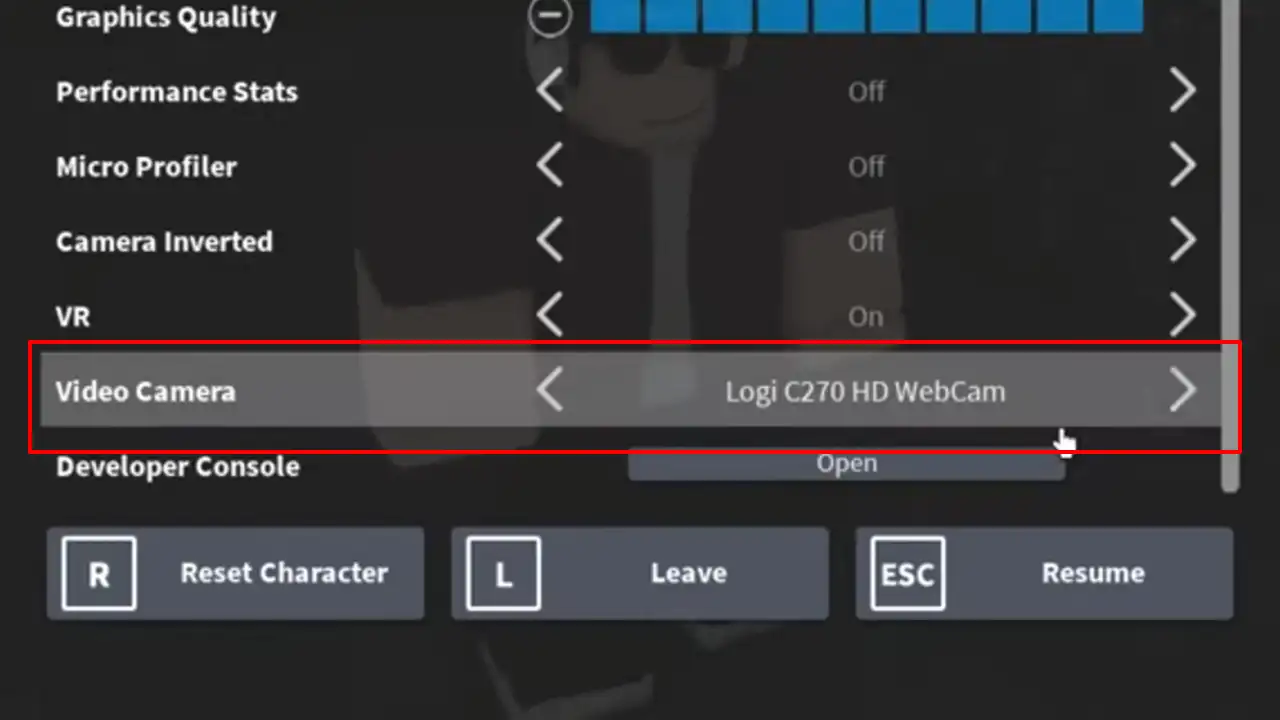
Source Image: OMB Gaming - There, go to the Video Camera toggle and switch to the Camera you’re connected to.
Doing this will enable the Face Tracking Feature and allow you to use it in Roblox games. But don’t forget, as the feature is new, and not many game devs have enabled this option from their end. And without that being enabled, your avatar will not be able to track your face in the following game. So in this case, you’ll need to find the experience that has the Camera option on their Communication tab. If you’re a Creator, then to enable this option for your experience on Roblox simply navigate. Roblox Studio > Home Tab > Game Settings > Communication > Turn ON enable Camera option.
That covers everything about how you can enable & use the new Camera Update’s Face Tracking feature on Roblox. After enabling this feature it is the right time to make your Avatar look unique, so check out how to equip 2 hairs to your character. Also, don’t forget to grab Cartoon Network Game On free cosmetic items.