
iPad has tons of great features and the Spilt Screen option is one of them. This allows the user to make use of more than one app at a time. However, sometimes when you are not in the mood for multitasking and are looking to give your undivided attention to one app and get your work done, it can get quite annoying, especially if you don’t know how to get rid of the Split Screen. In this guide, we will mention how you can temporarily, as well as permanently disable this feature.
How to Remove Spilt Screen on an iPad
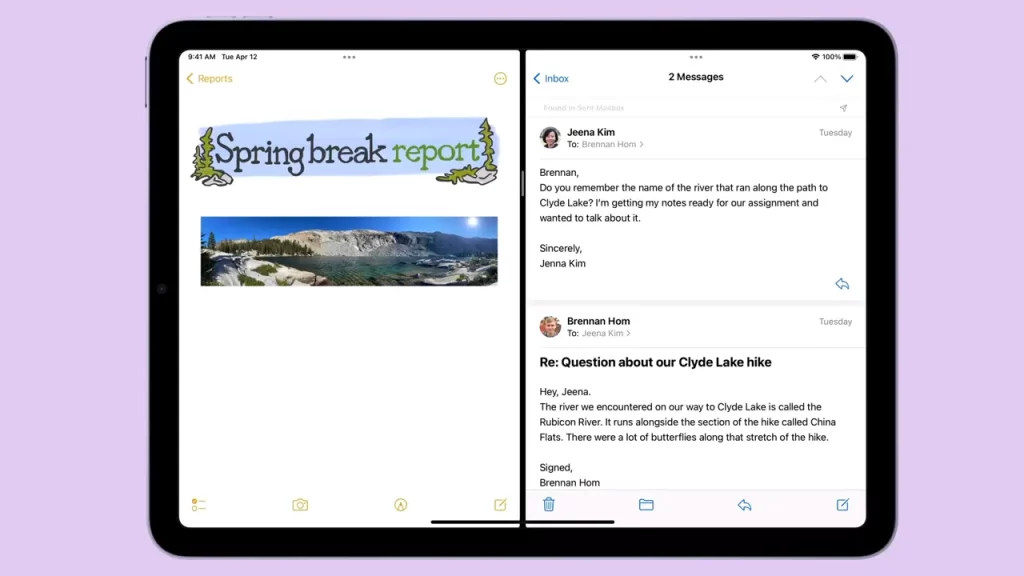
Here are some easy steps you can use to exit this mode:
If you are stuck between two equally divided apps on your screen, you will notice that there is a small grey bar between both these apps. All you need to do is, hold this bar and drag it. If you need to use the app that is on the left side of the screen, hold the bar and drag it towards the right side. You will notice that the right side app will disappear and the app on the left can be now viewed full screen.
Sometimes, even after you have exited the Split Screen, you will be distracted by the previous app floating on the top of the app you are currently using. To get rid of this, the same grey bar will now appear above the floating app. Click and drag it downwards. This action will make the app go into the Spilt Screen mode once again. You can then use the above steps, once again, to remove it.
If you do not want to trouble yourself by doing the steps mentioned above, over and over again, there is a way to disable this option permanently as well. Check it out below.
How to Permanently Disable Split Screen on an iPad
- To do this go to your ‘Settings’, and tap on the ‘Home Screen & Dock’ option.
- Under the ‘Multitasking & Dock’ setting, you will find the ‘Multitasking’ option.
- You can then go ahead and disable the ‘Allow Multiple Apps’ option.
- You can now work on your iPad without being disturbed by this feature.
How to Exit Split Screen while using Safari
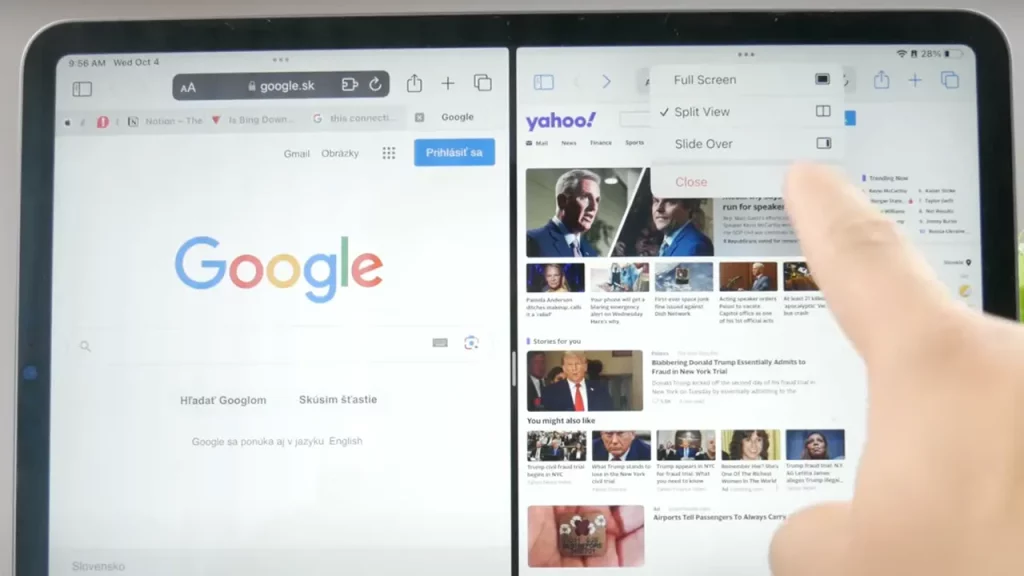
The steps to this are very similar when it comes to clicking and dragging the grey bar. It is same as the steps mentioned above, you can click and drag the grey bar and can work on the app you want, making it full screen.
Additionally, You can also click on the three dots that appear above the app you want to use, and then tap on the ‘Full Screen’ option.
These are all the steps you need to take to get rid of Split Screen mode on your iPad. If you want to know more about your iPad, you can also check out, Best Note Taking Apps and how to Connect Apple Pencil to iPad. Also, make sure to browse through our other Tech section for more helpful guides.











