Splatoon 3 is the third installment in the Splatoon series. While in the Splatlands, you will join forces either with fellow Inklings or Octolings depending on your choice. Although you can enjoy this multiplayer even on your own, having one or two of your friends will make you enjoy the game. While exploring the Splatlands, you will often come across Banners. These are personalization that are displayed along with your name during a match. Although they do not sound that important, any personalization is a time well spent. And though there are quite a few of them in Splatoon 3, unlocking them needs some assistance. So let’s check out this guide and see how to unlock & get Splatoon 3 Banners.
How to Unlock & Get Banners in Splatoon 3
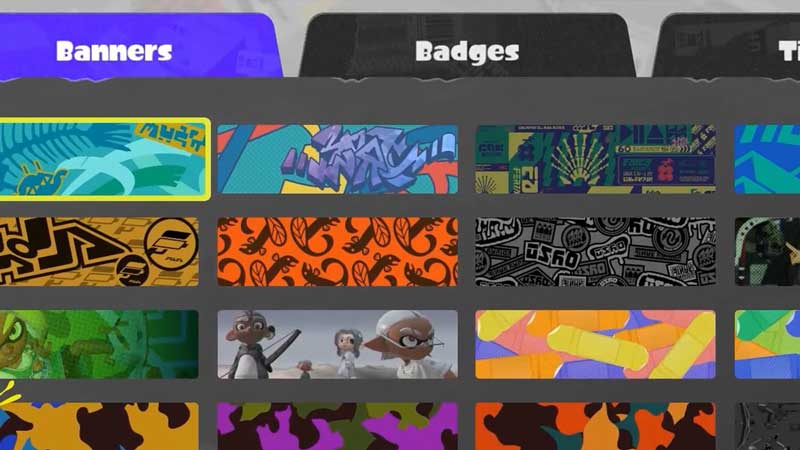
Since there are multiple banners in the game, unlocking each will need some grinding. While some can be bought, some will be unlocked at specific levels. The list below will show you how to get and unlock Banners in Splatoon 3:
- Catalog Points – Catalog Points that you earn may help you get some banners in the game. For example, there is a banner with fishes embedded within that unlocks at Catalog Level 1.
- Shell-out Machine – Shell-out Machine is available in the lobby. You can put some money in it and hope your luck does not run out.
- Scan QR Code – You can scan QR code via the Nintendo Switch Online app and then get free banners as reward.
- Salmon Run – You can also get a few banners from the Salmon Run.
How to Get Banners from QR Code
Here’s how you can get the free banners by scanning the QR Code in Splatoon 3:
- Download the Nintendo Switch Online app on your mobile and then sign in to your Switch Account.
- After that, open the QR Code Scanner and then follow the link to the Splatoon 3 Twitter page.
- Here, you will get the QR Code that you need to scan. Once done, head over to the lobby and then collect your reward.
Now that you have quite a few Banners, check out how to Change Banners.
That’s all there is on how to unlock and get Banners in Splatoon 3. While you are here, do check out our Splatoon 3 guides only at Gamer Tweak.