
Like other games, Gacha Club also lets you restore your game progress, It is a great feature when you want to transfer game data to another device if you are switching your device or something. While things work a bit differently in the Gacha Club game as it does not connect to any social media service to save your game progress. Still, you can easily save your in-game progress and restore it back to pick up right where you left off without worrying about losing your accomplishments. This guide will help you with steps to save in-game progress and transfer that data to another device in Gacha Club.
How to Transfer Data in Gacha Club
Transfer of the game data can be done in two stages, as mentioned earlier, Gacha Club doesn’t connect to any social media service, the only way to transfer and restore is by uploading the game progress to Gacha Club and then restoring it through the transfer ID.
Below are the steps to help you, first upload your in-game progress and data to the Gacha Club server, and then on the other device use the Transfer ID to restore the data.
How to Save and Upload Game Progress in Gacha Club
To save the in-game progress you have made until now, follow the below-given steps:
- Firstly, open the Gacha Club game on your device.
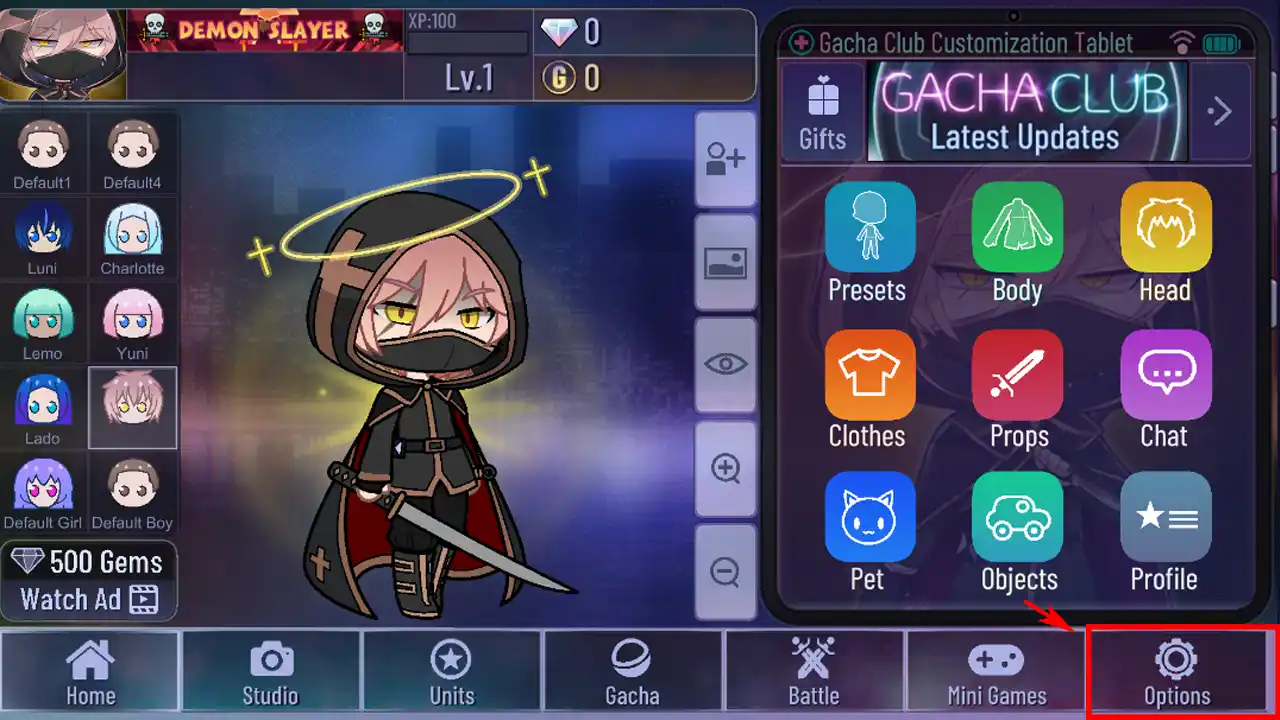
- Now, click on the Option button with the gear icon located on the bottom of the in-game screen.
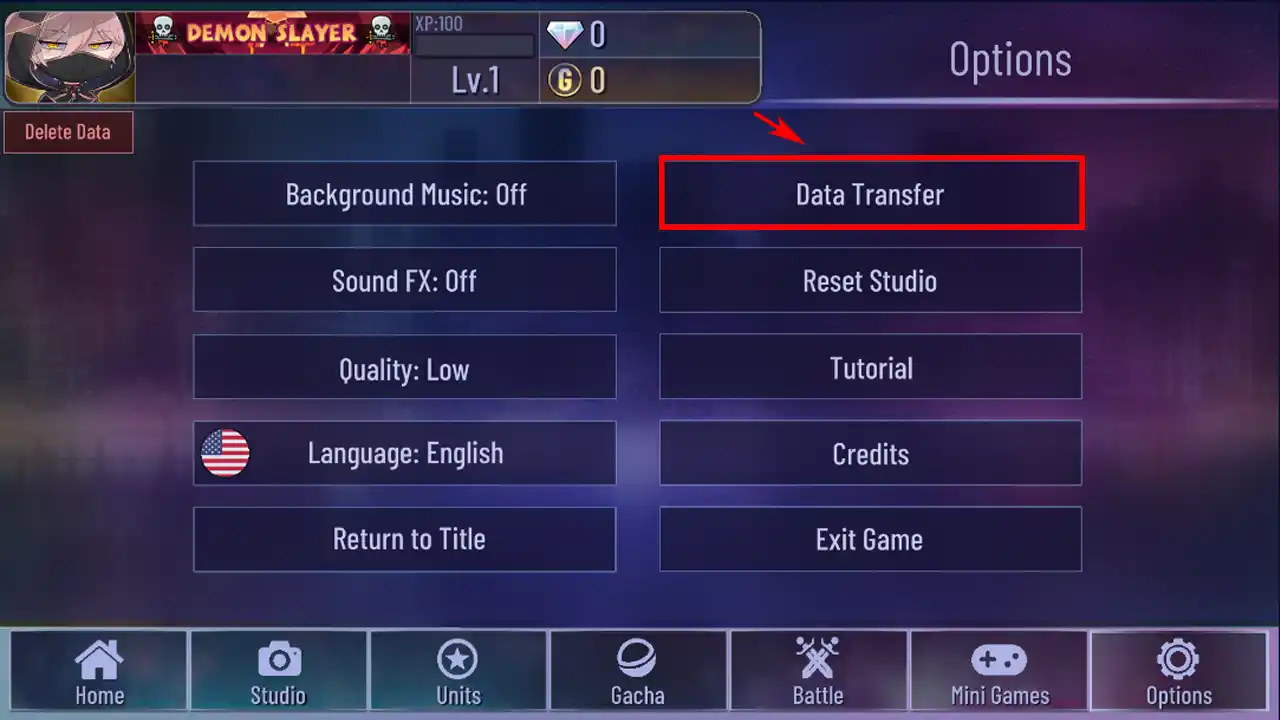
- Next, click on the Data Transfer option.
- Further, click on Transfer Data and wait for it to complete.
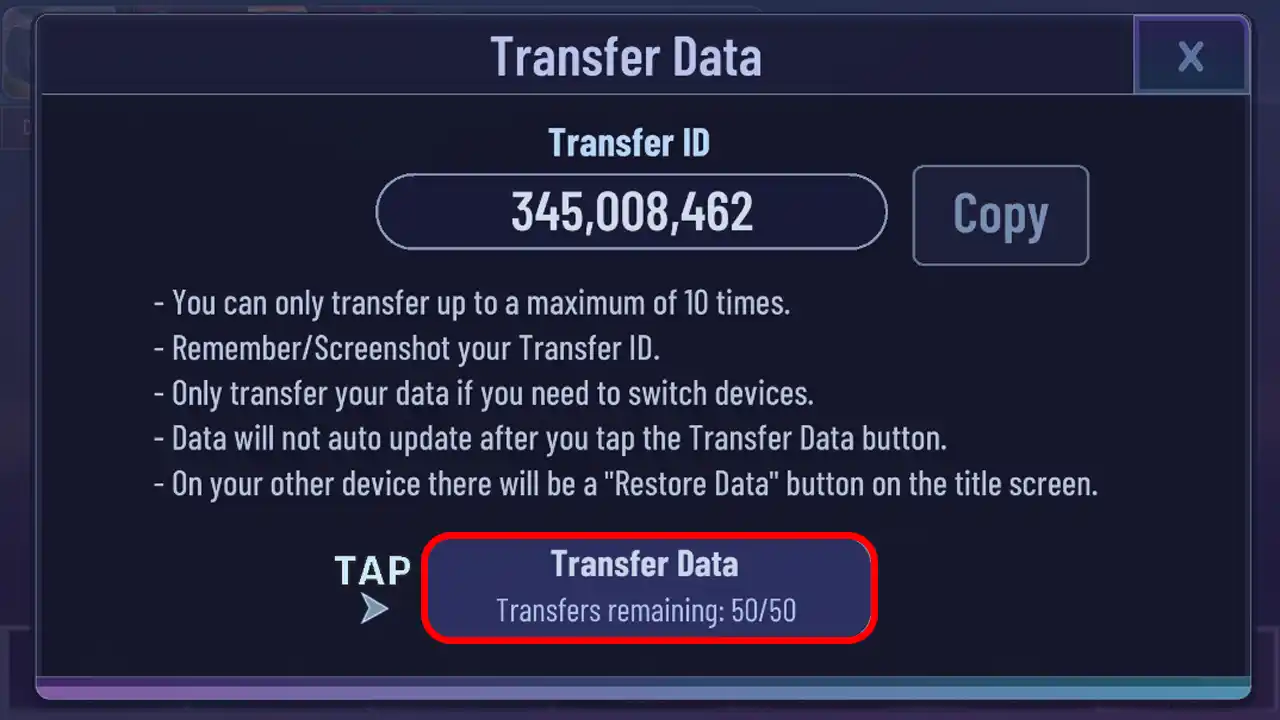
- Once the data is successfully uploaded, click on the Copy button to copy the Transfer ID (it is recommended to note down the Transfer ID to keep as physical backup).
Now your ingame process is successfully saved and can be restored to any other device using the Transfer ID which you have just copied. Therefore, you won’t have to worry about losing out on your precious in-game progress.
Note:- The progress and changes you make after uploading your data do not get updated on the cloud.
How to Restore Game Progress in Gacha Club
As now, you have uploaded your game progress you can restore it to another device, completing the data transfer process. Below are the steps to restore your saved data:
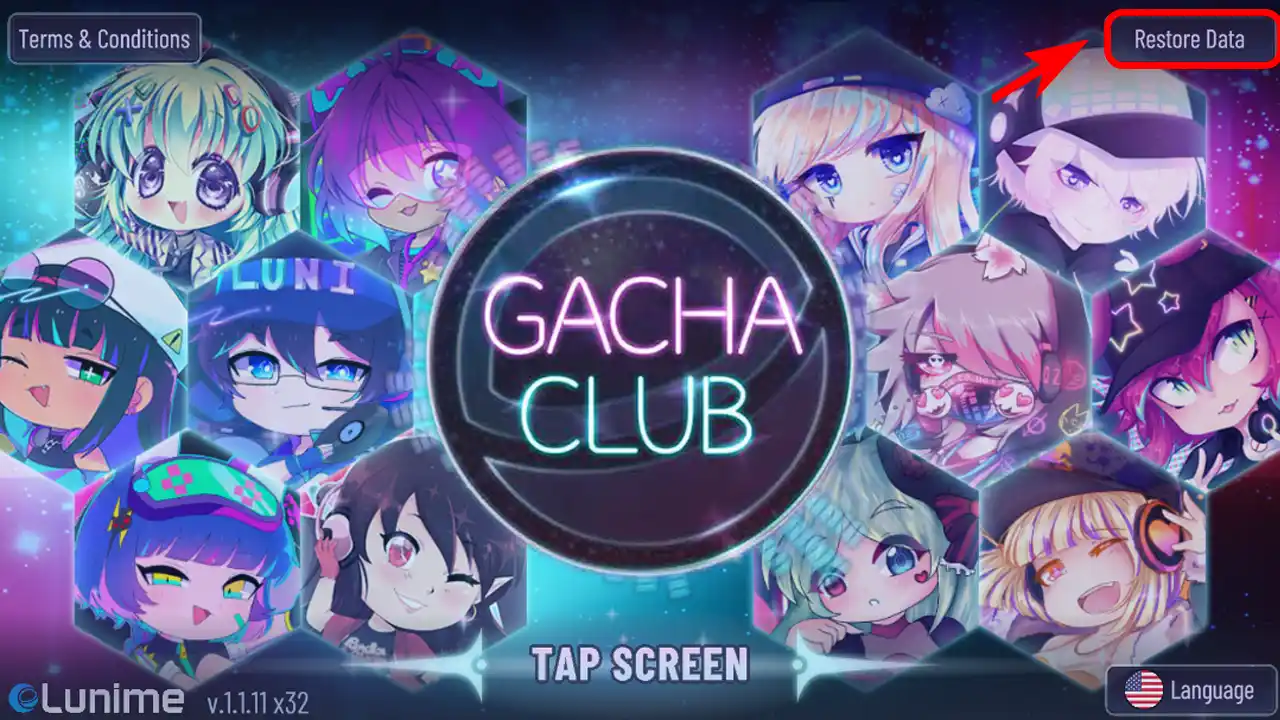
- Firstly, launch the Gacha club game and click on the Restore Data option located in the top right corner of your screen.
- Now, in the Account ID section, enter the Transfer ID that you had saved earlier and click on Enter.
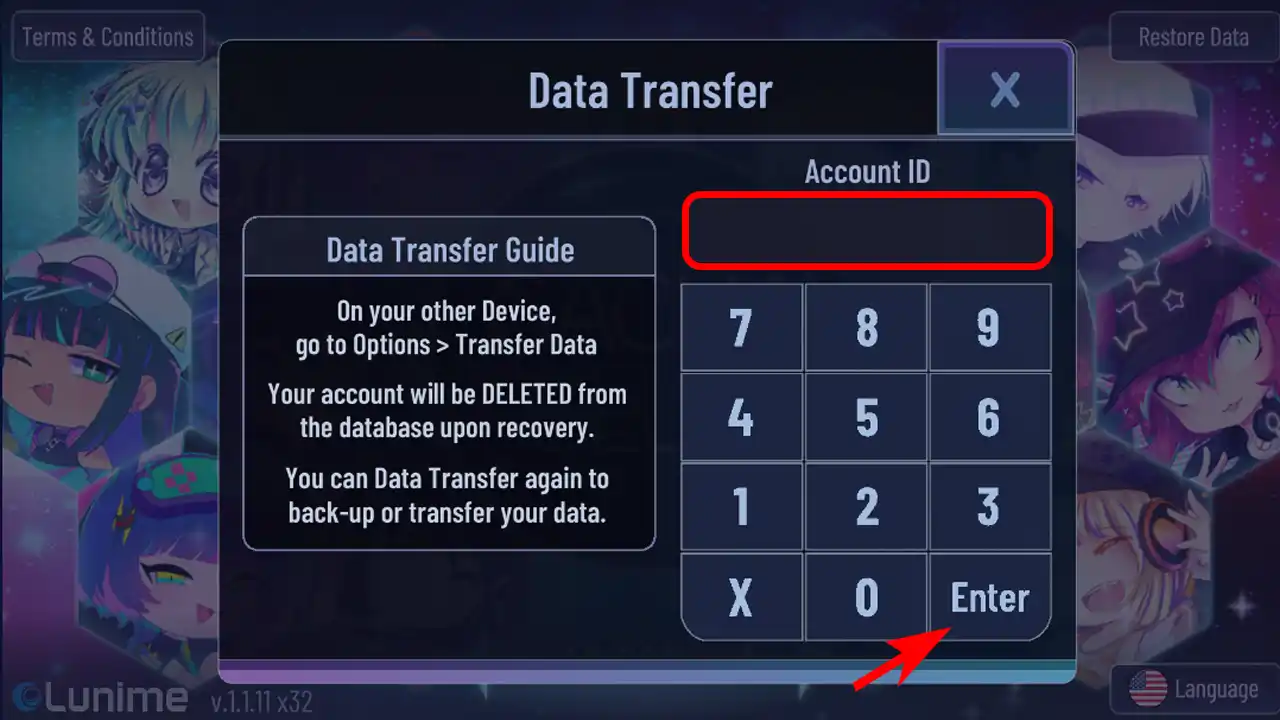
- Next, wait for the notification of data transfer to complete and then click anywhere on the screen to continue.
- Lastly, click on the Tap screen and enjoy the game from where you left it.
And there you have it, now your game data for Gacha Club is successfully transferred to another device. Now, you don’t have to start with everything new and just restore and continue with your progress.
That being said, that’s all covered on how to transfer Gacha Club data. If you find this guide helpful, click out other articles on this game to learn about steps to import character designs and more. Furthermore, you can also go through our articles to learn about the best Gacha games to play on iOS and Android.











