Gacha Club is published by Lunime, the well-known developer of the game Gacha Life. In Gacha Club, players have to collect and enhance the chibi characters to fight the battles, and mini-games, and also customize their character by adding and modifying different characteristics and features. Although the game has simple and straightforward graphics, a few options like a shadow are available, which is good but not in every situation. This guide will walk you through how you can remove the character’s shadow in Gacha Club.
How to Remove Character Shadow in Gacha Club
The in-game shadow is used to give enhancement to the overall game visual and make the Gacha character stand out from the rest of the background. Sometimes, the shadow makes a few elements difficult to view in the game. Below are the steps to remove this character shadow in Gacha Club.
- Firstly, open the Gacha Club game on your device.
- Now, from the game home screen lobby, click on the Body option located on the right side of the screen.
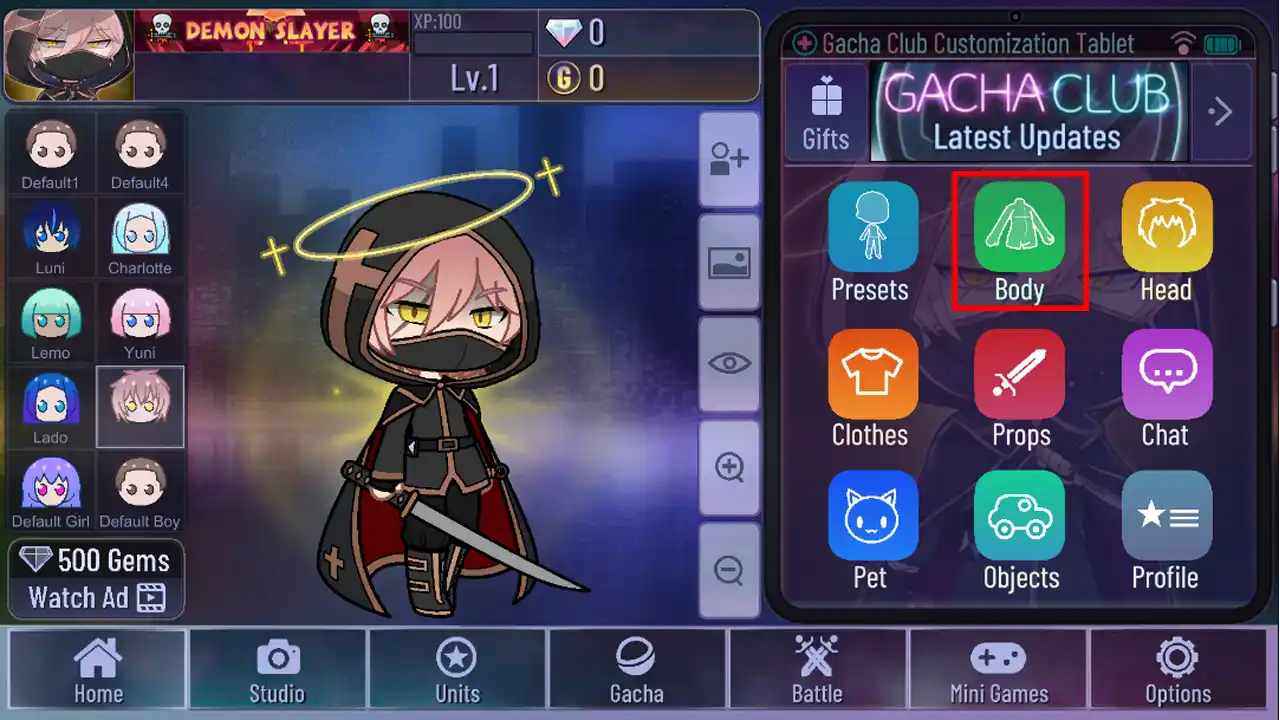
- Next in the Body option, go to the shadow option located at the bottom of the screen.
- Now, click on the left arrow button to change the shadow style in the game.
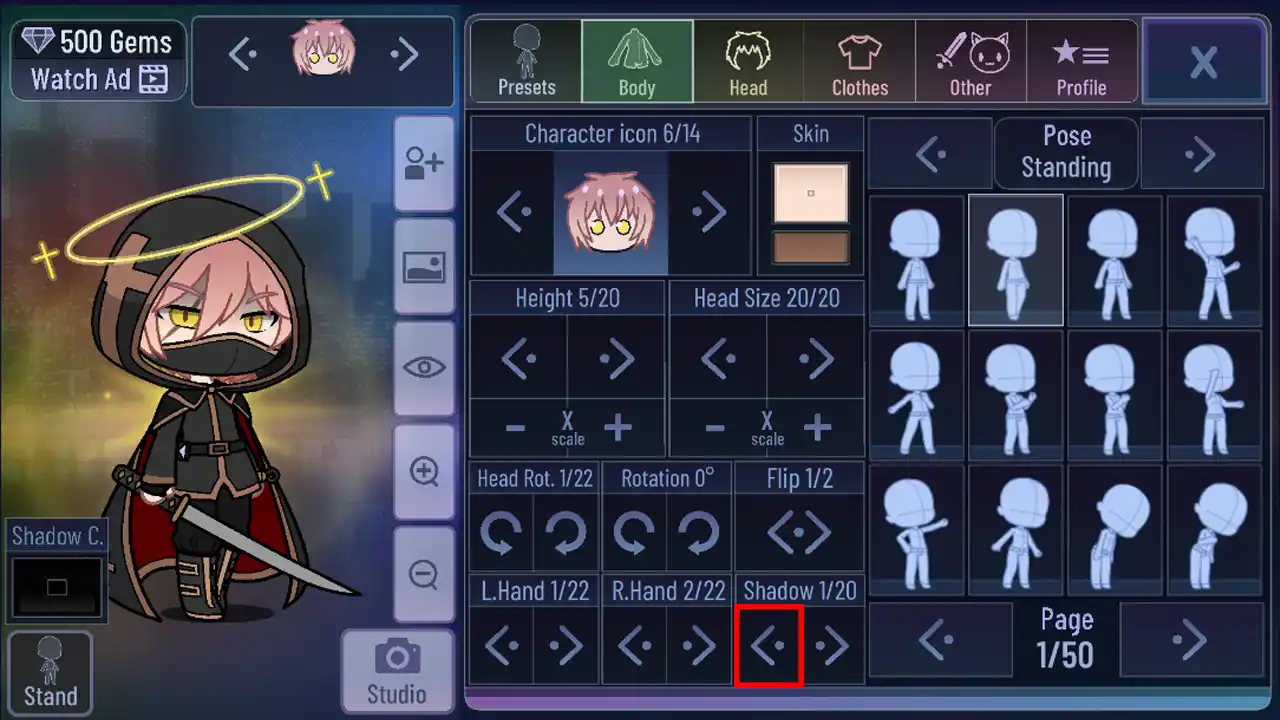
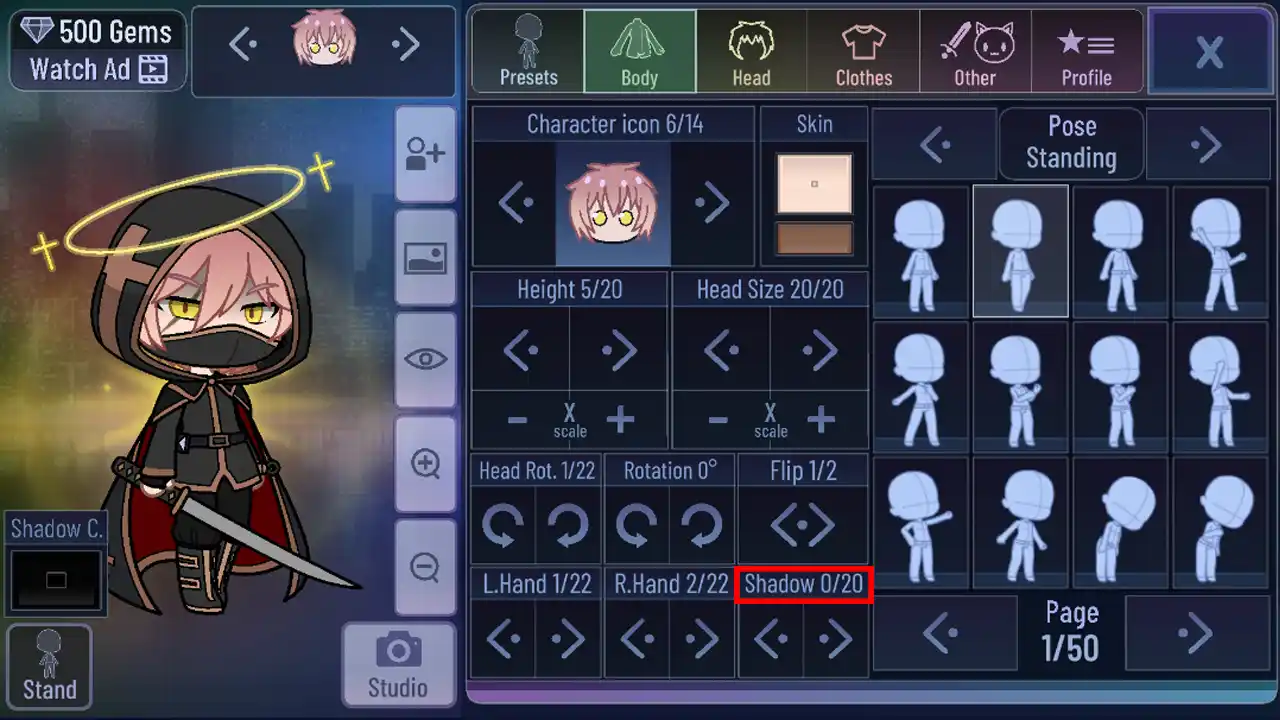
- Bring the style to 0/20 to completely remove the shadow from the character.
- Lastly click on the X button to exit the body style settings.
Now that you have removed the shadow, your changes are saved as you exit the setting, also as you are changing the shadow style, you can view the changes happening to the character on the left side of the screen. Moreover, if you just want minimal shadow and don’t want to remove the complete shadow from the character, you can just change the shadow style to the one you desire, or else you can modify the shadow color to achieve the desired look you want with the character.
And that covers everything for how to remove character shadow in Gacha Club. While you are here, check out our articles on this game like how to import new character designs or learn about the best Gacha games to play on iOS and Android.