Home > Elden Ring > How To Fix Frame Rate Unsuitable For Online Play In Elden Ring

Fix Elden Ring Frame Rate Unsuitable For Online Play

Published Date :

The highly awaited Elden Ring has finally been released and with every launch, a few bugs and issues creep in. The one that’s perplexing quite a few players is the ‘Frame Rate Unsuitable For Online Play’ error. Let’s take a look at everything you can do to potentially fix the problem.

How to Fix Frame Rate Unsuitable For Online Play Error in Elden Ring
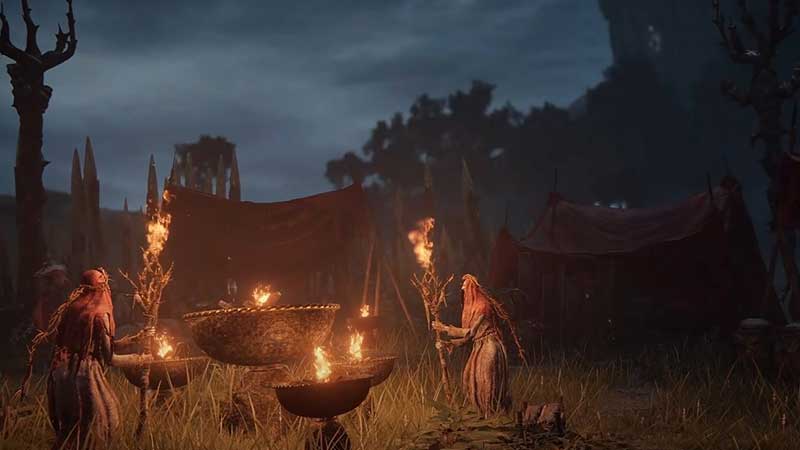
How to Fix Frame Rate Unsuitable For Online Play Error in Elden Ring

The first thing to do is restart your game. After that, if you’re still getting the Frame Rate Unsuitable For Online Play Error, do the steps below and check again.

Set Graphics to High Performance

  • Close the game and search for Graphics Settings from your Windows search bar on PC.
  • Under Choose an App to Set Preference, select Desktop app and click on Browse.
  • Look for Elden Ring and change the setting to High Performance.

Turn off Steam Overlay

Here’s how to turn off Steam Overlay for Elden Ring.
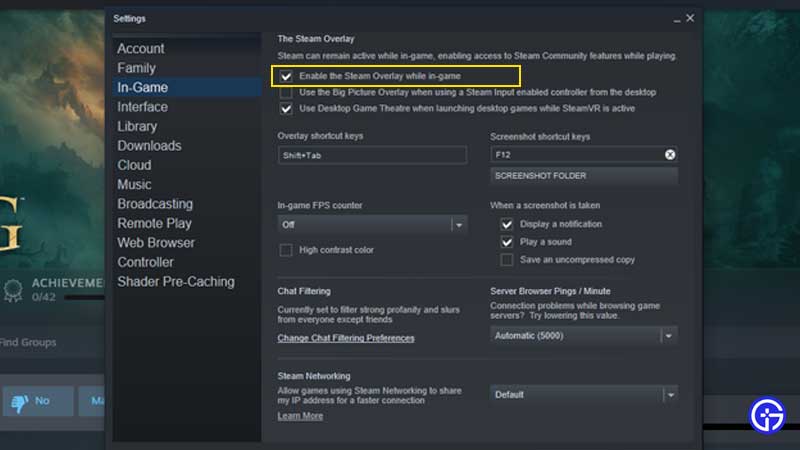
how to turn off steam overlay

  • Open the Steam app on your computer.
  • Click on Steam on the Menu on top > Settings.
  • Click on the In-game tab and untick the Enable the Steam Overlay while In-Game option.
  • Hit OK and load up the game via Steam.
  • You can follow the same steps and tick off the same option to enable the Steam Overlay when you are planning to play another game.

There’s a chance that this might not work but it’s surely worth an attempt. For some players, it has worked out so this is all we can do until the developers release a new patch to fix it. If you are also facing the Network Status Check Failed error, then here’s the reason why it’s coming up. Also, read our guide if the controller isn’t working in Elden Ring. While you are here, make sure to check out our Elden Ring Guides for more interesting tips & tricks, like How to summon friends and play coop.

  • ZZZ Version 3.0 Is the Biggest Patch Yet: Here’s What Changed and Why It Matters More Than You Think

    ZZZ Version 3.0 Is the Biggest Patch Yet: Here’s What Changed and Why It Matters More Than You Think

    Published Date :

    Zenless Zone Zero 3.0 patch is the biggest patch since the launch of this game. With the introduction of a new element, a rarity tier, a free anniversary character, and an explorable region, you will find this patch launch exciting. It is necessary to learn what you should prioritize from all of these because of… Read More

  • Anime Duelists Codes (July 2026)

    Anime Duelists Codes (July 2026)

    Published Date :

    Anime Duelists follows the tried and tested formula of spinning stars to unlock fighters, sending them into battle and collecting rewards. If you want to get unique fighters, abilities, and progress through various realms, you need these code rewards! You can get anything from free Gems, Trait Rerolls, Stats Reroll, Super Luck, Star Speed potion,… Read More

  • Mini Cup Codes (July 2026)

    Mini Cup Codes (July 2026)

    Published Date :

    In Mini Cup, you open up packs to unlock footballers, build houses, and win matches against rival teams. This makes it a perfect mix of some of the most popular gameplay loops for soccer fans on Roblox. To grow your club, you’ll need cash, as well as special packs, which is where Mini Cup codes… Read More

  • Be The Final Boss Codes (July 2026)

    Be The Final Boss Codes (July 2026)

    Published Date :

    Now you can be the final boss! In this experience, you summon minions to fight for you and take down waves of heroes. To level up, you’ll need plenty of coins and various resources, which is where Be The Final Boss codes come in handy. If you wish to boost your character and stay one… Read More