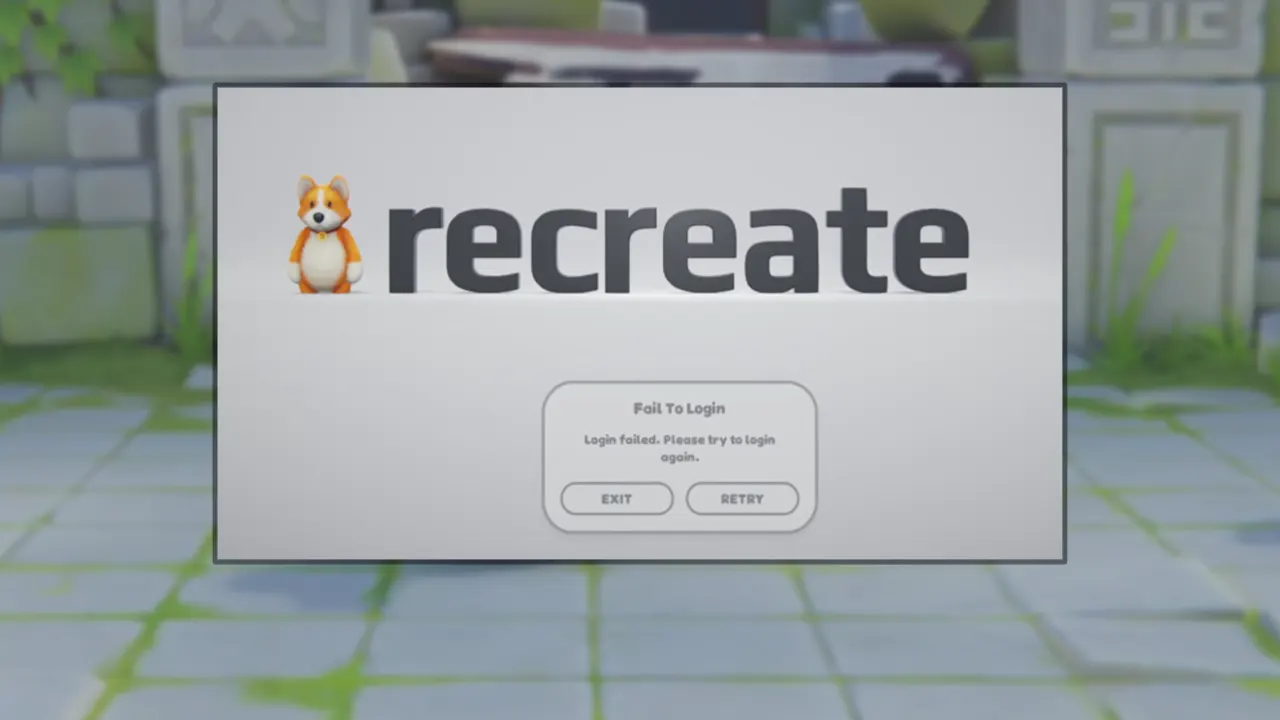
Many players have encountered the Failed to Login error in Party Animals and are looking for a solution. There are various reasons for this error message to pop up and a poor connection to the server is the most prominent one. This is more likely to happen from the developer’s end, so all you can do is wait until it’s fixed. But as a temporary fix, we have compiled a list of workarounds for you. So if you are unable to log in or have a network connection error in Party Animals, then scroll down for some effective solutions.
How to Fix Failed to Login Error in Party Animals
You can try out the following solutions to fix the login issues in Party Animals:
Check your Internet Connection
Before trying out the workarounds, make sure there are no issues from your side. I suggest you restart your router and then relaunch Party Animals to see if you can log in again. If it didn’t work, then try out these other fixes.
Verify the Integrity of Game Files
Corrupted game files are one of the reasons why the Failed to Login problem has arisen in Party Animals. Luckily, you can repair the corrupted files without re-installing the entire game again. For that, you must head over to your Steam Library and right-click on Party Animals > Properties > Installed Files > Verify the integrity of game files.
Disable Antivirus
Windows Security and Antivirus software can restrict a game’s access to the servers. Such interference can be stopped by disabling them. So if you have any active Antivirus software like Mcafee, Avira, AVG, etc., then make sure to turn it off. After that, reboot your device and launch the game to see if the issue has been fixed.
Disable VPN
If you are using any VPN service then disable it as well. It adds an extra layer of steps in your system’s way to exchange data from the game servers. This results in an unstable connection to the server that leads to issues like login errors.
Contact Support
If none of the above fixes work, then you should address this issue to the developers. To do so, you can head over to their Support Website by using any internet browser. The developer’s team is pretty active and they shall reach out to you soon.
That’s all you can do to fix the Failed to Login error in Party Animals. For more such content, you can access our dedicated space for all the Party Animals Guides on Gamer Tweak. We have stacked up a bunch of helpful guides like how to Throw, Swim, and Climb that can improve your movement.