If you are facing the failed to load Main menu from the current game mod error in BG3, you cannot open or access your in-game menu. With the full launch of Baldur’s Gate 3, the anticipated game has a fair share of errors, bugs, and issues. While the recently released hotfix resolved most of the technical issues, many BG players are unable to load the menu using their current game mods. So, is there a solution or workaround for resolving the can’t open the main menu? Don’t worry, check out our guide to find out how to fix the failed to load main menu in Baldur’s Gate 3.
Fix BG3 Failed to Load the Main Menu from the Current Game Mod
Before you start with any workarounds, we recommend running your game launcher (Steam or GOG) as an Administrator. Also, ensure that Baldur’s Gate 3 is updated to its latest version for applying any recent hotfixes by the devs. But if that doesn’t resolve the unable to open the menu error, try out the below workarounds.
So, here are all the workarounds for fixing the failed to load menu from the current game mod in Baldur’s Gate 3:
Clear Early Access Save Files
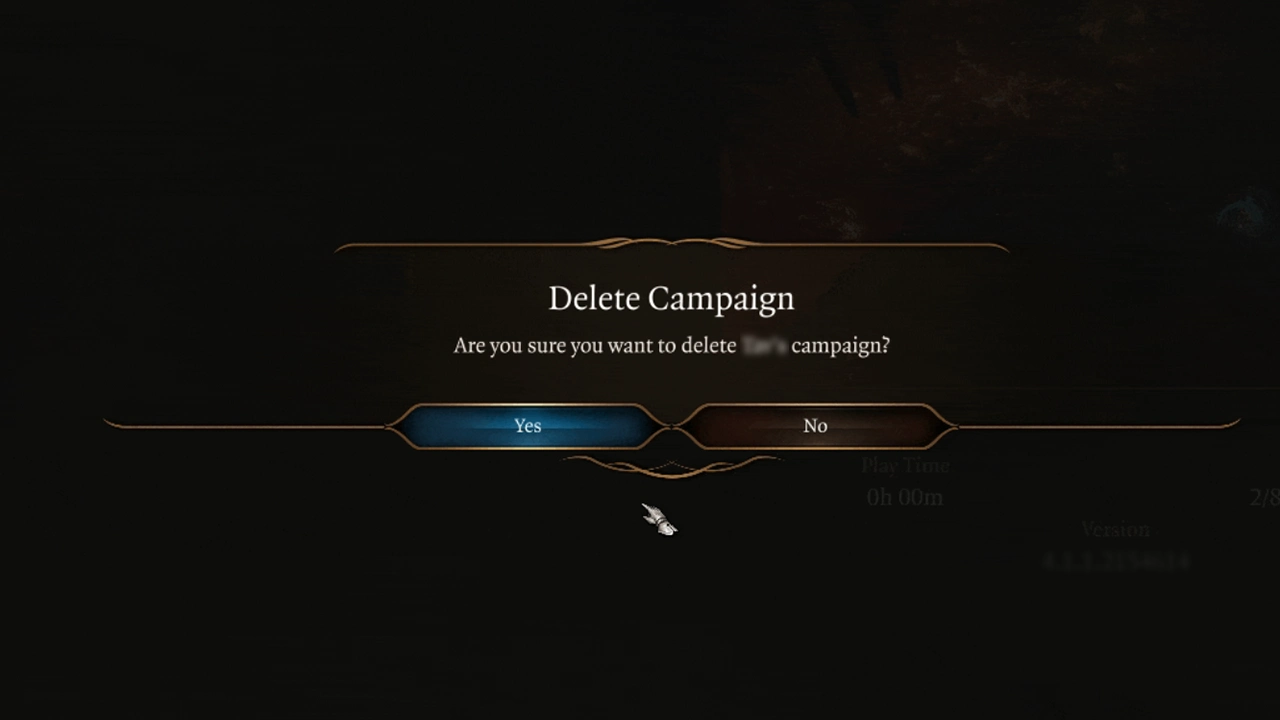
As confirmed by Larian Studios, it is recommended for deleting the early access saves. That’s because your early access saves are not compatible with the launch version of BG3.
- Launch the Baldur’s Gate 3 and head to the Load Game.
- From the old campaigns, select the Delete campaign option.
- Then, head to the Save Files directory. It is as follows:
- Local Drive > Users > Your username > AppData > Local > Larian Studios
- Delete the entire Baldur’s Gate 3 folder.
Clear Mod Save Files
Since this method worked out for many players, we suggest deleting any installed Mod save files or data to fix this error.
- For that, head to the > Program Files > x86 > Steam > Steamapps > Common > Baldur’s Gate 3 > Data
- Over there, delete the Mods folder.
- Then, head to the Local Drive > Users > Username > AppData > Local > Larian Studios > Baldur’s Gate 3.
- Delete the Mods sub-folder from the folder.
- Lastly, launch the game to check if the failed to load menu error in BG3 persists.
Delete the modsettings.lsx File
As confirmed by several players on the Steam community, deleting the modsettings.lsx file resolved the error for them. You can find this file in the following existing file directories:
- Head to the Local Drive > Users > Your account > AppData > Local > Larian Studios > Baldur’s Gate 3 > PlayerProfiles > Public
- Also, head to the Local Drive > Users > Your account > AppData > Local > Larian Studios > Baldur’s Gate 3 > global
- Upon heading there, delete the modsettings.lsx from the above directories.
- Launch the game to check if the error persists.
Verify Game Files Integrity
You can encounter the failed to load the menu in BG3 due to game files being missing or corrupted. For that, rather than re-installing the entire game, verifying the game files integrity is an easier and faster option.
For Steam:
- Launch Steam > Right-click on Baldur’s Gate 3 > Properties > Local Files > Verify Integrity of Game Files.
For GOG:
- Launch GOG Galaxy Client > Library > Select BG3 > More > Manage > Verify / Repair Game Files.
Contact Larian Studios
However, if none of the above methods seem to work out for you, we recommend contacting Larian Studios. Over there, select the Larian Support section and report your issue describing the error by attaching a screenshot or video file. Once you have submitted the issue to devs, wait for some time until they revert you with a suitable workaround.
That’s all about how to fix the BG3 failed to load the main menu from the current game mod. If you found this guide helpful, check out our guides to find out how to fix the Camera stuck in a top-down view, fix the multiplayer not working, and more BG3 Guides right here on Gamer Tweak.