
Home > Gaming Guides > How To Give Weapons To Tower Workers In Infection Free Zone

How To Give Weapons To Tower Workers In Infection Free Zone

Published Date :

Survival games and tower defense are quite an inseparable duo when it comes to gaming. But while you can create a tower to defend yourself there are still ways to improve your defenses. One such thing you must do in Infection Free Zone is to equip your towers with weapons. They aren’t exactly assigned these weapons rather you give them to the workers there. So if you aren’t sure how to go about it, then here is what you do:

How to Equip Tower Weapons in Infection Free Zone
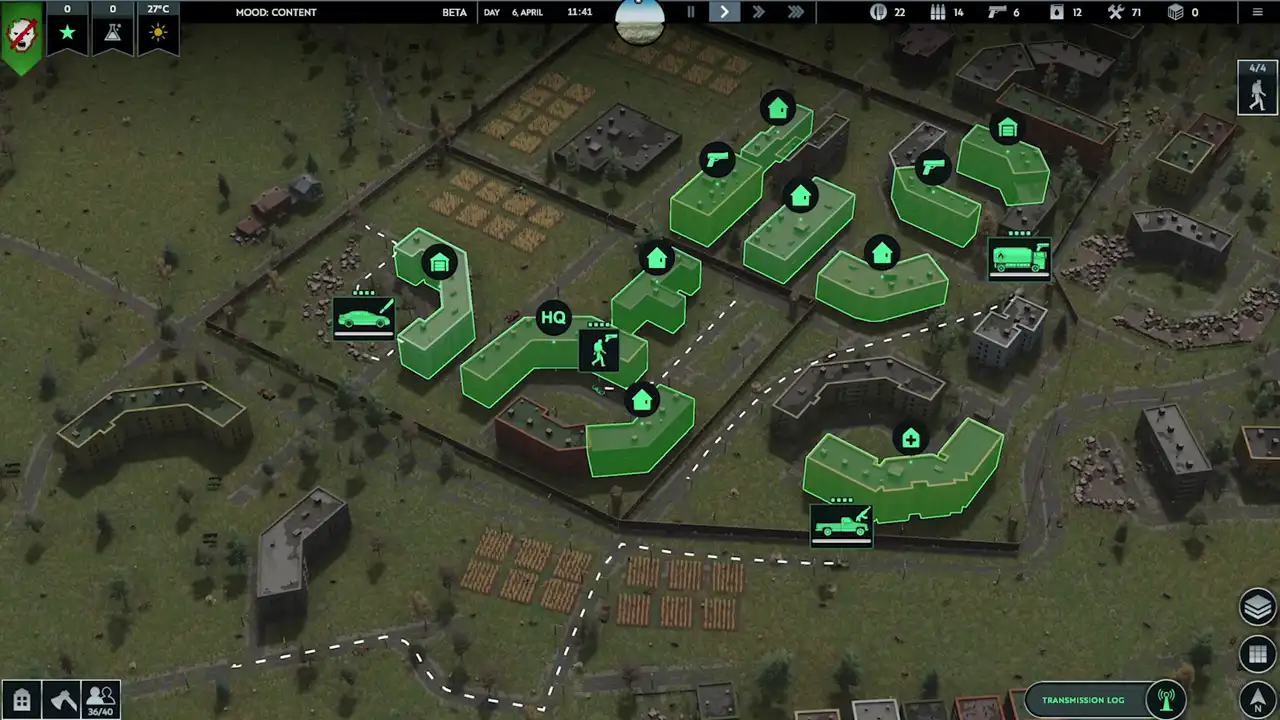
Image Credits: Jutsu Games. Place weapons in HQ Storage and click on the tower to equip it in Infection Free Zone.

You can assign Tower weapons by making the workers equip them and then selecting the tower.

  1. Choose and click the weapon that you wish to use and put it in the HQ storage building.
  2. Next, click on the tower that you want to equip your weapon to.
  3. Now, choose the weapon from your warehouse that you wish to assign to your tower.
  4. Make sure you pick a weapon that matches the number of workers at your tower. In case you have fewer weapons and more workers then the game warns you about it and only one of the workers gets to use it instead of them all.
  5. If done everything correctly a worker will go to the Storage to pick up the weapons and bring them back, and will now equip them.

Can You Use Equip Different Tower Weapons?

No, at a time you can only use one set of weapons that you assign to a worker. So if you give one of them a rifle, every worker will be assigned a rifle. As mentioned above make sure you assign them the weapon that is available for everyone to use.

That is all for how you can equip towers and use weapons in Infection Free Zone. For more help on this game be sure to also check our guides on how to fix save files getting corrupted, move the HQ, and heal.


  • How to Work Out What Your Pokemon Cards Are Actually Worth

    How to Work Out What Your Pokemon Cards Are Actually Worth

    Published Date :

    Most people who grew up on Pokemon Red and Blue have a shoebox somewhere. It gets dug out when a friend mentions a Charizard selling for a silly amount, and the first instinct is to type the name into eBay and read the biggest number on the page. That number is what one hopeful seller… Read More

  • Eat Everything In A Grocery Store Codes (October 2026)

    Eat Everything In A Grocery Store Codes (October 2026)

    Published Date :

    Eat Everything In A Grocery Store codes are handy when you want some extra Cash or a few Super Straws before your next run. The idea is simple: eat through the supermarket, turn those calories into Cash, and spend it on upgrades that help you clear the shelves faster. There are four active codes right… Read More

  • HOLLOW Codes (October 2026)

    Updated Date :

    If you’re trying to build a stronger character in HOLLOW, the rerolls from these codes can save you a fair bit of grinding. You can get Clan Rerolls, Ability Rerolls, Body Type Rerolls, and even a temporary 2x EXP boost. I’ve listed the active codes below, along with the expired ones so you don’t waste… Read More

  • Survive a Million Monkeys Codes (October 2026)

    Survive a Million Monkeys Codes (October 2026)

    Published Date :

    Our list of all new Survive a Million Monkeys codes is useful when you want a few extra Gems before heading back into another wave of angry primates. You pick a class, grab your weapons, and try to keep the horde off your team for as long as possible. Free Gems help with permanent progression,… Read More







