Home > Gaming Guides > How To Emote In Party Animals

How To Emote In Party Animals

Published Date :

Emote in Party Animals to show your support, anger, and happiness. Party Animals is a cute and funny PvP with chibi characters. You can become a stylish crocodile, a frustrated duck, an adorable but grumpy husky, and so on. All animals come with different expressions that sometimes change with costume, but not all of them have a range of expressions. So you can emote to express yourself. Also, these emotes can be customized according to your preferences. Not sure how to do that? Read along to customize and use Emote in the game.

How to Use Emote in Party Animals (Xbox & PC Controls)
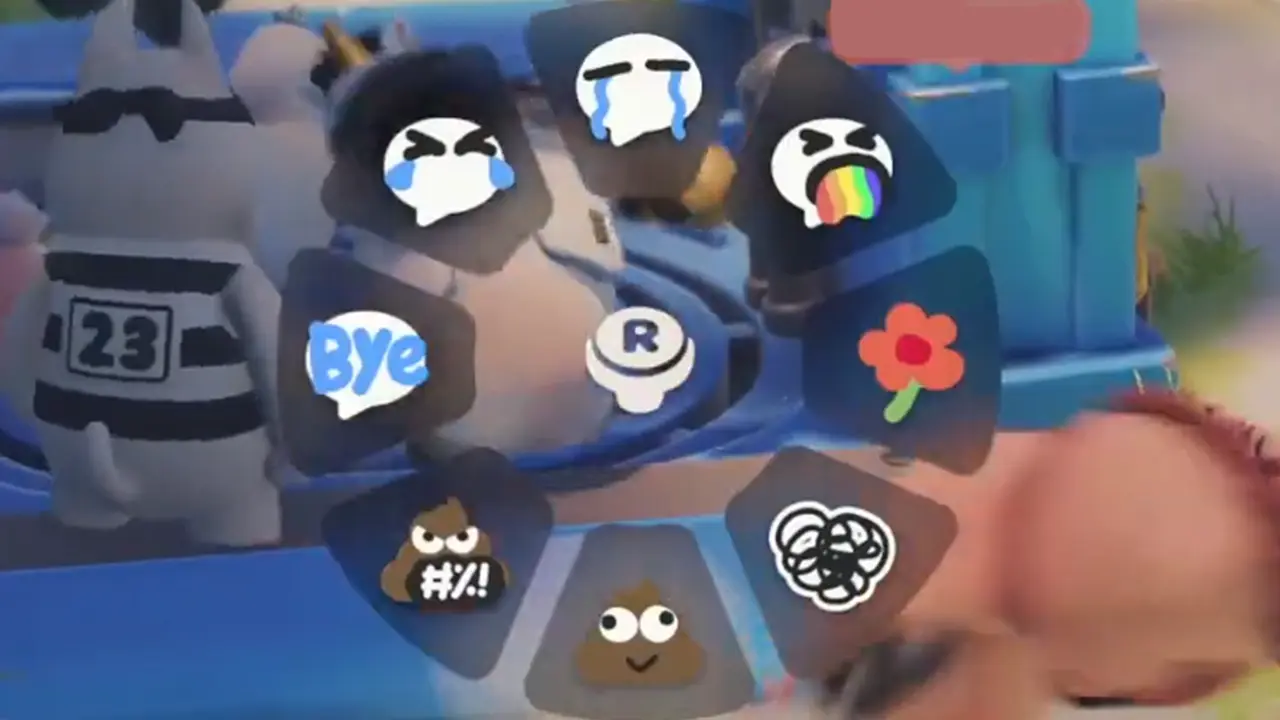
How to Use Emote in Party Animals

Emote in PC Controls

To use the Emote wheel you have to first start the match.

  • While you are playing, press the T key from the keyword to access the Emote wheel.
  • Use the mouse to select the emote you wish to use.

Emote in Xbox Controller

  • Press the Up Arrow from the D-pad to access the Emote wheel.
  • Navigate the emote and select the one you want to use.
  • Now release the Up Arrow for emote.

How to Customize Emotes in Party Animals
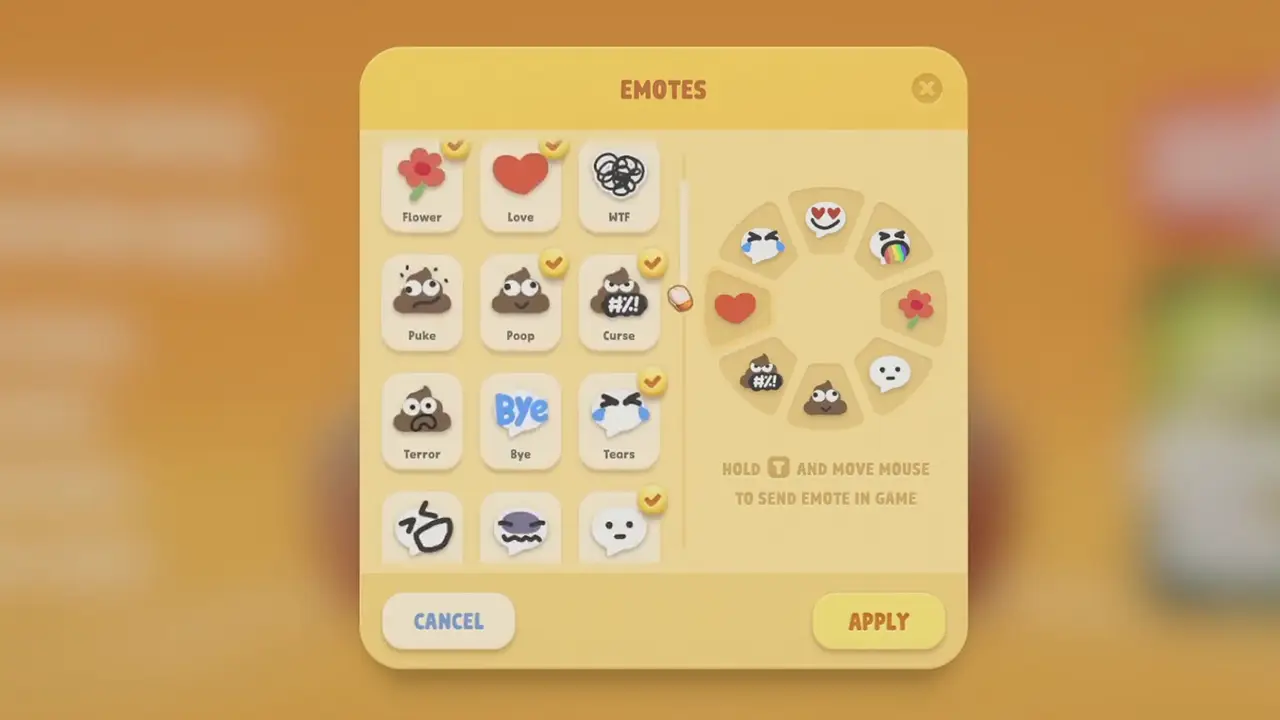
How to Customize Emotes in Party Animals

  • Start the game or go to the main screen if you are already in it.
  • Tap on the profile picture from the bottom right part of the screen.
  • You will see the Emotes option on the right corner of this page.
  • The Emotes page has many emotes, but you can only keep eight in the Emote wheel. So select the emotes you wish to use.
  • On the right you will see the emotes available in the Emote wheel
  • After selecting the ones you want, press Apply to make the changes.

With this, you can now customize and use Emote in Party Animals. Party Animals are more than just chibi animals fighting, dealing with real players is difficult. You will be thrown into various battle arenas, surrounded by water, ruins, and whatnot. So check out our Party Animals guides and learn all the skills you will need in the arena. Start by learning how to swim and then master the throwing.

  • +1 Speed Evolve Codes (July 2026)

    +1 Speed Evolve Codes (July 2026)

    Published Date :

    Speed-based games on Roblox will always stay popular, and this particular experience is quite addictive! Here, you play as an animal and your goal is to evolve into stronger animals, unlock new worlds, and be the fastest player on the server! +1 Speed Evolve codes offer free Speed and Win Boosts that can make your… Read More

  • Yeet a Brainrot Codes (July 2026)

    Yeet a Brainrot Codes (July 2026)

    Published Date :

    If you’re annoyed at the Brainrot trend, this is your opportunity to “yeet” them into the distance! To launch Brainrots farther, you need better pets, potions, and more rewards, and thankfully, these Yeet a Brainrot codes will come to the rescue. You can easily unlock various Divine Relic Chests, Primeval Relic Chests, Coin/Luck/Power potions, exclusive… Read More

  • Build A Soccer Squad Codes (July 2026)

    Build A Soccer Squad Codes (July 2026)

    Published Date :

    To build your dream team, you’ll need plenty of rerolls and shop refreshes, which is how you can get better cards and complete your collection. Build A Soccer Squad codes can help with exactly that, giving you various freebies so you get more chances to improve your lineup without waiting. Here’s the complete list of… Read More

  • Aura Monster Simulator Codes (July 2026)

    Aura Monster Simulator Codes (July 2026)

    Published Date :

    Climbing an endless staircase might sound simple at first, but the higher you go, the more Aura you’ll need to keep progressing and unlock stronger upgrades. Thankfully, Aura Monster Simulator codes provide free Gems and Aura Boosts, helping you strengthen your character and reach new heights. More specifically, you can use these Gems to unlock… Read More