Home > GTA Online > GTA 5 C4 Tutorial: How To Detonate Sticky Bombs

GTA 5 C4 Tutorial: How To Detonate Sticky Bombs

Published Date :

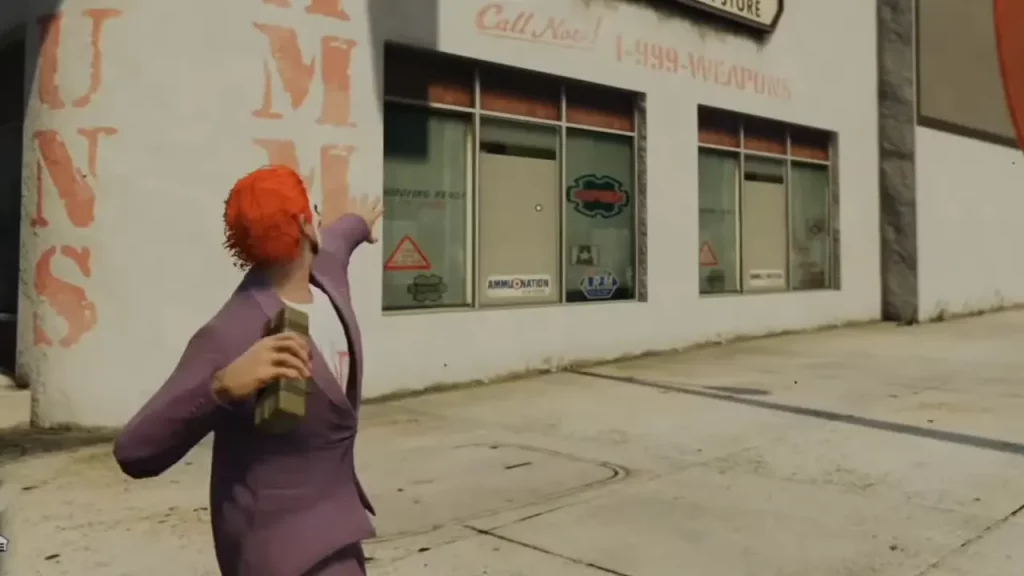
Learning how to Detonate a Sticky Bomb aka a C4 in GTA 5 can seem a little complicated. One of the main features of this game is the ammunition. The use of most of the weapons in this game is pretty straightforward and can be easily used to shoot or blow things up. However, players have been confused about the use of this particular weapon. In this guide, we will explain how you can equip and use Sticky Bombs or C4 in Grand Theft Auto V.

How to Detonate Sticky Bombs in GTA 5
Detonate Sticky Bombs GTA 5
Photo Credits – YourSixGaming on YouTube

For PC Users

  1. Once you have the Sticky Bomb from the Inventory, you will need to equip it.
  2. Once you have chosen the location you want, in order to equip it hold the Right-click and then Left-click to throw.
  3. Now, to detonate it, you will have to press ‘G’ on the keyboard. This will cause the explosion to take place. Make sure you don’t go too far before you detonate, you will have to stay in close proximity.

For PlayStation Users

  1. To get the weapon, first press and hold L1 and choose the Sticky Bomb as your weapon.
  2. Now to equip, will have to hold L2 once you have taken your aim, you can press R2.
  3. Now, press Left on the D-pad to detonate this weapon.

For Xbox Users

  1. Same as above, once you have the Sticky Bomb from the inventory, Click on the Left trigger to aim and then throw the weapon by clicking on the Right trigger.
  2. To detonate, simply press Left on the D-Pad.

How to Detonate Sticky Bombs in GTA 5 from the Car

  1. Once you have this weapon with you, get in the car.
  2. First, click on L1 to get your arm out of the vehicle.
  3. Once you have decided on the location press on R1 to throw it.
  4. Keep some distance between you and the place or thing you have equipped the Sticky Bomb on, then click the Left D-Pad option.

These are all the steps you need to take in order to use Sticky Bombs or C4 in GTA V. You can also check out how to shoot while driving and how to increase strength in GTA 5, right here on Gamer Tweak.


  • Cooking Chaos Codes (July 2026)

    Cooking Chaos Codes (July 2026)

    Published Date :

    Running a busy kitchen is much harder when every second counts and new orders keep piling up. Cooking Chaos codes help you build up your Gem balance, making it easier to unlock useful upgrades, class rolls, and other items that can improve your performance during hectic cooking sessions. Here’s the complete list of all the… Read More

  • Be a Fish Bait Codes (July 2026)

    Be a Fish Bait Codes (July 2026)

    Published Date :

    Getting swallowed by giant sea creatures might sound like the end of your adventure, but in this fishing game, that’s exactly what you want. Be a Fish Bait codes give you free Rerolls, Wheel Spins, and even a Time Skip, making it easier to get rare catches, earn more money, and improve your aquarium. Here’s… Read More

  • Final Swarm Codes (July 2026)

    Final Swarm Codes (July 2026)

    Published Date :

    If you love games like Brotato, you’ll love Final Swarm! Surviving wave after wave of enemies is much easier when you have enough resources to unlock stronger gear and better loot. Final Swarm codes help you get off to a faster start by rewarding free Keys and Chests, giving you more opportunities to collect better… Read More

  • Mafia Codes Roblox (July 2026)

    Mafia Codes Roblox (July 2026)

    Published Date :

    Mafia is a social deduction game based on the classic concept; however, to make things more interesting, you might want to unlock new disguises or animations. You’ll need Credits for that, and thankfully, Mafia codes are one of the easiest ways to earn free Credits. Check out the list of all working rewards below. Last… Read More