Royal Match is an enticing puzzle game that offers unique features and keeps the players wanting more. Even though there are more than 4000 levels to unlock, pro players might be able to progress through the game, quite easily. If this is the case, you must be looking for a way to Restart the game and attempt level 1. It is also possible that you might simply want to delete your game progress and start over to earn better rewards. To learn how you can do this, refer to all the steps we have mentioned below.
Can you Delete your Game Progress & Restart Royal Match?
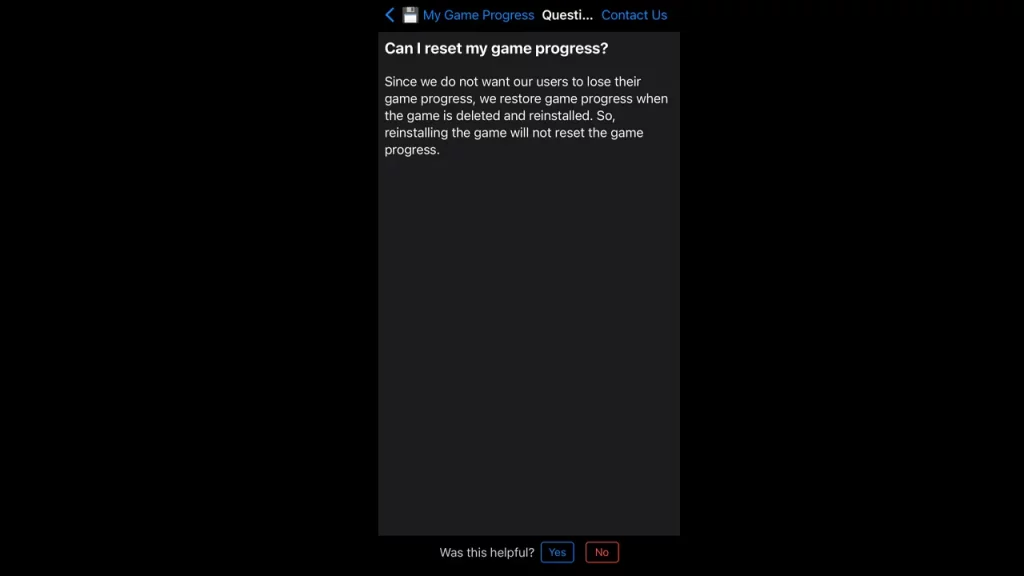
Unfortunately, even after testing out different methods, Royal Match doesn’t allow you to reset your game progress. However, you can delete your account and start the game from the beginning. To do this:
- Launch Royal Match on your device and click on the settings icon, that will appear in the top left corner of the screen.
- Once you open your game settings, tap on the ‘Support’ option. This will trigger a list of problems you might be facing. Click on the ‘Account Deletion’ option.
- You will then receive a message with all the details regarding the deletion process. Read it carefully as suspending the account will result in all your in-game purchases and achievements getting dissolved as well.
- Once you have read this, if you wish to continue, click on the ‘Contact Us’ option, present in the right-hand corner of the screen.
- Once you enter the chat, type in ‘Delete my account’ and wait for a response.
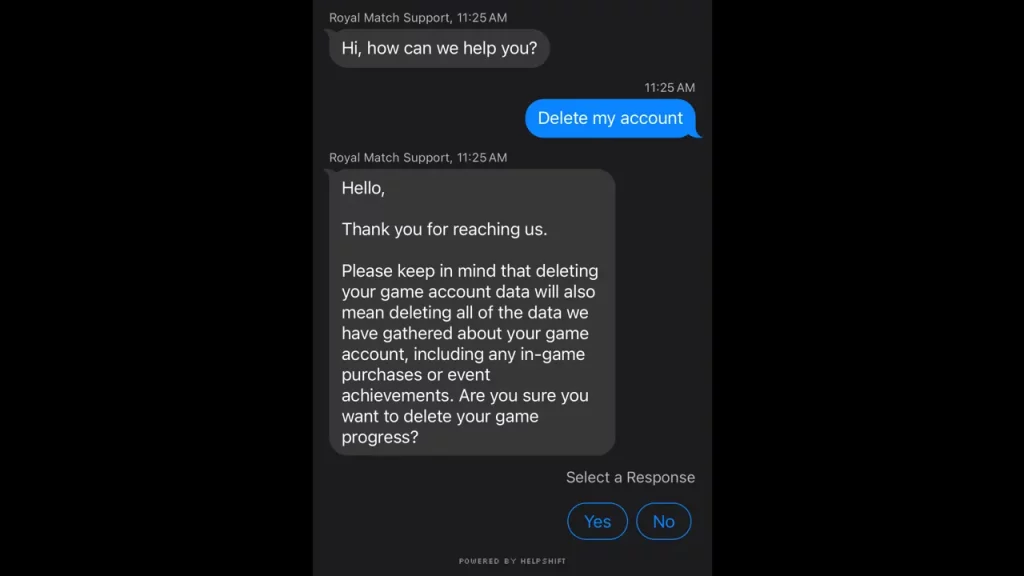
- The chat support will ask you, if you are sure about deleting your account, twice. Select ‘Yes’ as your response to answer these questions.
- They will then inform you that your account will be deleted within 7 days. After you complete this process, delete the game from your device.
- Once you reinstall Royal Match after the account deletion process has been a success, you will be able to restart the game from level 1.
We have covered everything you need to know about how you can Delete your Account and Restart Royal Match. If you are interested in this game and are looking for ways to level up faster, make sure to check out our other guides on how you can get Free Lives and All Royal Match Cheat Codes, right here on Gamer Tweak.