
The First Descendant is a looter shooter that is best enjoyed with friends in online co-op mode. And since it’s free and available on Steam, a lot of players want to know how to party up with friends and set up voice chat, so that they can take on enemies together. Here’s what you need to do.
If you haven’t added friends yet, here’s a quick video that explains the process:
How to Create Parties in The First Descendant
You can create a party with random players if you’re currently playing solo or with friends online with you at the moment.
Creating a Party with Random Players
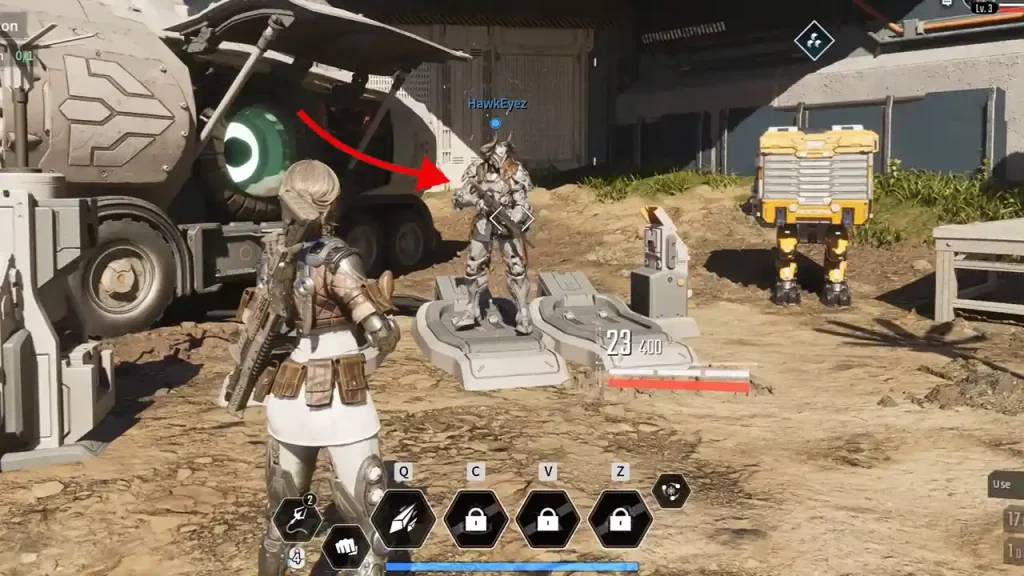
When you load up into the game after completing the prologue, approach another player in the area and press and hold T on your keyboard. From here, you can send a party invite to the person and if they accept it, you will join the party with them.
Creating a Party with Friends
If your friend has already sent you a friend request and you’ve accepted it, you can invite them to a party from the same menu.
- Go to the Pause menu and navigate to the World Map.
- From here, click on Social.
- You will see a list of your friends that are online.
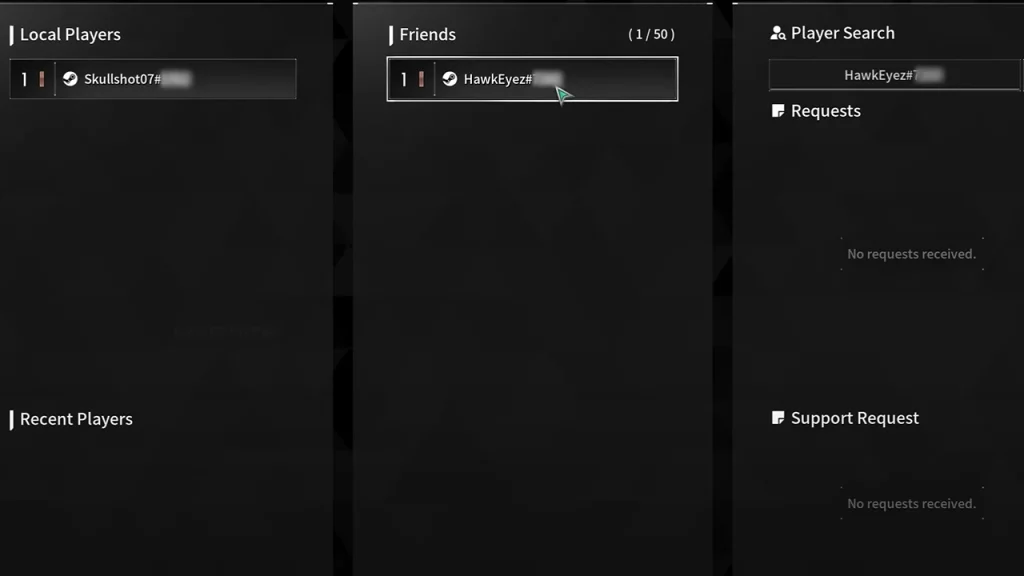
- Click on the friend you want to invite to your party.
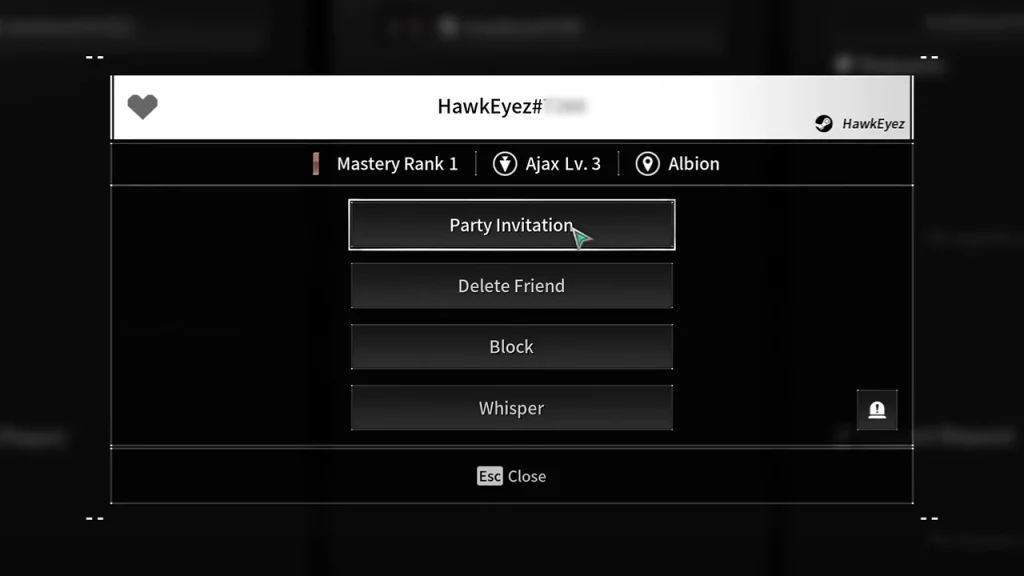
- In the window that appears, click on Party Invitation. You can also see the player’s Mastery Rank in this pop-up.
- When your friend accepts the party request, they will join your game. Easy peasy!
How to Set Up Party Voice Chat
There is voice chat in The First Descendant so you can strategize together.
- To set it up, go to Options and then click on Audio.
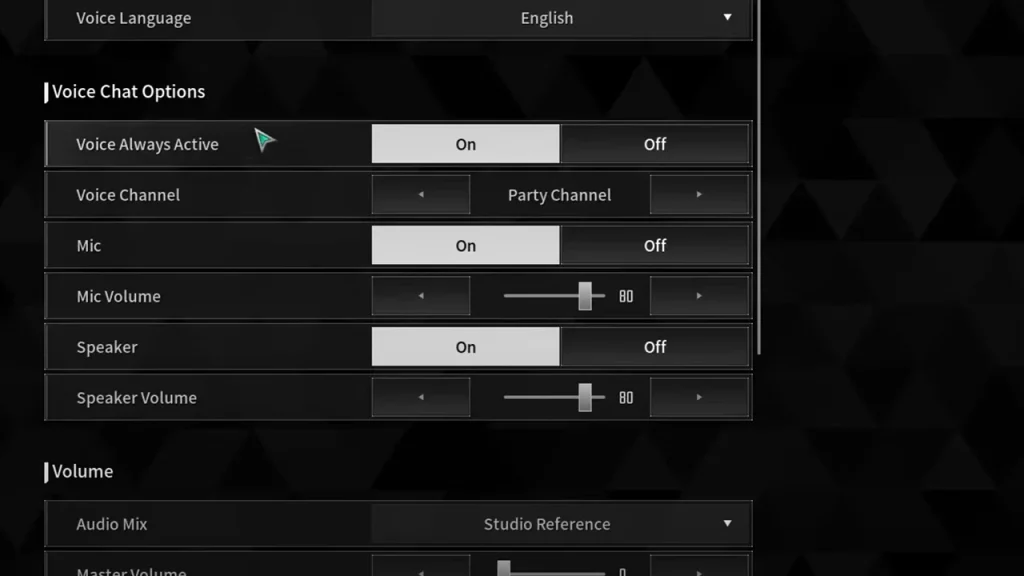
- Under Voice Chat Options, click on your choices. Choose whether you want Voice to always be active or not, what the voice channel should be, mic on, set the volume for the mic and speaker etc.
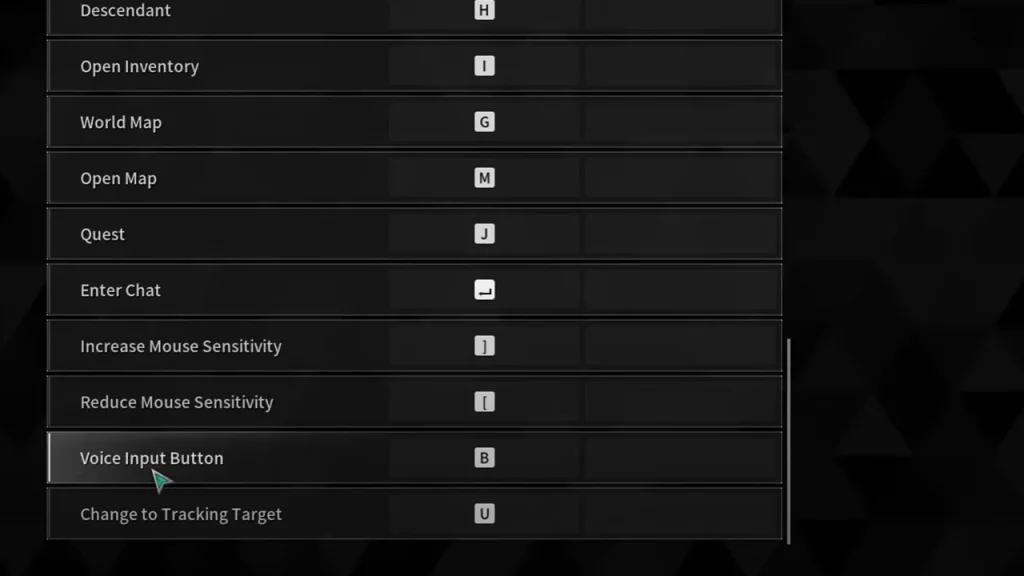
- When you turn Voice Always Active OFF, you can use push to talk to communicate instead of the open mic.
- To find the button to press to push to talk, go to the Keyboard & Mouse tab and scroll down to Voice Input Button. Change the default ‘B’ button if you’d like.
- The Voice Channel can be either Squad channel or Party channel.
And that’s all there is to it! If you’d like to know how to level up Mastery Rank fast, here’s a guide that can help you out.











