
Using the right equipment can save your skin in battle in most games and this also applies to this game. So you should not only know how to change gear in FF16 but also how to unlock the Blacksmith so that you can use the forge to craft and upgrade items. It might not appear useful in the early game, but as you progress the story having better weapons and accessories will definitely help you out. So here is how the gear system works in this game.
How to Change Gear in FF16
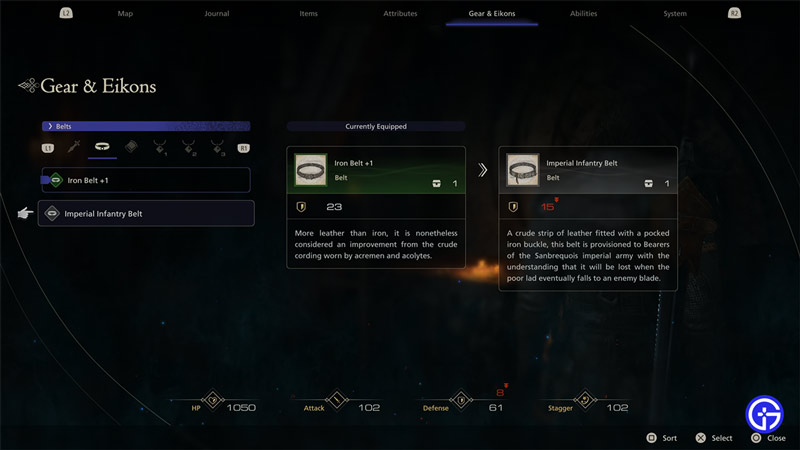
You can change your Gear from the Pause menu.
- Press the Menu button on your controller
- Next, press L2 or R2 to go to the Gear & Eikons tab.
- On the left side will be your Gear.
- The first row consists of your Weapon, Belt, and Vambrace.
- While the second row is of your accessories where you can equip different Rings.
- Highlight any gear that you want to change and press the X button.
- You will find all the options you have available for it.
- Select the new one to change your Gear.
Can you Craft and Upgrade Gear in FFXVI?
Yes, you can craft and upgrade your weapons, accessories, or other items by forging. But you need to unlock the Blacksmith for it first. This doesn’t take long and you should be able to get to this part of the game after around 2-3 hours of playing.
How to Unlock the Blacksmith & Use Forge in Final Fantasy 16
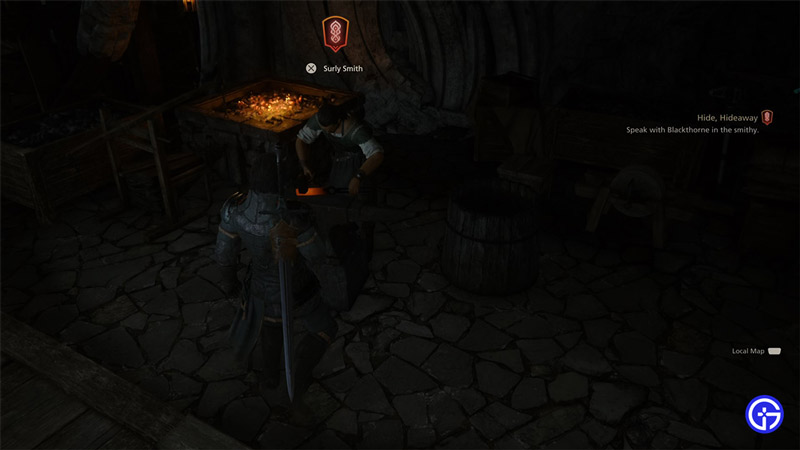
- Start the Hide, Hideaway mission and talk to Cid.
- One of the objectives here is to Visit the main hall.
- Get there and a cutscene plays where Goetz tells you to meet Blackthorne first and hands you the Continental Rum.
- Hand it over to Blackthorne and you will unlock the forge.
How to Craft & Upgrade Gear in FF16
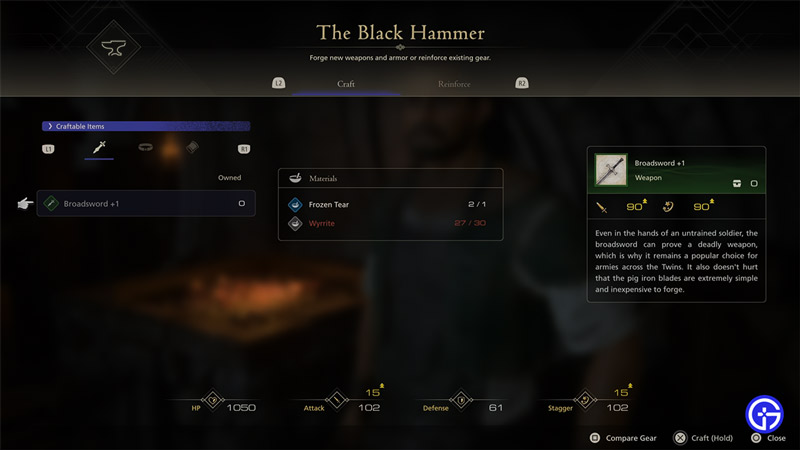
- Talk to the blacksmith by walking up to him and pressing X.
- Next, choose Use the Forge.
- Here you have two options Craft and Reinforce.
- Craft: This allows you to craft new items.
- Reinforce: This allows you to upgrade your existing gear.
- Based on which tab you are in, select the gear which you wish to Craft or Reinforce (upgrade).
- Press and hold the X button to craft or upgrade them.
If you don’t have the item equipped the game will ask you if you wish to equip it. And if you already have it equipped the upgrade automatically gets applied to it.
That’s everything about the gear system in Final Fantasy 16 and how you can unlock the Blacksmith to use the Forge. While having good gear is important you should also use your Ability Points to get new skills. Be sure to check out our FFXVI section to get more help on topics like how to parry attacks, save game, and more.











