The new season of Splitgate has finally launched! If you are planning to try this game out and experience the Halo x Portal combination for yourself, these Splitgate controls will help you get started. We’ve listed out the controls for PC as well as console players (Xbox One, Xbox Series X|S, PS4, PS5).
Splitgate Controls List PC (Keybinds)
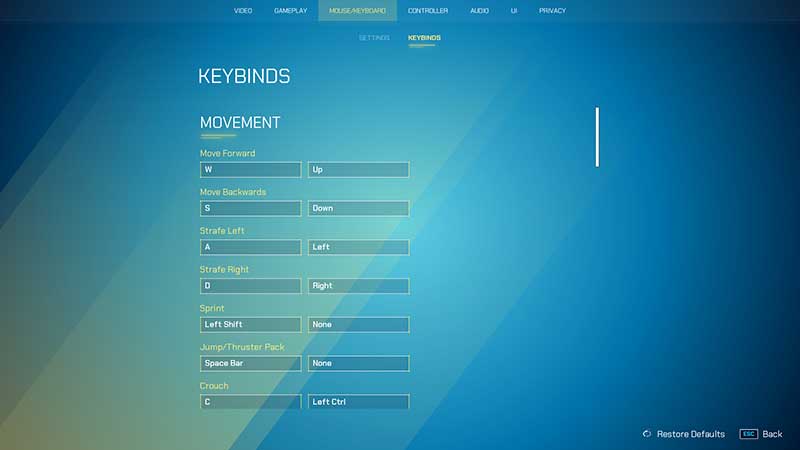
| Keybinds | Action |
| W or Up | Move Forward |
| A or Left | Move Left |
| S or Down | Move Backward |
| D or Right | Move Right |
| Left Shift | Sprint |
| Space Bar | Jump/Thruster Pack |
| C or Left Ctrl | Crouch |
| Left Mouse Button | Fire |
| R | Reload |
| V | Melee |
| G | Grenade |
| Right Mouse Button | Zoom |
| F | Action |
| I | Inspect |
| B | Play Emote |
| H | Spray |
| Q | Shoot Left Portal |
| E | Shoot Right Portal |
| Z | Close Left Portal |
| X | Close Right Portal |
| Mouse Wheel UP | Next Weapon |
| Mouse Wheel Down | Previous Weapon |
| 1 | Primary Weapon |
| 2 | Secondary Weapon |
| Esc | Pause |
| Tab | Check Scores (Scoreboard) |
| Enter | Text Chat |
| F10 | Show UI or Hide UI |
| T | Push to Talk (Team Voice Chat) |
| Y | Push to Talk (Proximity Voice Chat) |
Spectator Keybinds
| Spectator Keybinds | Action |
| E | Move Up |
| Q | Move Down |
| F1 | Focus Player 1 |
| F2 | Focus Player 2 |
| F3 | Focus Player 3 |
| F4 | Focus Player 4 |
| F5 | Focus Player 5 |
Also Read: Splitgate: Best Settings For PC And Controller To Improve Your FPS
Splitgate Controls Xbox and PlayStation Controller
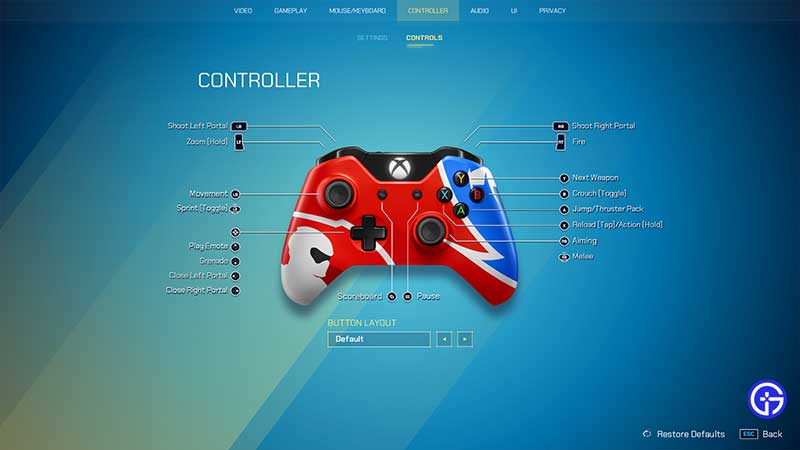
| Xbox/PlayStation | Action |
| LB/L1 | Shoot Left Portal |
| LT/L2 | Zoom (Hold) |
| LS | Movement |
| LS Button | Sprint |
| D pad Up | Play Emote |
| D pad Down | Grenade |
| D pad Left | Close Left Portal |
| D pad Right | Close Right Portal |
| View | Scoreboard |
| Menu | Pause |
| RB/R1 | Shoot Right Portal |
| RT/R2 | Fire |
| Y/Triangle | Next Weapon |
| B/Circle | Crouch (Toggle) |
| A/X | Jump/Thruster Pack |
| X/Square | Reload (Tap)/Action(Hold) |
| RS | Aiming |
| RS Button | Melee |
So, use these controls to get your kills and eliminate your opposing teams. If you need more help with the essential things to know in Splitgate, like what is the rank system and more – check out our linked guides section right away.