Home > Call of Duty: Modern Warfare II > How To Customize Crosshair In COD Modern Warfare 2

How To Change Reticle In COD Modern Warfare 2? (Answered)

Updated Date :

Call of Duty Modern Warfare 2 has tons of guns that you can unlock to flex in front of your teammates. After the game’s initial release, many players have already started the grind and are coming across many new and old features. One of the old and mandatory features the players are looking for is the Reticle customization option. As we already know, Reticle /Crosshairs are one of the most important aspects in such FPS games. Every gamer has their own preference and likes to tweak the color or size of the Crosshair to make it look cool & unique. So if you’re also wondering how can you change your Reticle in COD MW2, then scroll down for answers.

Can You Change Reticle in MW2? (Crosshair Customization)
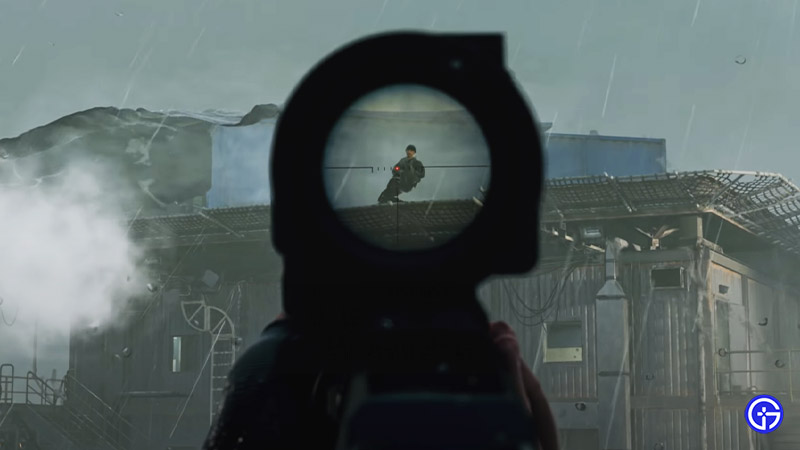
How To Change Reticle & Crosshair In COD Modern Warfare 2

Unfortunately, as of now you can’t change or customize your Reticle in COD MW2. That’s because the game has no option to do so. So it seems that you’ll need to use the default Reticle until the developers update the customization option. According to some speculations, the feature to customize crosshair will be added in the new upcoming update. However, this is kind of disappointing for the players because these types of options are pretty mandatory in such FPS games.

Also Read | Tips & Tricks For Beginners To Win More Matches In Modern Warfare 2

All you can do to improve your aim accuracy in the game is by changing and upgrading to new Optics. We recommend you unlock all the Optics and try them out until you find the ideal one. Another fix to this issue is by adding a Center Dot. Doing so will guide you through all your motions and give you a better idea of your aim. In order to make the changes simply head to Interface Menu > Advanced Interface Settings.

That sums up everything about how you can change your Reticle in COD Modern Warfare 2 (MW2). While you’re here check out how you can reduce recoil & improve your accuracy in the game.


  • CookieRun: Crumble Codes (August 2026)

    CookieRun: Crumble Codes (August 2026)

    Published Date :

    The Devsisters Corporation is back with another Cookie adventure, and like other games, there is a code redemption system in CookieRun: Crumble too! This means we can expect to get regular rewards as drops to help you assemble a team of adorable yet powerful Cookies. Here’s a list of everything currently available. Last checked for… Read More

  • Smiles Codes (August 2026)

    Smiles Codes (August 2026)

    Published Date :

    Smiles is a multiplayer survival mascot horror game where you join other players, complete objectives and survive the dangers lurking in the dark. To make the game more interesting, you can unlock emojis, animations, and more that require in-game currency (Fluff), but it can be quite a grind to earn. Don’t worry, you can redeem… Read More

  • Decaying Winter Codes (August 2026)

    Decaying Winter Codes (August 2026)

    Published Date :

    In Decaying Winter, you’re stranded on EDEN-277 where you need to survive not just scavengers, raiders and supernatural enemies but also the hostile environment. Since it’s a roguelike co-op survival experience, every little boost helps, and that’s where Decaying Winter codes will come in handy. Luckily, there is a code redemption mechanic in the game,… Read More

  • Fishing Tower Defense Codes (August 2026)

    Fishing Tower Defense Codes (August 2026)

    Published Date :

    Fishing Tower Defense codes can help you build a stronger defense by rewarding you with free Diamonds, Dice, and other useful items. Unlike the usual tower defense games, this Roblox experience has you catching unique fish and deploying them as living towers to stop waves of invading humans. As you unlock rarer fish and upgrade… Read More