
Cargo Links are essential for transporting resources and building outposts efficiently in Starfield. By setting up Cargo Links, you can move large quantities of materials between planets with just a few clicks. With a well-established network, goods and materials can flow freely throughout your colonies with minimal manual transportation needed. We’ll talk about establishing Cargo Link in Starfield.
How to Set up a Cargo Link in Starfield?
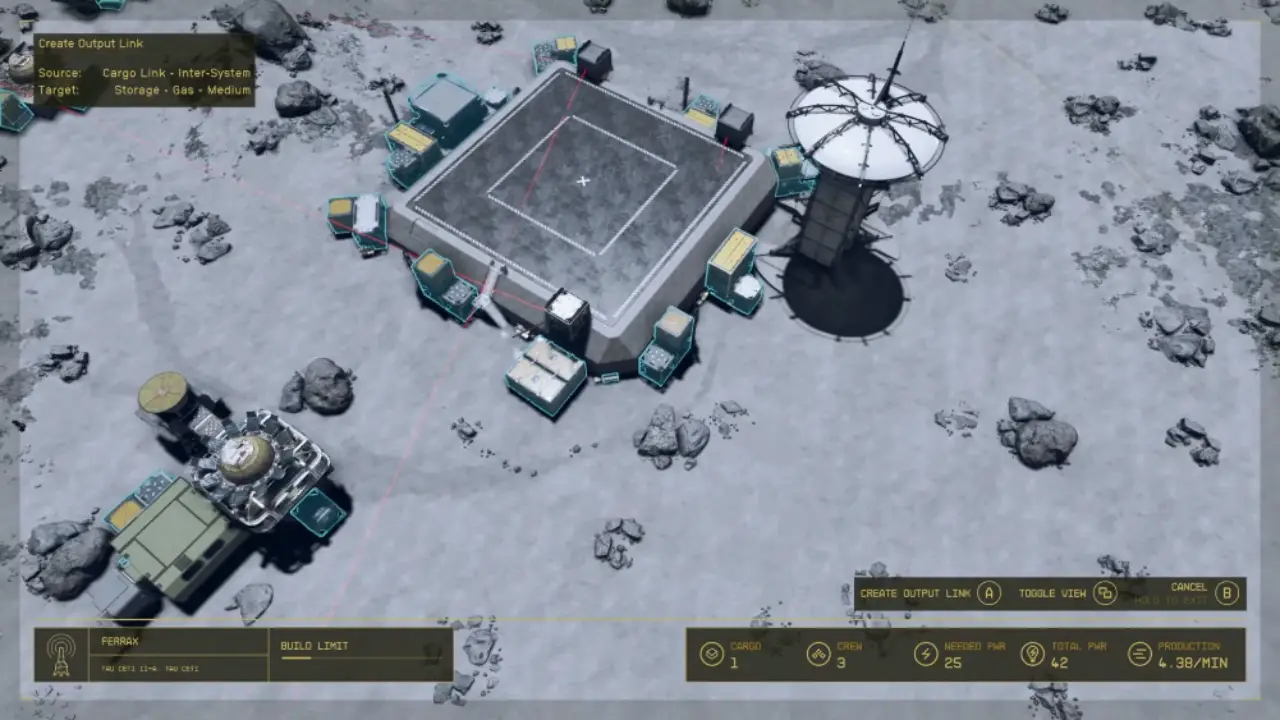
To start, you need to have two outposts built. Use your scanner to find suitable locations and place an outpost beacon. Make sure the ground is level and not in a restricted area. Once placed, you can begin constructing buildings, objects, and more at that outpost location. Repeat this process to build a second outpost.
Materials Required for Cargo Link
Once both outposts are complete, go into the building menu of each one. Select the option to build a cargo link module. Choose its placement, but you must have these resources:
- 12 Aluminum
- 20 Iron
- 2 Beryllium
- 2 Zero Wire
Find the cargo link consoles at each outpost and interact with them to activate the links. At one console, select the other outpost as the destination. Do the same at the other outpost, selecting the first one. This will connect the two links and you can start transporting items between the two outposts automatically.
How to Earn Credits with Cargo Link Trade Missions
The Mission Board is a great way to profit from your cargo links. It will regularly post cargo link trade missions where a vendor requests a specific resource be delivered to their outpost. To complete the mission, build a cargo link between your outpost containing the requested resource and the vendor’s outpost.
Another use of cargo links is establishing permanent trade routes for passive income. Choose an outpost with a high output of a valuable resource. Then, use the mission board to identify multiple vendors interested in that resource. Link your outpost to each of the vendor outposts to create automated trade.
This is all we have to say about Cargo Link in Starfield. You can go through our Starfield section to get more tips and guides.











