After the release of Hotfix #4 for Baldur’s Gate 3, players were not able to load their previous save files. This issue has cost several players their hours of in-game progress. Surprisingly, it appears that no generic fixes like verifying the integrity of game files, re-installing, etc., resolved this issue. As addressed and confirmed by hundreds of Redditors, there are a few other solutions to fix the save files error in BG3. For your reference, we have compiled all those fixes here.
How to Fix Can’t Load Save Files Error in BG3
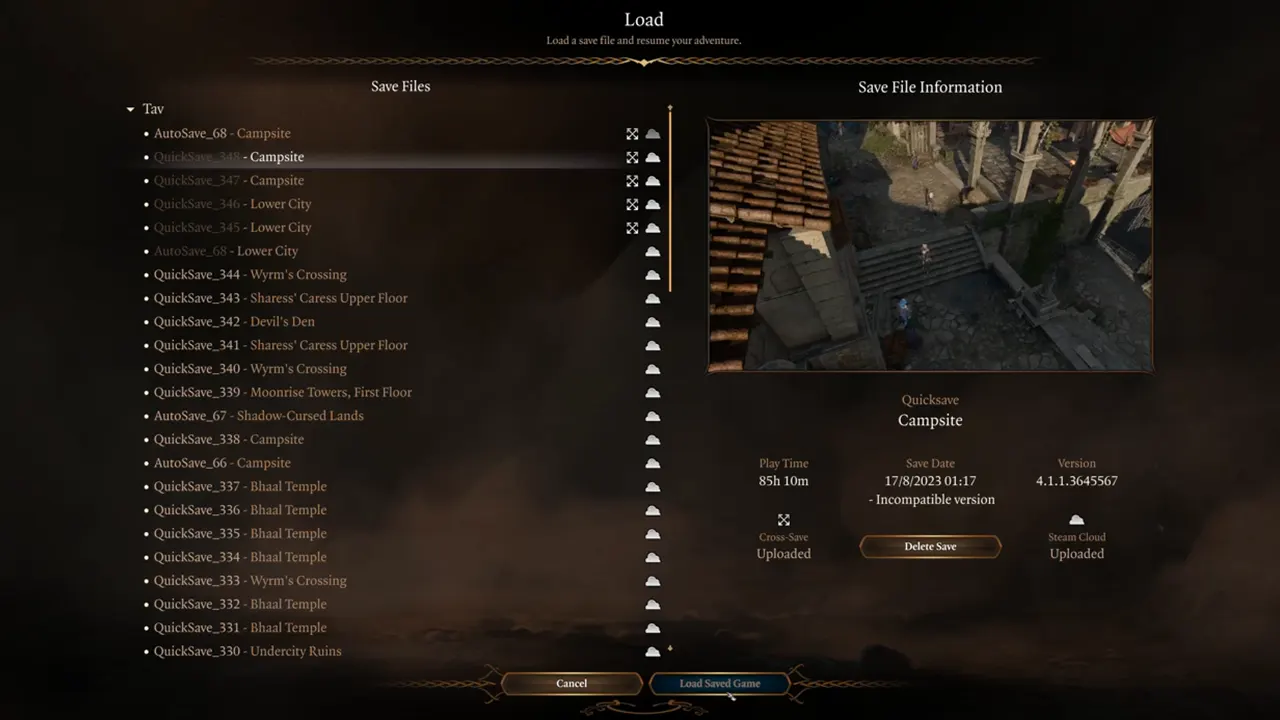
You can use the following solutions to fix the saved files in BG3:
Turn Off Internet Connection
For most players, this method worked like a miracle. All you need to do is disconnect from the Internet, start the game, and then reconnect to the Internet again. If this doesn’t fix it, then scroll down for other solutions.
Disable Antivirus
According to a Blog on the Larian Support Website, Antivirus Software has caused this issue. So you must simply disable them from your Windows Settings. After a reboot, you should be able to load your saved files in BG3.
Create a New Save Folder
Another user on Reddit suggests that renaming the Larian Studios folder works. For that, follow the steps below:
- In the Explore Bar, copy-paste: %LocalAppData%\Larian Studios
- After that, rename the Baldur’s Gate 3 subfolder to any name.
- As this folder contains all the Save Files and Configuration, BG3 will be forced to create a new save location folder upon restart.
This game has been home to plenty of Bugs and Errors in the past. Not being able to play Multiplayer and Audio Issues are a few of the most infamous error of this game. To get them fixed, you can check out our guides on it.
For now, that’s all you can do to fix the issue where you are not able to load your save files in Baldur’s Gate 3. And now that you are here, please feel free to browse through our BG3 Guides. We have stacked up plenty of them here at Gamer Tweak.