Alter the basic Classic WoW interface or just unlock some of the amazing new features using this best addon. Here is the list of most essential add-ons you can download today to add new features in Classic WoW. For example, Questie. It is a simple add-on that displays all quests available in the zone. You can windup all of them and leave them without missing anything. Another good Classic WoW addon is Weak Auras. An extremely useful addon to track down auras, health, power, cooldown, etc.
20 Best Classic WoW Addons
To make things simpler I am breaking this guide into different sections. For example best UI Addons for Classic WoW or money-making add-ons, unlock new combat features, and more.
Best UI Addons:
- Abyss UI – Make the Classic WoW UI look more cleaner by removing unnecessary elements. Comes with options to modify the action bar.
- Advanced Interface Options – Reveals all hidden options in the game.
- Details – Amazing addon that reveals ongoing damage in Classic WoW. It is best to use when you plan to fight other players or raid some of the hardest dungeons in the game.
Combat Addons:
- IceHUD – Reveals your and enemy’s health in form of a Health Bar on the screen. Extremely useful during combat.
- Weak Auras – Tracks Auras, Health, Power, Cooldowns, Combat events, runes, totems, items, etc.
- Deadly Boss Mods – Alerts you about the Boss’s abilities before they use it. Using this info you can plan a counterattack.
- Atlas Loot Classic – Players above near to or above 60 can use this addon to learn about best-in-slot items and their locations.
- OmniCC – Adds a timer over cooldown abilities. You will precisely know when you to use the abilities are ready to use.
Gameplay Addons:
- Questie – Reveals all the Quest on the zone, allows you to track down incomplete missions, and more.
- Better Vendor Price – Reveals the price of the item you will be selling to a Vendor. You can have an update on the actual cost before selling.
- SimpleMap – A simpler map to explore different zones in Classis WoW.
- Quest Frame Fixer – Reveals Quest giver locations on the map in the form of an Exclamation sign.
Inventory Management Addons:
- ArkInventory Classic – Sort, customize, and manage your inventory as per your need.
- OneBag3 – Combines all bags into one big inventory.
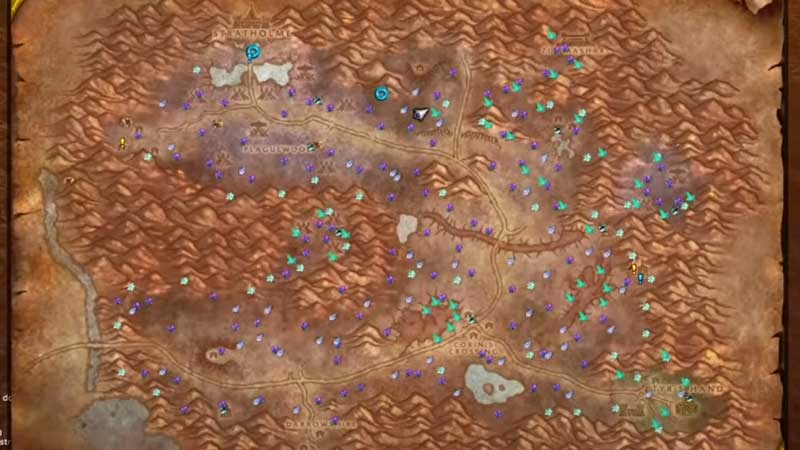
- GatherMate2 – Reveals all items on the main and the mini-map. Track herbs, gas clouds, treasure, etc.
How to Install addons in Classic WoW?
It is extremely simple to install addons in the game. You have to just find the location of the default add-ons folder and move the file in it. That will do the job, also you will need an extracting tool like WinRAR for the same. Follow the steps below for installing add-ons without crashing the game.
- Download the Add-on and then extract the content using an archiving tool like Winzip or Winrar.
- Copy the files and paste them in the following location: World of Warcraft/_classic_/Interface/Add-ons folder.
- Log in to Classic WoW and then click on Add-Ons Tab. Look at the bottom left of the screen.
- Enable recently installed add-on, you can disable from here if you no longer using them.
You can install any add-0ns in Classic WoW just by moving the files to the right location. They will appear in the add-on tab from where you can turn them on or off. Also, I am going to share some of the best sites from where you can download top add-ons for Classic WoW. Just visit them and search for the game, you will get a lot of updated add-ons.
- Curseforge
- Github
- Tradeskillmaster
- Tukui
- Warcrafttavern
- Wowace
- Wowinterface
To help you more with more similar guides you can go through our WoW Guides section. We regularly update new content linked with the game and its versions.