Done with playing Armored Core 6 or do want to try out something new? Then here is how to spice up your game by using mods in Armored Core 6. This article has a list of some of the best mods for Armored Core 6, like new characters, turning on easy mode, unlocking Game Plus, etc. The guide will also help you with how to install mods in Armored Core 6.
Best Mods for Armored Core 6
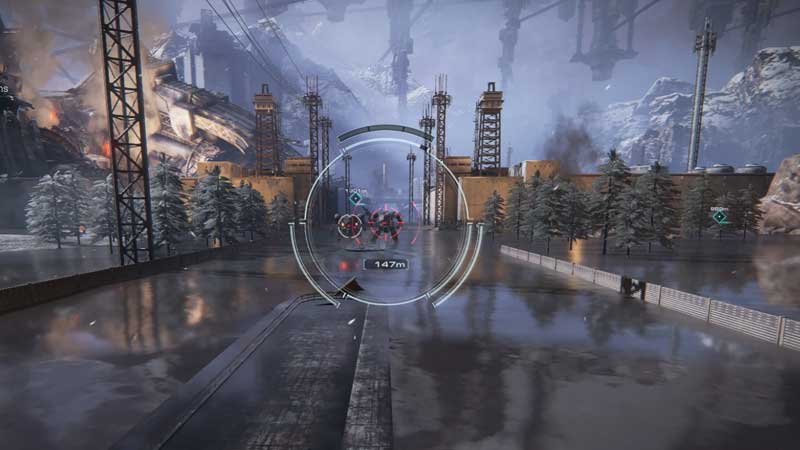
Mods installation requires modification of game files, make sure you backup it before using. Refer to the mod installation section below to know more.
AC6 First Person Camera Mod:
Looking for the first-person view to play this game then try out this mod. It will shift the camera to first person from third-person, it’s like you are inside the mech-suit playing the game. This mod adds the cockpit view to AC6.
2. AC6 Save Transfer Tool:
Do you want to share your AC6 Save files with friends? Well, you can use the AC6 Save Transfer tool for that. It has a tool that will let you move saved files from one Steam ID to another. Here is how to do that.
- Copy ArmoredCore6SaveTransferTool.exe to %appdata%/ArmoredCore6/YourSteamId/
- Drag the AC6 Save files on the transfer tool.
If you have saved files you just have to drag them to the tool and it will restore all the progress. But if the Steam ID is changed then it will ask for the new Steam ID.
3. AC6 Unlock New Game Plus:
Here is a mod that unlocks the new Game Plus in AC6. This mod was created after playing the game three times with all endings. All parts, mechs, and weapons are unlocked.
4. Thomas Engine in AC6:
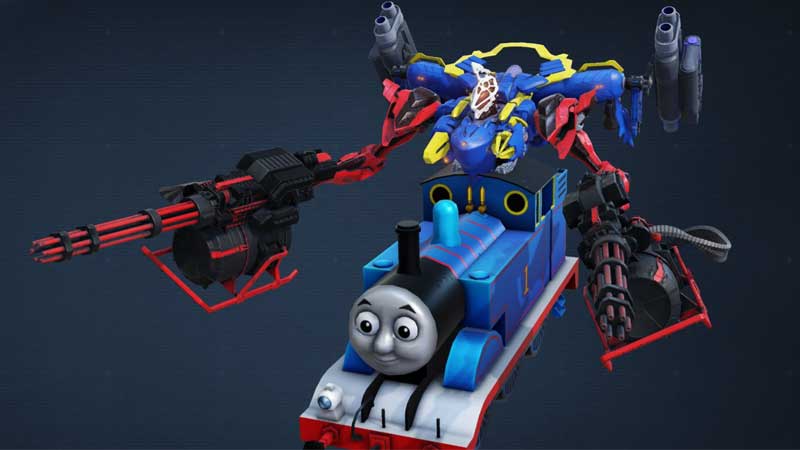
You can now replace the mech with Thomas Engine in AC6 and spice up your gameplay a bit. This mod does not really affect the game stats, it just replaces the default character and adds Thomas Tank Engine in its place. To install this follow the below steps.
- Unzip the content of the mod folder and run launchmod_armoredcore6.bat.
How to install Mods in AC6?
Every mod file that you will download will have a regulation.bin file. You will have to go to the game folder and replace the modded regulation.bin with the original one. But before doing that create a backup of the file. Just copy the original regulation.bin from the below location and keep it safe somewhere in the folder. Then replace this file with the modded regulation.bin.
- \\ARMORED CORE VI FIRES OF RUBICON\Gam
If there is any bug or issue, then replace the file with the original game file. This will restore the original game settings.
How to Remove/Uninstall mods from AC6?
There are two ways to remove mods from AC6. First is by restoring the original game files that are regulation.bin and second using Steam. In case you do not have the original game file follow the steps below to remove any mod from AC6 and restore its default settings.
- Launch Steam and go to your Game Library
- Right-click on the AC6 > Properties > Installed files
- Click on Verify integrity of game files
Following the above steps will restore the game’s original file back into its place. So this is how to remove mods from Armored Core 6. To help you more with the game here are some AC6 guides: Best OS Tuning Options, Best Core Expansions & Best AC6 Settings.