Pokemon Go is the AR release of the original Pokemon Series which can be played at your fingertips. Players from around the world can play this game available on Android and iOS. The game uses components of the device like GPS, Gyroscope, and Accelerometer to display lifelike Pokemon on screen. Such a complex gaming structure is bound to have an ebb and flow of errors. AR not working in Pokemon Go has been a common error that many players have come across and this guide will give you the fix for it.
Fix Pokemon Go AR Not Working Error
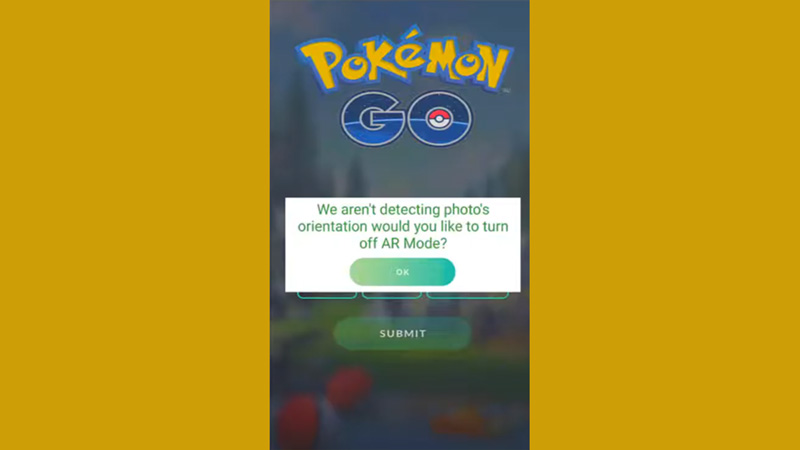
There are numerous reasons behind this error. Most commonly it has been the compatibility of the phone with the AR and AR+ features of Pokemon. Here is how the error goes, whenever you try to take a photo of the Pokemon or do an activity that involves catching a Pokemon, an error is displayed. So here is what you need to do to fix the Pokemon Go AR Not Working Error.
Update or Revert OS
This solution is for iOS users, if you have not updated your OS, you might face the error. Since OS is quite important for the functioning of the game, this might fix your device. Although contradicting the above, a new OS that is not compatible with the game may also display the error.
Gyroscope
Android Users, the game needs a gyroscope to track your movement and device rotations to function the AR of the game. If you do not have a working gyro, the issue will keep on persisting.
Update Pokemon Go
Check if you have missed any updates for Pokemon Go. Niantic keeps bringing on updates and solutions to regularly optimize the game for all users. If you have missed the update, you might face multiple errors, not just this one.
Enable Permissions
You need to enable camera and location permissions to the game if you have not done so. Here is what you need to do:
- Start your device and go to Settings.
- Go to Apps and look for Pokemon Go.
- Tap on Pokemon Go and tap on Permissions.
- Allow Camera and Location access for the app.
If none of these help you fix the error, you might have to reinstall the game or contact Niantic Support.
That’s all you need from this guide on Pokemon Go AR not working error and how to fix it. While you are here, make sure you check out our Pokemon Go guides, tips, and tricks right here on Gamer Tweak.