Successful CS2 trading is rarely based on guesswork. Experienced traders rely on data to compare prices, track market trends, and identify good opportunities before making a trade. With so much information available, keeping up with the market without the right tools can be difficult. That’s where CS2 trading tools come in. In this guide, we’ll explore how these tools work, why they’re useful, and what you should look for when choosing one.
Why CS2 Trading Tools Matter

Before looking at specific tools, it’s important to understand why they are so widely used. Trading tools help you track price changes, compare listings across different marketplaces, monitor market trends, and estimate the value of your skins. Let’s take a closer look at how they can improve your trading decisions.
Protection from Bad Deals
Most trading losses do not come from dishonest partners; they come from missing information. A player who does not know the real value of their items will accept unfair offers without noticing anything wrong. Tools close this gap. When every item in a deal is priced with current market data, a bad offer becomes visible in seconds. This protection matters most for special copies, since a rare pattern or a clean float can be worth several times the normal price, and the other side will not point it out for you.
Saving Time
Everything a tool does can be done by hand, but the time cost is huge. Checking prices across several markets, looking up floats one by one, and following price changes for dozens of items would take hours every week. Tools do all of it in seconds and keep the information updated while you do other things. This speed changes what kind of trader you can be. Good deals disappear fast, and the player who checks a deal in one minute will always catch opportunities that a slower player misses.
Learning the Market
The biggest benefit shows up over time. Players who use tools regularly start to learn how the market actually behaves, which items hold value, which ones move with events, and what a fair price looks like without checking. The tools work like a teacher, showing correct numbers until you start seeing them yourself—players who trade by feeling never build this knowledge, because they never see the full picture.
Top Three CS2 Trading Tools
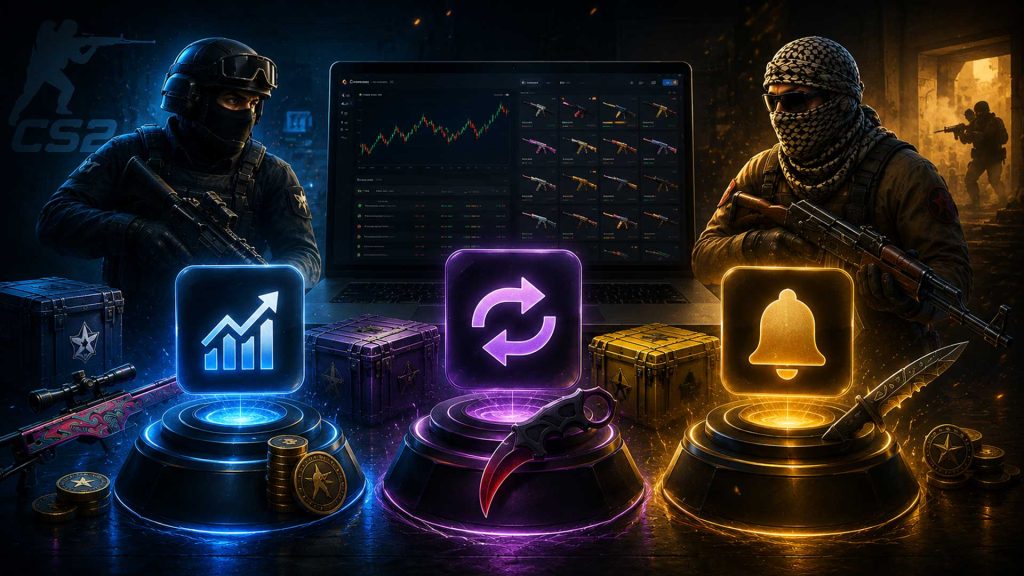
Now it’s time to look at the tools themselves. We’ve selected three popular CS2 trading tools that can help you analyze skin prices, follow market movements, and make more informed trading decisions.
Price Comparison Tools
A price comparison tool shows the total value of both sides of a deal before you accept anything. You add the items you give and the items you receive, and the tool prices everything using current market data. This simple check stops the most common trading mistake, which is judging a deal by feeling instead of numbers. Some platforms, like Skinsbook, build this directly into their trading pages, so the values appear while you arrange the exchange. Make this check a habit for every deal, no matter how small it looks.
Float Checkers
A float checker shows the exact wear number of any skin, along with its pattern and sticker details. This matters because two copies of the same skin can differ in price by a large amount over details the game does not clearly show. Before accepting any trade, run every item through a checker. It protects you from giving away a special copy at a normal value, and it helps you spot when the other side offers something better than they realize. Serious traders check every item without exception.
Price Trackers
A price tracker follows skin values across markets and over time, and this is where good trading decisions come from. Current prices tell you what an item is worth today, while history charts show whether it is growing, falling, or sitting still. Most trackers also send alerts when an item reaches a price you set. Used together, these features turn trading from guessing into planning. A trader who knows the real value and direction of every item in a deal will always come out ahead of one who trades by feeling.
How to Choose a Reliable CS2 Trading Tool
Not every trading tool is equally reliable. Before using one, check where it gets its data, how often prices are updated, and whether it’s trusted by the CS2 community. A reliable tool can make evaluating skins and planning trades much easier.
Check the Data Quality
A trading tool is only as good as its numbers. Compare its prices against actual recent sales for a few skins you know well. If the values are outdated or clearly off, everything else the tool offers is useless. Good tools update prices constantly and show data from several markets, not just one source.
Look at the Community Reputation
Search what other traders say about the tool on forums and community channels. A reliable tool has a visible history, active users, and developers who respond to problems. Be careful with brand new tools that ask for account access, since login permissions in the wrong hands can cost you your whole inventory.
Test It with Small Steps
Before trusting any tool with real decisions, run it alongside your normal routine for a week. Check a few known items, compare its advice against real listings, and see if the results hold up. Give account permissions only when the tool truly needs them, and only the minimum level required to work.
Conclusion
In this guide, we explored the role of trading tools in CS2 and why they have become essential for many players and traders. We discussed how they can improve your trading decisions, highlighted a few popular tools worth trying, and explained what to look for when choosing a reliable platform. With the right tools and a bit of research, you’ll be in a much better position to make smarter trading decisions.