Home > Gaming Guides > Wuthering Waves (WuWa) > Wuthering Waves Stuck On Verifying File Integrity Fix

Wuthering Waves Stuck On Verifying File Integrity Fix

Published Date :

Of the many issues, Wuthering Waves getting stuck on verifying file integrity has to be one of the worst. Some people speculate it to be a mere visual bug because it appears to be stuck, but in the background, it is working. At the same time, several others have confirmed that even after waiting for 2 hours, it still hasn’t progressed. The worst part is it is even the same for everyone, for most users it gets stuck at 0.00% while for others it stops at 96%. But no matter where it stopped progressing for you, these solutions could do the trick:

How to Fix Wuthering Waves (WuWa) Stuck on Verifying File Integrity
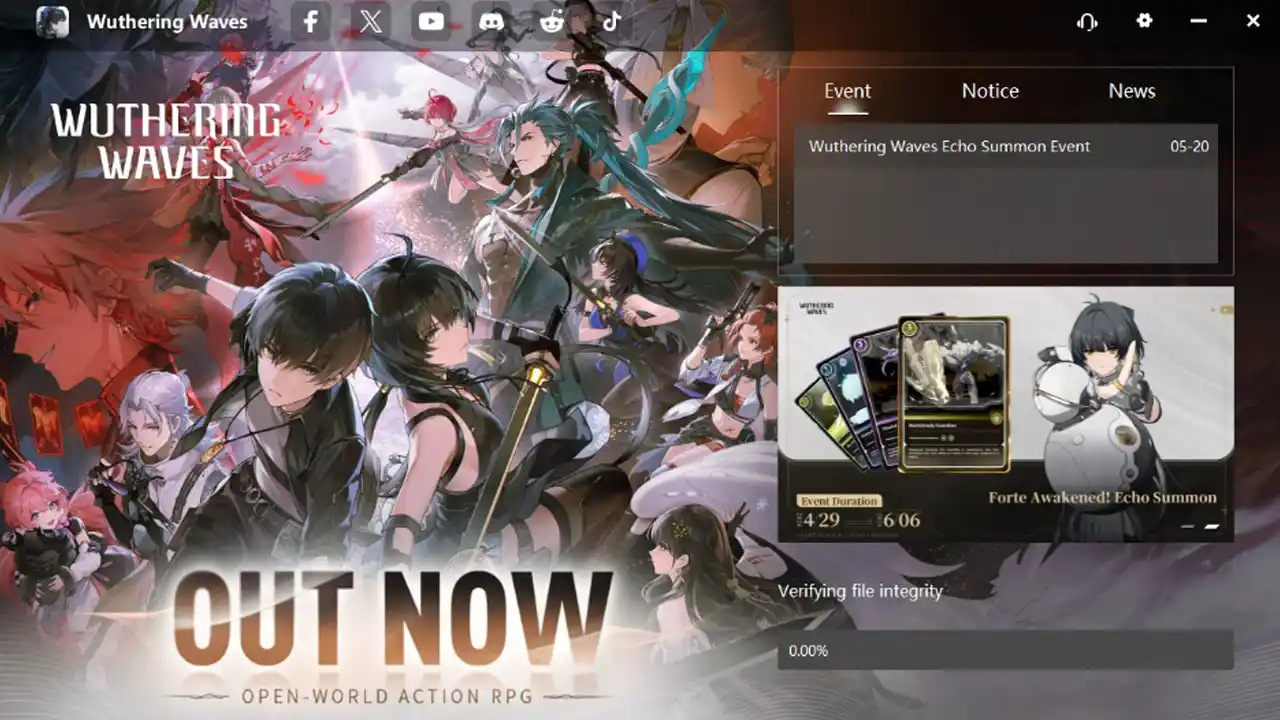
Image Credits: Reddit user u/Professional_Path124. WuWa being stuck at the Verifying file integrity screen.
  • Set the launcher on High Priority: Thanks to Reddit user u/YOURdoom01 for sharing this solution. You can check their comment here.
    1. Close Wuthering Waves.
    2. Next, right-click on your Taskbar and open the Task Manager.
    3. Click on the Details tab.
    4. Now look for the following Names/Processes:
      • wuthering waves launcher.exe
      • KRInstallExternal.exe
    5. Right-click on them, hover over Set Priority, and click on High.
    6. Now restart the game, and you shouldn’t get stuck on Verifying File Integrity anymore.
  • Spam open the game: This is an odd but working fix that worked for Reddit user u/Arceuspower, you can check their comment here. Basically, they kept closing and reopening the game each time it got stuck somewhere. Another user in the same thread found it to work for them so it could be worth giving a try.
  • Reinstall the game: Last but not least if both of the above methods don’t work then it is best you uninstall the game and delete all its related files and folders from your system. Once done reinstall WuWa and it should work without being stuck at file verification.

That is all for how you can fix the Wuthering Waves stuck on verifying file integrity issue. While you are here, if you are facing other similar problems then also check out how to fix the launcher is too big and Fatal error.

  • Anime Duelists Codes (July 2026)

    Anime Duelists Codes (July 2026)

    Published Date :

    Anime Duelists follows the tried and tested formula of spinning stars to unlock fighters, sending them into battle and collecting rewards. If you want to get unique fighters, abilities, and progress through various realms, you need these code rewards! You can get anything from free Gems, Trait Rerolls, Stats Reroll, Super Luck, Star Speed potion,… Read More

  • Mini Cup Codes (July 2026)

    Mini Cup Codes (July 2026)

    Published Date :

    In Mini Cup, you open up packs to unlock footballers, build houses, and win matches against rival teams. This makes it a perfect mix of some of the most popular gameplay loops for soccer fans on Roblox. To grow your club, you’ll need cash, as well as special packs, which is where Mini Cup codes… Read More

  • Be The Final Boss Codes (July 2026)

    Be The Final Boss Codes (July 2026)

    Published Date :

    Now you can be the final boss! In this experience, you summon minions to fight for you and take down waves of heroes. To level up, you’ll need plenty of coins and various resources, which is where Be The Final Boss codes come in handy. If you wish to boost your character and stay one… Read More

  • Clean the Squishies Codes (July 2026)

    Clean the Squishies Codes (July 2026)

    Published Date :

    There’s something surprisingly satisfying about picking up the cute Squishies and putting them back on their designated shelves. If you’re interested in getting some unique rewards including free Squishies, this guide is for you. Here’s the complete list of all the working rewards. Last checked for new codes on July 13, 2026 All Clean the… Read More