Home > Gaming Guides > Wuthering Waves (WuWa) > Wuthering Waves UE4 Fatal Error Fix Guide

Wuthering Waves UE4 Fatal Error Fix Guide

Updated Date :

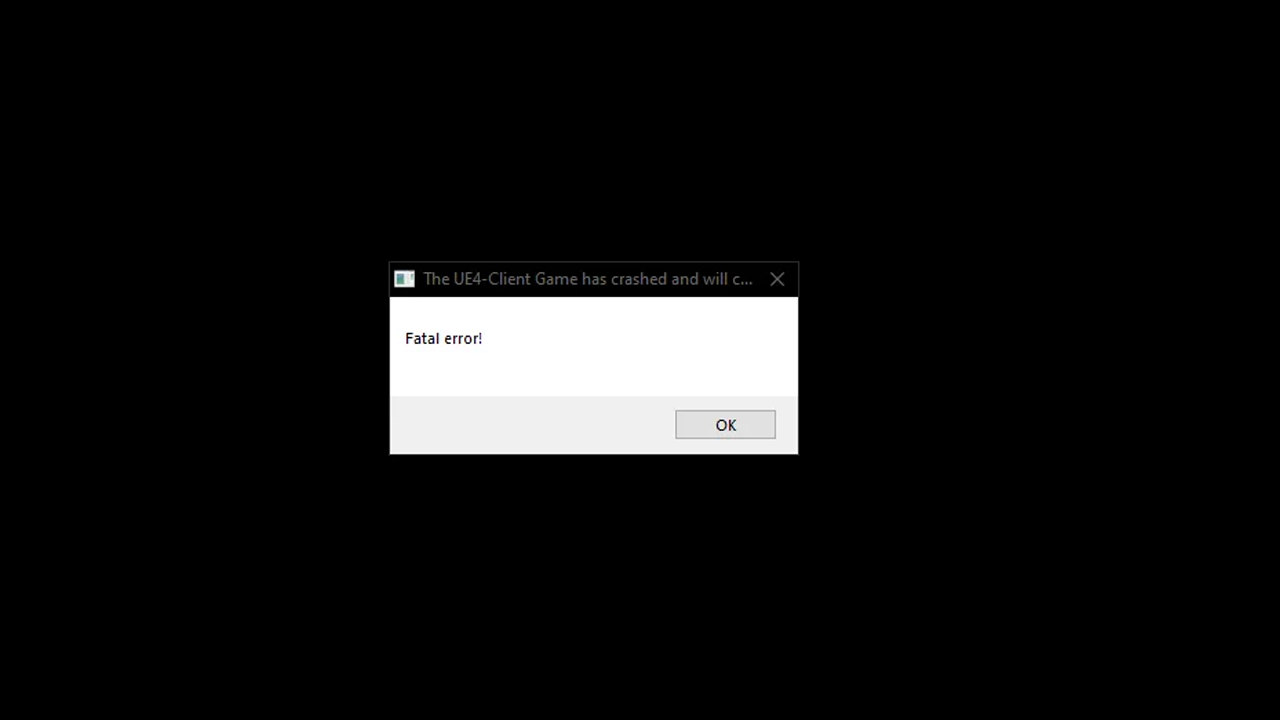
One of the many issues players face is the Wuthering Wave Fatal Error, and they want a fix. When you get this problem, you get a notification popup titled “The UE4 Client Game has Crashed,” followed by “Fatal Error!”. While these issues are expected, the good news is this error can be solved with a few simple workarounds.

How to Fix the Wuthering Waves Fatal Error
You can fix this problem by directly launching the game from its exe, verifying its game files, and repairing the launcher. Here is how both methods work:

  • Open game via exe: If you are playing the game from the Epic Games Store, you have a good chance of encountering this error. So, for a workaround, you can go to your Epic Games directory, look for the Wuthering Waves folder, and launch the game from its exe. If it doesn’t work, you can also verify its files.
    1. Open the EGS client.
    2. Go to your Library
    3. Here, click on the three horizontal dots and choose Manage.
    4. Finally, click on the Verify button in the Verify Files option.
    5. It should now fix the files. Restart your PC and try playing Wuthering Waves; you shouldn’t get the Fatal Error this time.
  • Fix Launcher: This solution works for players playing the game directly via the game’s launcher.
    1. Launch the game.
    2. Click on the Wrench settings icon on the top right corner of the screen.
    3. You will now be asked if you want to repair your client.
    4. Please wait for it to scan and fix all the files. Once done, restart the client, then check if you are getting this error again.

The above two solutions are the main fixes with the highest chances of working. If they don’t, then you can also try using these generic but useful tricks:

  1. Restart your PC.
  2. Restart your game client.
  3. Update your Graphics Drivers.
  4. Install the latest version of Microsoft VisualC++.
  5. Run the game as Admin.

That is all for the Wuthering Waves Fatal error Fix. Since you are playing this game you should definitely check out its Codes that you can redeem for some freebies, and how you can Reroll in it.
  • Aura Monster Simulator Codes (July 2026)

    Aura Monster Simulator Codes (July 2026)

    Published Date :

    Climbing an endless staircase might sound simple at first, but the higher you go, the more Aura you’ll need to keep progressing and unlock stronger upgrades. Thankfully, Aura Monster Simulator codes provide free Gems and Aura Boosts, helping you strengthen your character and reach new heights. More specifically, you can use these Gems to unlock… Read More

  • 100 Days At Sea Codes (July 2026)

    100 Days At Sea Codes (July 2026)

    Published Date :

    Surviving in the Bermuda Triangle is a challenging task because you need to keep searching for supplies, expand your raft, and defend yourself against dangers lurking in the ocean. 100 Days At Sea codes can make the journey a little smoother by rewarding free Pearls, giving you the chance to unlock Classes and Companions faster.… Read More

  • +1 Muscle to Arm Wrestle Codes (July 2026)

    +1 Muscle to Arm Wrestle Codes (July 2026)

    Published Date :

    Love those Roblox games where you start small and weak but work toward becoming a more powerful, stronger version of yourself? This one’s for you! Winning arm wrestling matches is easy when you build up your Muscle, collect stronger pets, and unlock more Win boosts and +1 Muscle to Arm Wrestle codes help you get free… Read More

  • Giant Simulator Reborn Codes (July 2026)

    Giant Simulator Reborn Codes (July 2026)

    Published Date :

    If you want some free Gold, you definitely need to redeem these Giant Simulator Reborn codes! These rewards will help you upgrade your giant much faster as you defeat enemies and grow stronger. Since this game revolves around training your character, collecting pets, and increasing your size to take on tougher challenges, every extra bit… Read More