
Many players are facing an issue where there is a no music bug in Wuthering Waves. If you got it as well, then don’t worry, it has happened after a recent hotfix patch. People speculate that it only started it occur after updating the game to version 1.0.19. Usually, the music in such games is looped, but what happens when you get this error is, after the music plays the first time there is just silence. You do get some UI sounds and character dialogues but no BG music or other sounds. So here is what you can do about it.
How to Fix No BG Music and Sounds in WuWa
At the time of writing this guide, there is no official fix for this bug. But considering this is a known issue the developers should solve it and release a patch that lets players fix it for good. In the meantime here are a few workarounds that you can try.
- Restart the game: When you restart Wuthering Waves you will notice the music will start working again. The only problem with this solution is you will have to use it every few minutes when the sounds stop working as this isn’t a permanent fix.
Now, if the developers have fixed it but you still happen to face this error then chances are it is with your system and not the problem at the game’s end.
- Check your Device Volume: Make sure your PC or phone’s media volume isn’t set to 0. If you accidentally muted it, there is a chance you may get no sound at all. You can check if that is the case by seeing if your character says something but there is no sound, as this bug mainly affects music.
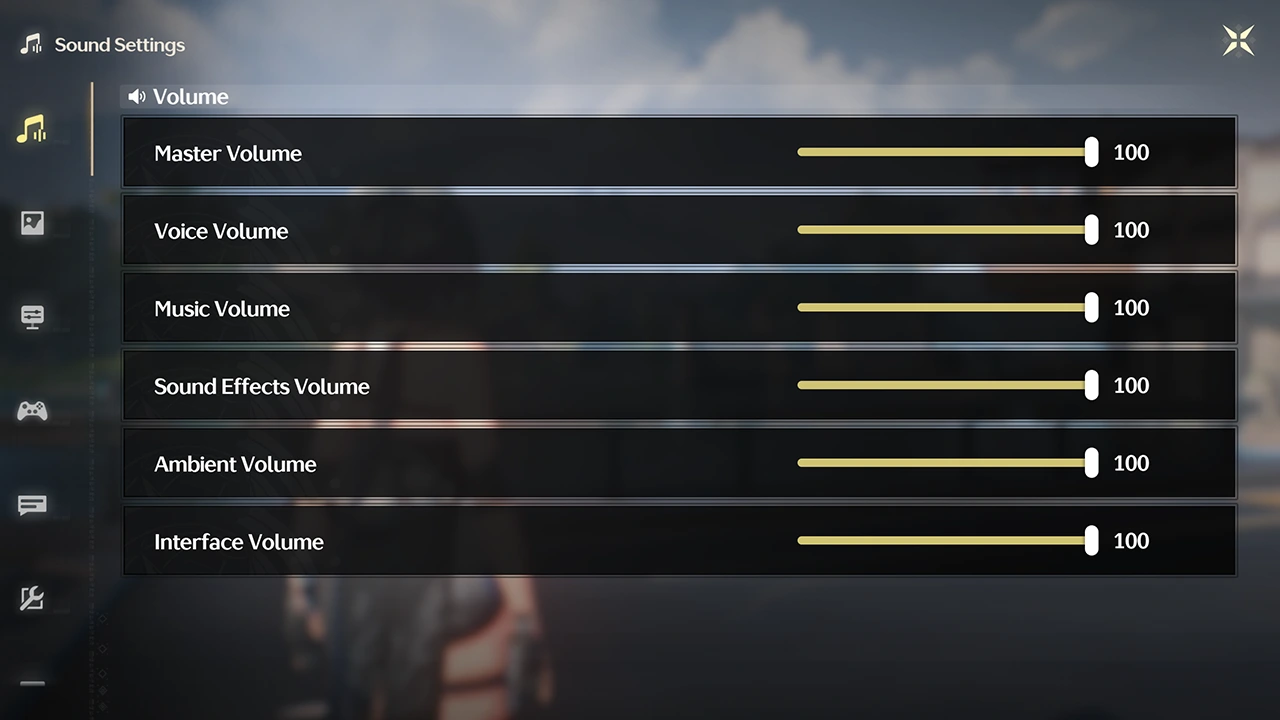
- Check in-game Settings: If you were playing with in-game settings there is a possibility you may have accidentally turned it off. Open the main menu and go to settings. Next, head to Sound settings and make sure these options are not set to 0:
- Master Volume
- Voice Volume
- Music Volume
- Sound Effects Volume
- Ambient Volume
- Interface Volume
- Check your Audio Device: Lastly, if both in-game settings and your volume are fine, then check if the audio device you are using is connected. If it is connected then you should check if it is working.
With that, you now know everything about the WuWa no music and sound effects bug and some things that you can do to fix it. In case you are playing it but aren’t getting a very smooth experience then you should check our guide on how to fix lag & stutter. As for more help on other topics of this game be sure to check out how to unlock co-op, get echo, and all Scar’s answers.











