
Watch Dogs Legion is finally out and it has plenty of features to keep you entertained throughout the game. One of its main features is it lets you recruit plenty of NPCs from across the game’s setting, each with unique skills and backgrounds, helping you to assist in completing the game’s various story and side mission.
There are tons of players who have been having trouble knowing how to change clothes and buy more outfits in Watch Dogs Legion and if that is you then look no further as we got you covered.
How to Get More Clothes in Watch Dogs Legion
Since there are plenty of NPCs in Watch Dogs Legion and each comes with unique outfit and looks, you have an option to change their clothes and appearance by buying new outfits from the store. Watch Dogs Legion does have a lot of clothing items to choose from. If you take a close look at the picture below, they are indicated by green clothing icons.
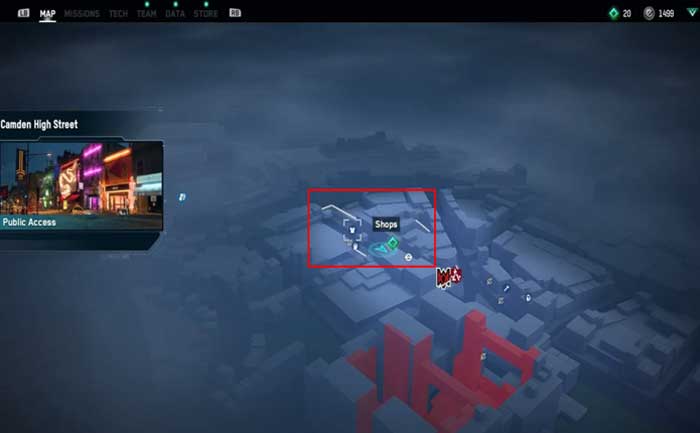
In order to get a new cloth in Watch Dogs Legion, you simply need to head over the stores and then press and hold the Y or triangle button to have a talk with them. Doing this will represent the entire clothing catalogue for the store and you can select the desired outfit. Make sure you have enough Eto to buy new clothes.
Notably, you have nothing to invest your money except to buy clothing items in Watch Dogs: Legion. So, you can invest all of your money buying new clothes.
Additionally, you can also buy new masks by discovering them in the game. There are mask icon scattered throughout the map as well. You can check out the screenshot below.
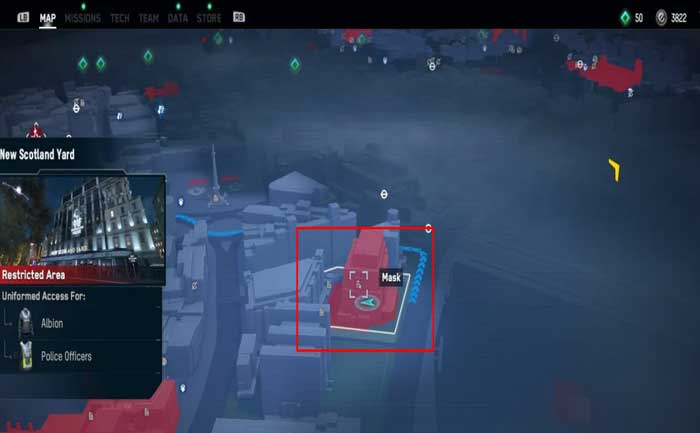
In order to get marks, you simply need to hold the triangle or Y button to pick them up, and it will automatically be added to your wardrobe.
How to Change Outfits in Watch Dogs Legion
After getting into the clothing store, hit the R1 or RB button to access your wardrobe. Doing this will let you see all the clothing items you have in your possession. From there, you will also be able to change your clothes for your character and mix and match them with items that you have purchased.
Notably, you can also access your wardrobe from the DedSec safehouse.
That’s everything you need to know about how to change clothes and buy more outfits in Watch Dogs Legion. Get more such tips in our Watch Dogs Legion Wiki on Gamer Tweak.











