Home > Loop Hero > Vulkan Vs Normal Mode In Valheim

Vulkan Vs Normal Mode In Valheim

Updated Date :

Valheim offers players a unique take on RPG gameplay. The game has good Survival mechanics combined with a blend of retro graphics. However, some find the pixelated graphics can be a bit annoying for some players who think it’s a waste of their precious new graphic cards. This has a fix in the form of the Vulkan mode in the game. In this guide, we tell you which mode to choose between Vulkan and Normal in Valheim.

Vulkan Vs Normal: Which Is Better
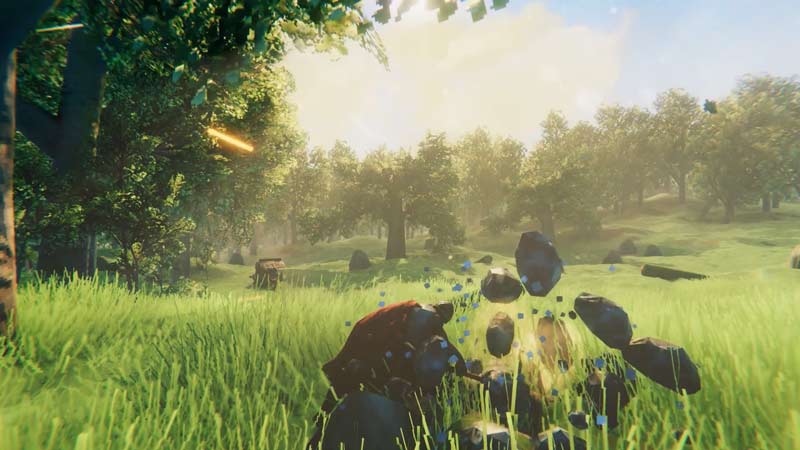
What is the difference between Normal vs Vulkan mode in Valheim
Which graphics settings are better?

Vulkan is the high-performance mode in Valheim. The game allows players to switch to this mode in order to improve FPS and performance. Vulkan also allows for the Ray Tracing feature in the game that really helps differentiate it from the normal version. Ray tracing is the new-gen thing that many high output games have included. This allows for some hyper-realistic lighting effects in a game.

While we have the complete guide about how to Enable Vulkan in Valheim we have explained the steps in short below:

  • First, open Steam.
  • Look up Valheim in the Library.
  • Right-click on the game’s name.
  • Click on Properties.
  • Click on General.
  • Under LAUNCH OPTIONS, there will be a box.
  • Type -force-Vulkan in that box.
  • This will enable Vulkan API in Valheim.
  • Close the window and launch the game.
  • Select Play with Vulkan and that’s it.
  • This is how you can begin playing Valheim using Vulkan.

Valheim really makes for an interesting visual experience despite its relatively low-end graphics. The game has some stunning background images that really set it apart. The Vulkan mode is just a method to amplify the game’s visual treat and does a pretty good job about it too. If your hardware can take it we suggest you utilize this feature to improve your gameplay experience in general.

This is everything that you need to know about which mode to choose between Vulkan and Normal in Valheim. While you are here do not miss out on our complete Valheim Wiki guide for more information about the game. 

  • Lurking Giants Codes (July 2026)

    Lurking Giants Codes (July 2026)

    Published Date :

    The name of this game says it all – lurking giants are hunting you down, and surviving isn’t going to be easy. As you continue playing, you’ll earn Coins that can be spent on unlocking new Giants, perks, emotes, and other shop items. Fortunately, you don’t have to rely entirely on gameplay to build up… Read More

  • Shinobi Way Codes (July 2026)

    Shinobi Way Codes (July 2026)

    Published Date :

    Every shinobi starts as a rookie, but mastering powerful jutsu and defeating dangerous enemies is what separates legendary ninjas from everyone else. In this adventure game, you’ll complete quests, battle opponents, strengthen your character, and unlock new abilities. Redeeming Shinobi Way codes is one of the best ways to level up your character because you… Read More

  • Digimon Up Codes (July 2026)

    Digimon Up Codes (July 2026)

    Published Date :

    Digimon Up codes provide various freebies, including DigiEmeralds, that you can redeem right away! Once you’ve picked the right partner, fed and trained them, as well as Digivolved them, you will be ready for battle and victory. The steps to redeem these goodies can be slightly confusing if it’s your first time, so we have… Read More

  • Build an Ore Crusher Codes (July 2026)

    Build an Ore Crusher Codes (July 2026)

    Published Date :

    Building an efficient mining empire takes effort and in Build an Ore Crusher, your goal is to create a processing line that goes from Crushing ores to earning cash for profit. As your operation grows, you’ll unlock better equipment, automate production, and earn enough money to expand your factory even further. To add to it,… Read More