
Home > Pikmin 4 > How To Equip And Use Drone In Pikmin 4

Pikmin 4 How To Use A Drone (Survey Guide)

Published Date :

Want to use Pikmin 4 Survey Drone to search the unexplored area of the game? Drones are one of the best technological advancements of the time, as they allow you to see and search for things from afar. And it becomes even more crucial in games where exploration is basic. With the help of this tech, you can look for the treasure and get info on the puzzles that you might not understand from the ground. And it will even help you create your strategy before jumping on the field.

How to Get and Equip Pikmin 4 Survey Drone
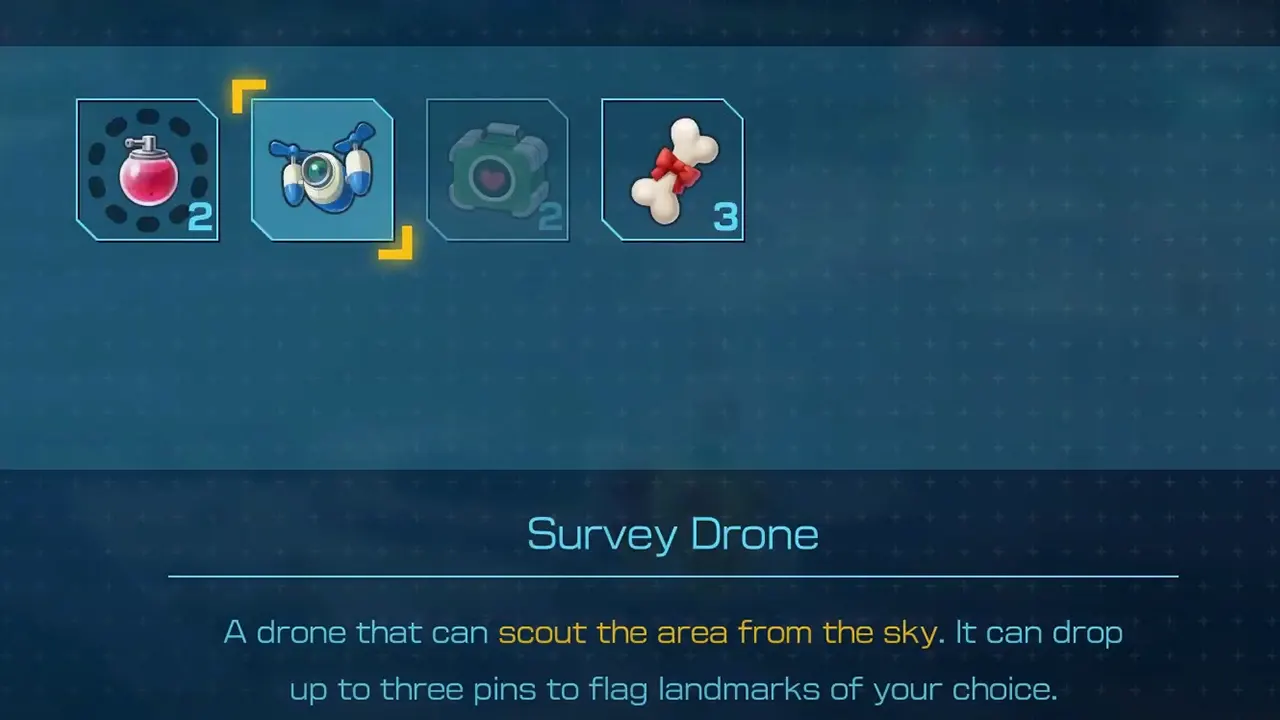
Get Survey Drone Pikmin 4

You can purchase the Drone from Russ, then equip it from the Pack. And use sticks to move horizontally and vertically throughout the area. When you first equip the Drone, you will see the basic controls, like placing flags and finishing scout on the bottom. If you are finding it hard to equip Survey Drone in the Pikmin 4, then you can use these steps.

  • You will first encounter Russ in Sun-Speckled Terrace and need to have 600 Sparklium for seeing the Drone. So collect the required amount and meet him. Talk to him, and he will tell you about the prototype he has developed. And then he will ask you to come and see them for yourself.
  • Select Visit the Lab. It will take you to The Lab, whose Gear section has Survey Drone.
  • Use 10 Materials to purchase the Pikmin 4’s Survey Drone.
  • Then go to the Pack and select the Drone with Y to equip it.
  • Now you can use it to scout the area and use Y to drop three pins and flag landmarks.
  • Once you are done scouting, press B and unequip the device.
  • If you find it tiring to equip any tech from Pack, you can assign them a button from Shortcut Settings.

This is all players have to do to get and use the Survey Drone of Pikmin 4. If you are fond of this strategy-based exploration, you should skim through our Pikmin 4 guides and learn about its bosses, areas, items, and more.


  • CookieRun: Crumble Codes (August 2026)

    CookieRun: Crumble Codes (August 2026)

    Published Date :

    The Devsisters Corporation is back with another Cookie adventure, and like other games, there is a code redemption system in CookieRun: Crumble too! This means we can expect to get regular rewards as drops to help you assemble a team of adorable yet powerful Cookies. Here’s a list of everything currently available. Last checked for… Read More

  • Smiles Codes (August 2026)

    Smiles Codes (August 2026)

    Published Date :

    Smiles is a multiplayer survival mascot horror game where you join other players, complete objectives and survive the dangers lurking in the dark. To make the game more interesting, you can unlock emojis, animations, and more that require in-game currency (Fluff), but it can be quite a grind to earn. Don’t worry, you can redeem… Read More

  • Decaying Winter Codes (August 2026)

    Decaying Winter Codes (August 2026)

    Published Date :

    In Decaying Winter, you’re stranded on EDEN-277 where you need to survive not just scavengers, raiders and supernatural enemies but also the hostile environment. Since it’s a roguelike co-op survival experience, every little boost helps, and that’s where Decaying Winter codes will come in handy. Luckily, there is a code redemption mechanic in the game,… Read More

  • Fishing Tower Defense Codes (August 2026)

    Fishing Tower Defense Codes (August 2026)

    Published Date :

    Fishing Tower Defense codes can help you build a stronger defense by rewarding you with free Diamonds, Dice, and other useful items. Unlike the usual tower defense games, this Roblox experience has you catching unique fish and deploying them as living towers to stop waves of invading humans. As you unlock rarer fish and upgrade… Read More







