In BattleBit Remastered before you head into battle, you should have at least basic info on how to use the classes. As you’ll be fighting against 245 other players, knowing the class you are using is very important. For those who are unaware, there are 6 classes you can choose from. And each of them plays a huge role to take the squad towards victory. If you’re dicey about which class you should use in the game, then we’ll help you decide.
How to Use & Change Classes in BattleBit Remastered
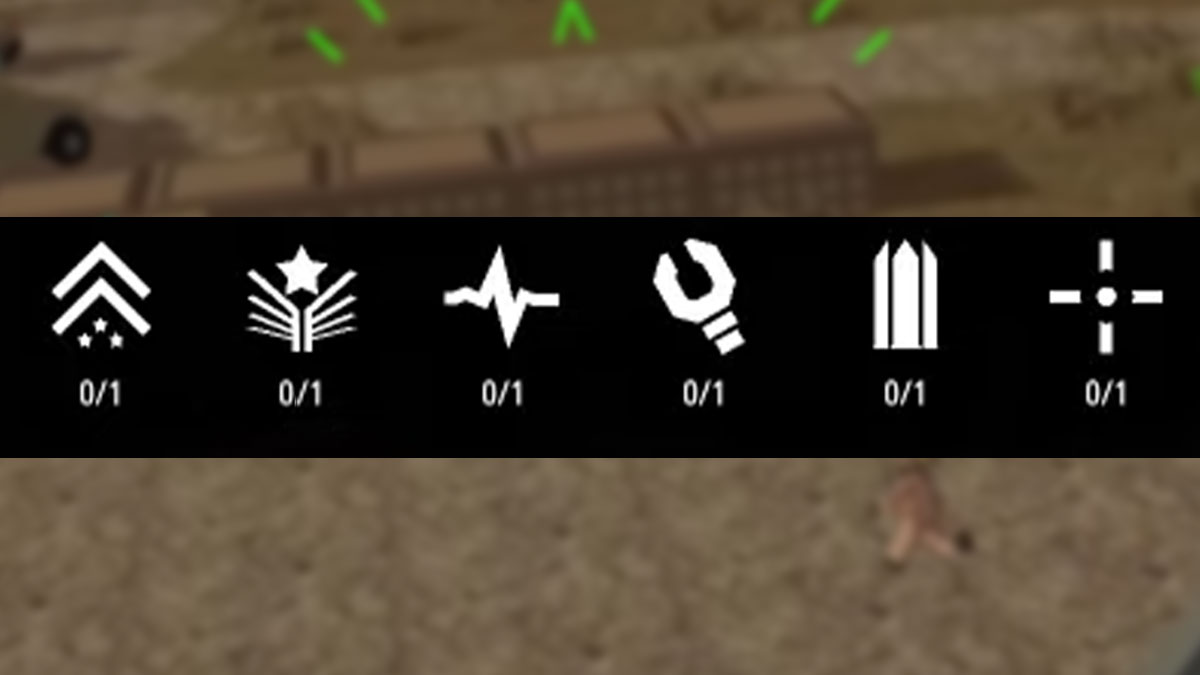
As mentioned earlier, there are 6 classes in BattleBit Remastered that you can choose and use from. Such as Squad Leader, Medic, Assault, Support, Engineer, and Recon. And each of them has access to class-related gadgets and weapons. For your reference below we have explained what purpose every class serves and which type of weapons can be accessed.
Squad Leader Class
Squad Leader is one of the most important classes in the game, as it has the responsibility of the whole squad. They are the ones who call the shots and strategize where their teammates should attack. This squad not only has access to Assault Rifles, Pistols, and DMRs but also to some gadgets like Air Drone, Bino Soflam, and more.
Medic Class
As the name goes, the Medic has the responsibility for the whole squad members’ health. So whenever a teammate is in need and bandages are not helping, then this class has access to Medkit that’ll surely come in handy. Other than that, Medic also have access to a whole range of weapons like SMGs, PDWs, Carbines, Pistols, and Assault Rifles.
Assault Class
Assault is one of the most recommended to use classes for newcomers in BattleBit Remastered. That’s because, unlike other classes, the Assault player is solely responsible for earning kills. So if you choose to play this class, then all you have to do is pick a gun and start knocking enemies down. However, there are not many types of weapons you can choose from and are limited to Pistols or Assault Rifles.
Engineer Class
The Engineer class players are technicians of the squad and have access to various tools and gadgets. Apart from that, they even have access to explosives like Anti Vehicle Grenades, & RPGs. Moreover can also choose from weapons like Assault Rifles, Carbines, Pistols, DMRs, PDWs & SMGs.
Recon Class
Recon Class is a safe class if you don’t like getting your hands dirty in close combats. But do note, it comes along with a lot of responsibilities where you have to scout from meters away. Any wrong intel can straightaway endanger the squad’s life. So try to make the right use of gadgets like MDX-201, Air Drone, and Grappling Hook to take your team towards victory. As a Recon class, it especially has access to Sniper Riles, to take long shots. And can also use DMRs & Pistols, if things get out of hand.
Support Class
Last but not least the Support team is also one of the good classes you can use in BattleBit Remastered. It has the responsibility of giving cover and supplies to the team whenever it is needed. This class has access to Grenades and weapons like LMGs & Pistols.
If you’ve made up your mind but are not familiar with the process to change classes then scroll down for steps.
Steps to Change Classes
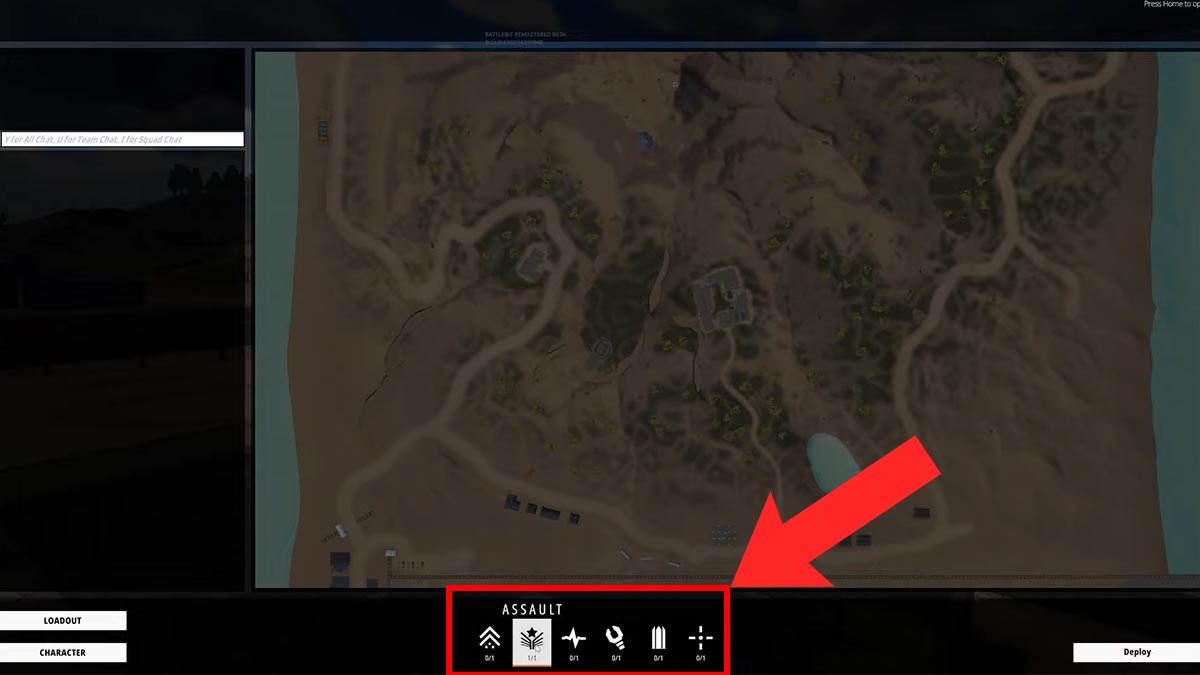
Players can change class when they’re on the Map screen. This screen appears before you spawn in a match. And at the bottom of the map, you’ll see all classes’ symbols. All you have to do is left-click on the one that you want to go with and that’s it. Similarly, on the bottom left side, you’ll see the character and loadout customization option. Do note, choosing the right class before jumping into battle is very important. If you don’t do it, then you’ll simply spawn as a default Assault class.
That is all you need to know about How to use and change classes in BattleBit Remastered. If you’re new to the game, then check out the fastest ways to level up easily. Also, take a look at the Weapons tier list to pick the right gun in BattleBit Remastered.