The Bloodhound is an excellent companion in the Hunter Call of the Wild, but many players don’t know how to use it. This hunting game has massive maps where it is very easy to lose track of your prey. Moreover, the prey does not stay stationary after you hit it. It tries to run away and covers a good distance if its injury isn’t lethal. You can track it via blood trails but it can be quite difficult in forests or grassy patches of land. This is where the trusty Bloodhound comes in with its fierce sense of smell. In this guide, you will learn how to use the Bloodhound in CotW.
How to Get and Equip the Bloodhound in Hunter Call of the Wild
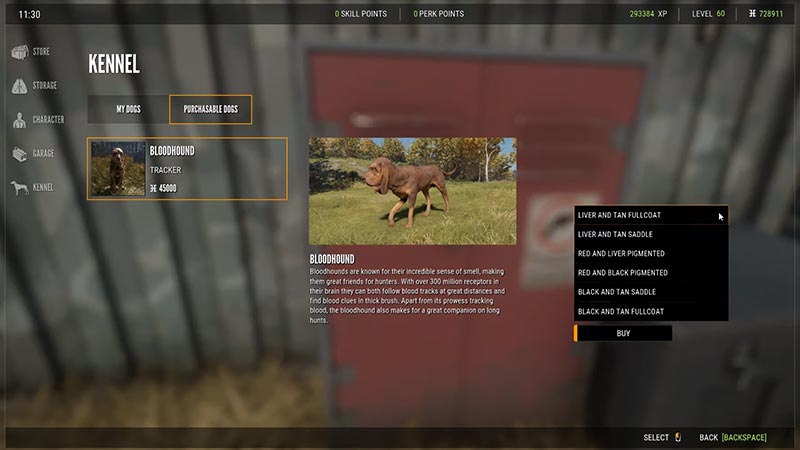
The Bloodhound isn’t a part of the base game. You’ll have to purchase it from stores like Steam, Epic Games, Microsoft, or PlayStation based on your system. Once you do, here’s how to equip it in the game:
- Launch the Hunter CotW and enter a map.
- Head over to the nearest unlocked Outpost and look for the Cache locker.
- Navigate to the Kennel tab and you’ll find your Bloodhound there.
- You’ll get one for free, but it’ll cost you 45000 cash to buy another.
- Before equipping the dog, you can select the color of its fur and its gender.
- Once you confirm these options, you can name the dog and equip it.
How to Use Bloodhound in the Hunter Call of the Wild
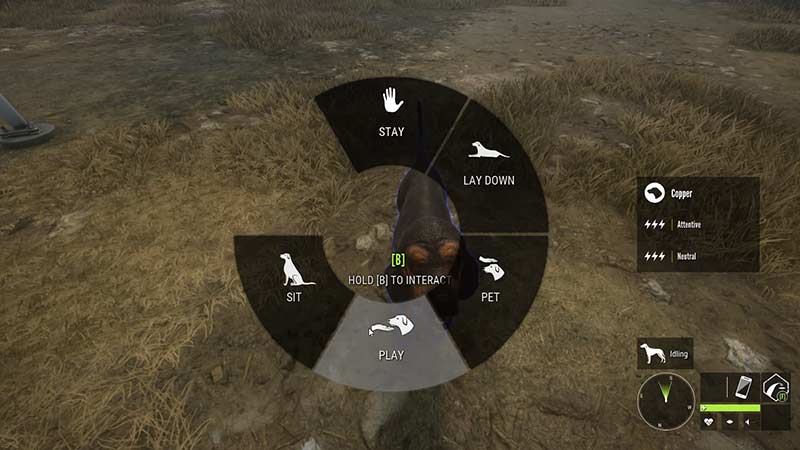
Once you equip the Bloodhound, it’ll spawn beside you on the map. You can interact with it to make it sit, lie down, stay, heel (follow), and more using the command wheel. The major use of the Bloodhound in the Hunter Call of the Wild is to track down injured animals. This dog has a keen sense of smell and can help you find wounded animals who ran away. The Bloodhound will find the prey faster if the injury is severe.
There are two ways you can track your prey with the Bloodhound. First is when you inspect the blood clue yourself and second is when you don’t know where it is.
Tracking after Inspecting Blood
In this method, you must find the blood trail yourself. This is a surefire method to track down your prey with the Bloodhound.
- Once you injure the prey, head over to the area and look for the blood clue.
- Examine the trail and open the command wheel.
- Select the Track option and let your Bloodhound find the prey.
- The level of your dog will determine how fast it can find the prey.
Tracking without Inspecting Trail
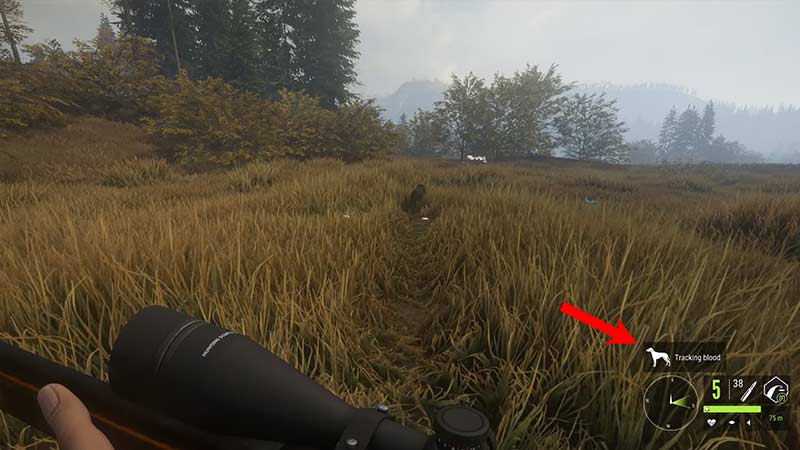
If you’re not able to find the blood trail, you can still use the Bloodhound to try and find your prey.
- Simply go to the area where you shot the prey.
- Open the Command Wheel and select the Track option.
- The Bloodhound will look for the blood tracks within a 60-meter radius (110 with Nosy trait).
- If it finds the trail, you’ll see the “Tracking Blood” message. If not, then you’ll see the “Track not found” message.
Bloodhound Status in Hunter CotW
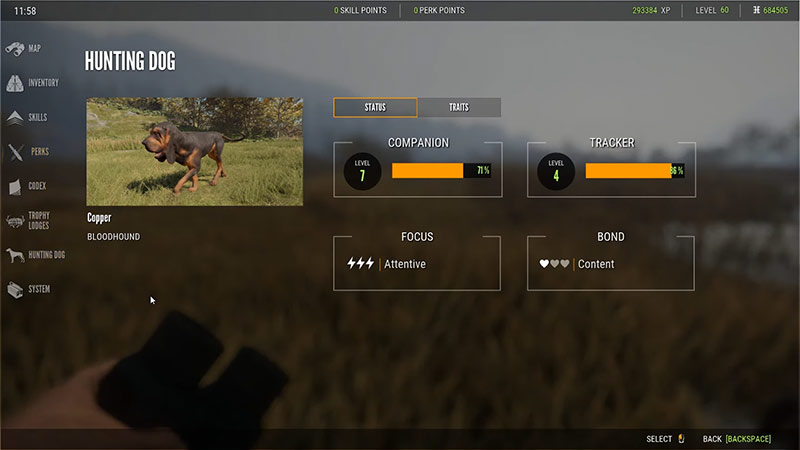
The status of your Bloodhound determines how well your dog can perform tasks and for how long it can do them. In the status tab, you’ll find the following four levels:
- Companion: This level is based on how much time you spend with your Bloodhound. Increasing this level by going on more hunts will unlock new traits for your dog. Moreover, it will also determine the attentiveness of your pet.
- Tracker: This is your dog’s experience at tracking the prey. The higher it is, the better your Bloodhound will be at tracking faster and precisely.
- Focus: This is the stamina of your dog. With every command, this level will decrease. You can refill it by not giving your Bloodhound any commands or letting it rest at the kennel.
- Bond: This determines how quickly your dog will regenerate its focus. You can increase your bond with your Bloodhound by petting, playing, and giving it a treat.
Now that you know how to use the Bloodhound in the Hunter Call of the Wild, go out and hunt without worrying about losing the prey. You can also play this game with your friends so check out how to unlock the multiplayer option in our CotW guides section.