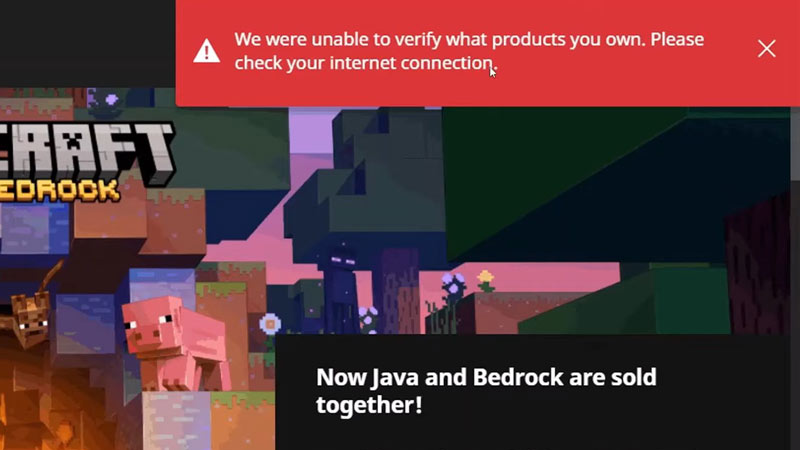
Many players can’t play Minecraft because they get the “We Were Unable To Verify What Products You Own” error and need a fix. This problem is annoying as it prevents you to play the game. But thankfully there are a few ways you can resolve it. So in this guide check out how to fix the unable to verify products error for Minecraft.
How to Fix Unable to Verify What Products you Own Error for Minecraft
There are several ways you can resolve this error here are them all:
- Sign out of your account: One of the things that can help resolve this issue is logging out of your Microsoft account. Log out of your account from the Microsoft store. Then open the Minecraft launcher and log in to your Microsoft account from there. It will give you a warning that your accounts do not match. Close this popup and try playing the game. Check if you still get the error, if it solves then go back to the Microsoft store and log in.
- Check Minecraft server status: If the Minecraft servers are down or under maintenance, then you can see the reason for getting this error. The best place to look for any ongoing server updates is the Mojang Status official account on Twitter. Here you can find tweets about if there are any updates going on at the moment and also which previous issues have been resolved.
- Refresh your connection: Another reason Minecraft can’t verify the products you own is because of a poor connection. This is especially true if you find the servers are working properly. In such a case you should refresh your internet connection to improve its speed and stability. For a wired connection simply plug out and plug in the Ethernet cable. And to refresh a wireless connection try rebooting your router.
- Restart your system: Restarting your PC after refreshing your connection can help it work better. This is a basic fix that might even help if your Minecraft launcher is giving you issues.
- Reinstall Minecraft launcher: If your internet is working and even the servers are fine then the problem could be with the game or the launcher files. The best way to fix it would be to uninstall the Minecraft launcher and delete any temp files. Now install the launcher again and see if you still get the error. In case you do then you can also try installing the Windows 7/8 version of the launcher to see if it works any better.
That covers this guide on how to fix we were unable to verify what products you own error for Minecraft. For more things about this game be sure to check out our Minecraft section.